Introduction to DJing
DJ Equipment Basics
Your First DJ Setup
Walking up to a DJ booth for the first time can be intimidating. It's a landscape of knobs, faders, and blinking lights. But once you understand the basic pieces and how they work together, it all starts to make sense. Every DJ setup, from a simple bedroom rig to a festival main stage, is built around the same core components.
Don't let the array of DJ gear intimidate you.
Think of it like this: you need at least two sources to play music from, a way to mix them together, and a way to listen. That's it. Whether you're using classic vinyl turntables or a modern digital controller, the goal is the same: to blend tracks together smoothly.
The Players
The "players" are whatever you use to play your music. For decades, the standard was the turntable. Today, many DJs use digital media players (often called CDJs) or DJ controllers, but they all serve the same purpose and often mimic the layout of a classic turntable.
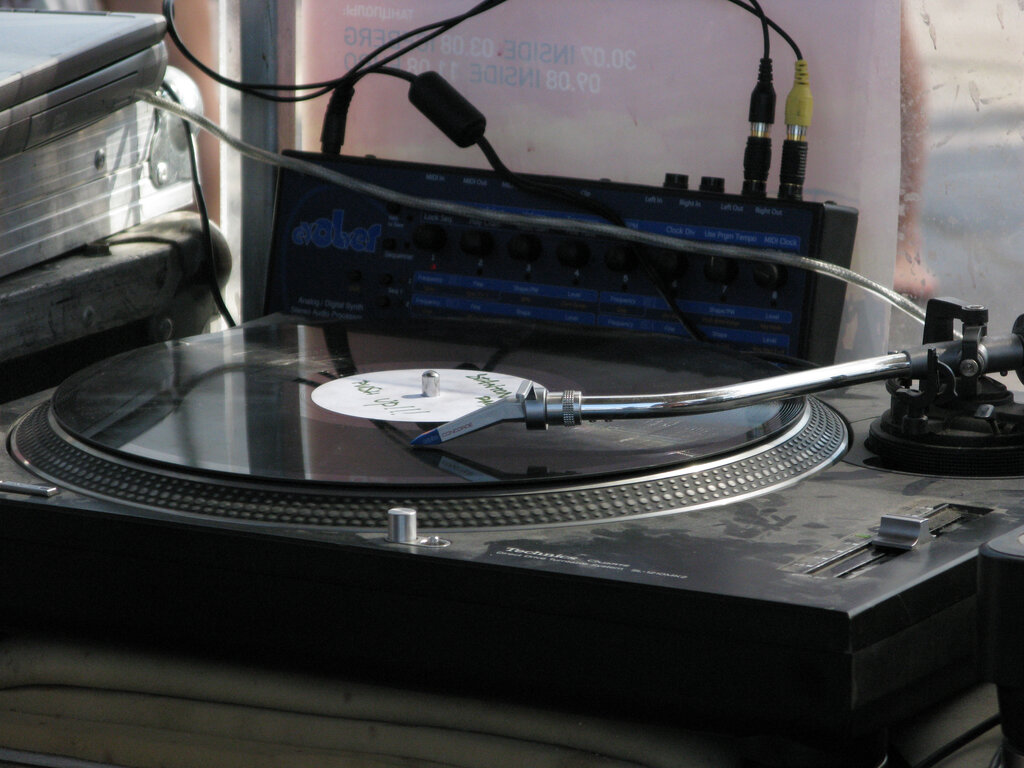
A turntable has several key parts you'll need to know:
- Platter: The spinning plate that holds the record.
- Tonearm: The arm that holds the cartridge and stylus. You manually place this on the record to start playing.
- Stylus: This is the small needle that sits in the groove of the record and reads the music.
- Pitch Fader: A slider that lets you speed up or slow down the record to match its tempo to another track.
stylus
noun
The needle-like component at the tip of a turntable's tonearm that reads the grooves in a vinyl record.
The Command Center
The mixer is the heart of the setup. It takes the audio signals from your players and lets you control them, blend them, and send the final mix out to the speakers. Most club mixers have two or four channels, allowing a DJ to connect multiple players.
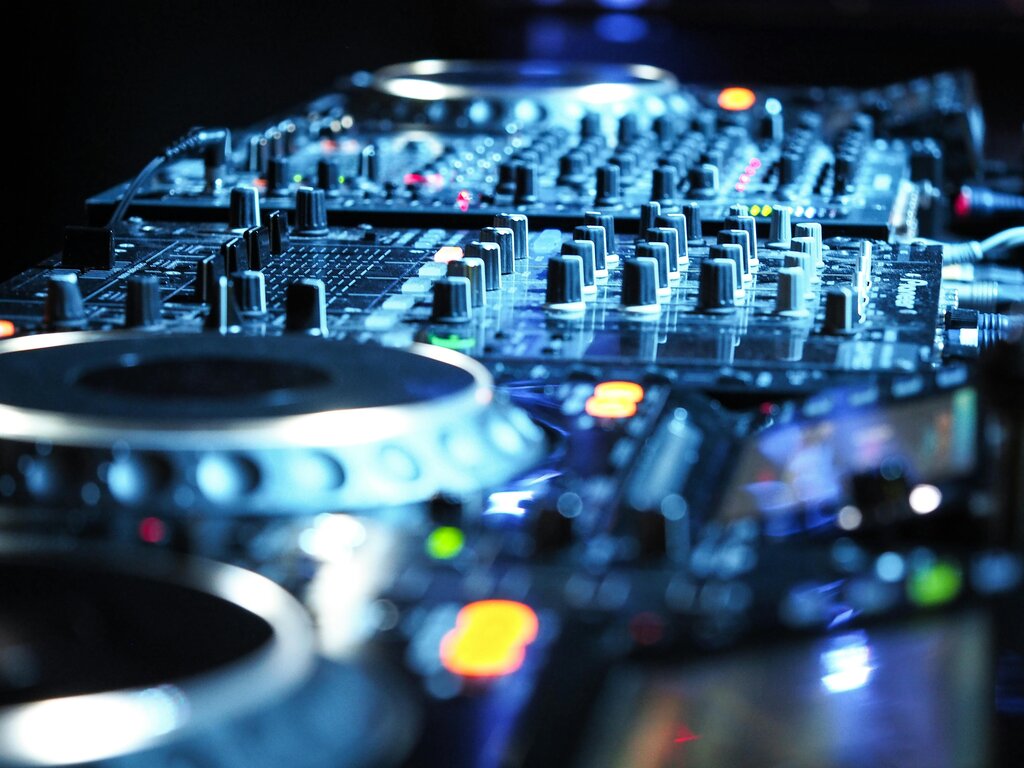
Here are the essential parts of any mixer:
-
Channels: Each player is plugged into a channel. Each channel has its own set of controls. The most important is the channel fader (or upfader), a vertical slider that controls that channel's volume.
-
EQ Knobs: EQ stands for equalization. For each channel, you'll typically find three knobs: lows (bass), mids, and highs (treble). These let you boost or cut specific frequencies, which is key for smooth mixing.
-
Crossfader: This is the horizontal slider at the bottom of the mixer. It allows you to fade between the channels. If you slide it all the way to the left, you'll only hear the player connected to the left channel. Slide it right, and you'll hear the right channel. In the middle, you hear both.
Modern Control
DJ controllers are all-in-one units that combine the functions of two players and a mixer. They connect to a laptop running DJ software and act as a hands-on interface. Instead of a spinning platter for a record, they have large platters called jog wheels that let you manipulate the digital track, just like you would a record.
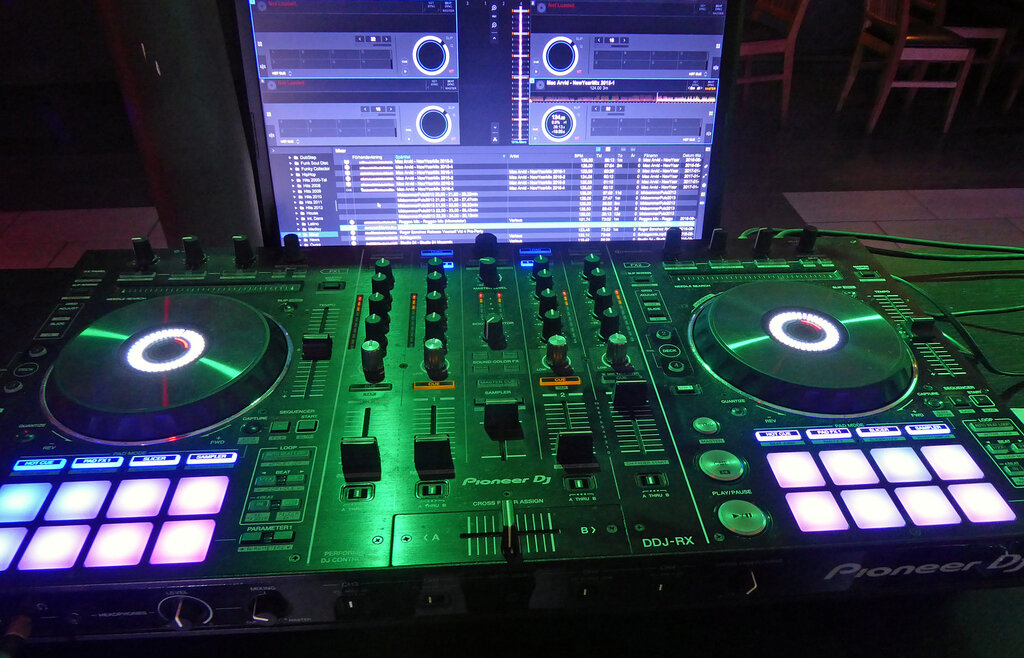
Controllers are popular because they are often more affordable, portable, and packed with features like performance pads for triggering samples and effects. For many beginners, a simple two-channel controller is the perfect entry point into DJing.
Listen Closely
How does a DJ hear the next track before the crowd does? The answer lies in the headphones and a technique called cueing.
High-quality headphones are essential for accurate monitoring and cueing while DJing.
Every mixer or controller has a headphone output and a cueing system. The cue buttons allow you to listen to a channel through your headphones without sending that sound to the main speakers. This is how you prepare your next track, match its beat, and decide exactly when to mix it in. The master output goes to the crowd, while the cue output goes to you.
Putting It All Together
Connecting your gear is straightforward. Each player (turntable, CDJ) connects to an input on a mixer channel using RCA cables. The mixer's main output then connects to your amplifier or powered speakers. If you're using a controller, it typically connects to your laptop via USB, and the speakers connect directly to the controller's master output.
This basic signal flow is the foundation of all DJing. Understanding how the sound travels from the player, through the mixer, and out to the speakers (and your headphones) is the first major step to becoming comfortable behind the decks.
What are the three fundamental components that form the basis of any DJ setup?
What is the primary function of the crossfader on a DJ mixer?
Now that you know the tools of the trade, you're ready to learn how to use them to create a seamless mix.