Introduction to DJing
DJ Equipment Basics
The DJ's Toolkit
At the heart of any DJ setup are a few key pieces of gear. Think of them like a musician's instruments. You don't need the most expensive equipment to start, but understanding what each component does is essential. Let's break down the core tools you'll be working with.
Decks The Music Players
First, you need something to actually play the music. These are broadly called "decks." Traditionally, this meant turntables for playing vinyl records. The classic turntable has a platter that spins the record and a tonearm with a needle that reads the grooves.
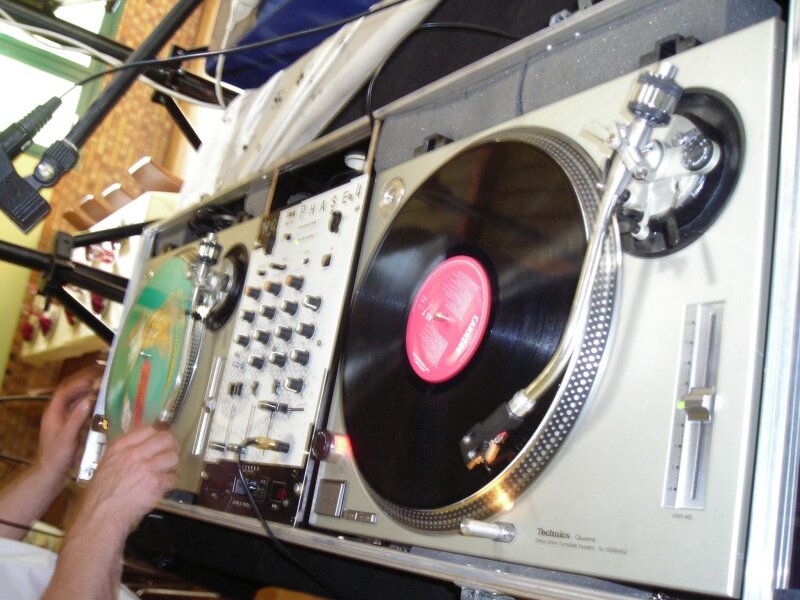
Today, many DJs use digital media players, often called CDJs, even though they can play music from USB drives and SD cards, not just CDs. Whether you're using vinyl turntables or digital decks, they share a crucial feature: the pitch fader. This control lets you slightly speed up or slow down a track to match its tempo with another song, a technique known as beatmatching.
The Mixer The Command Center
The mixer is where the magic happens. It's the central hub that takes the audio from your two (or more) decks and lets you blend them together. A basic mixer has a few main controls you'll need to know.
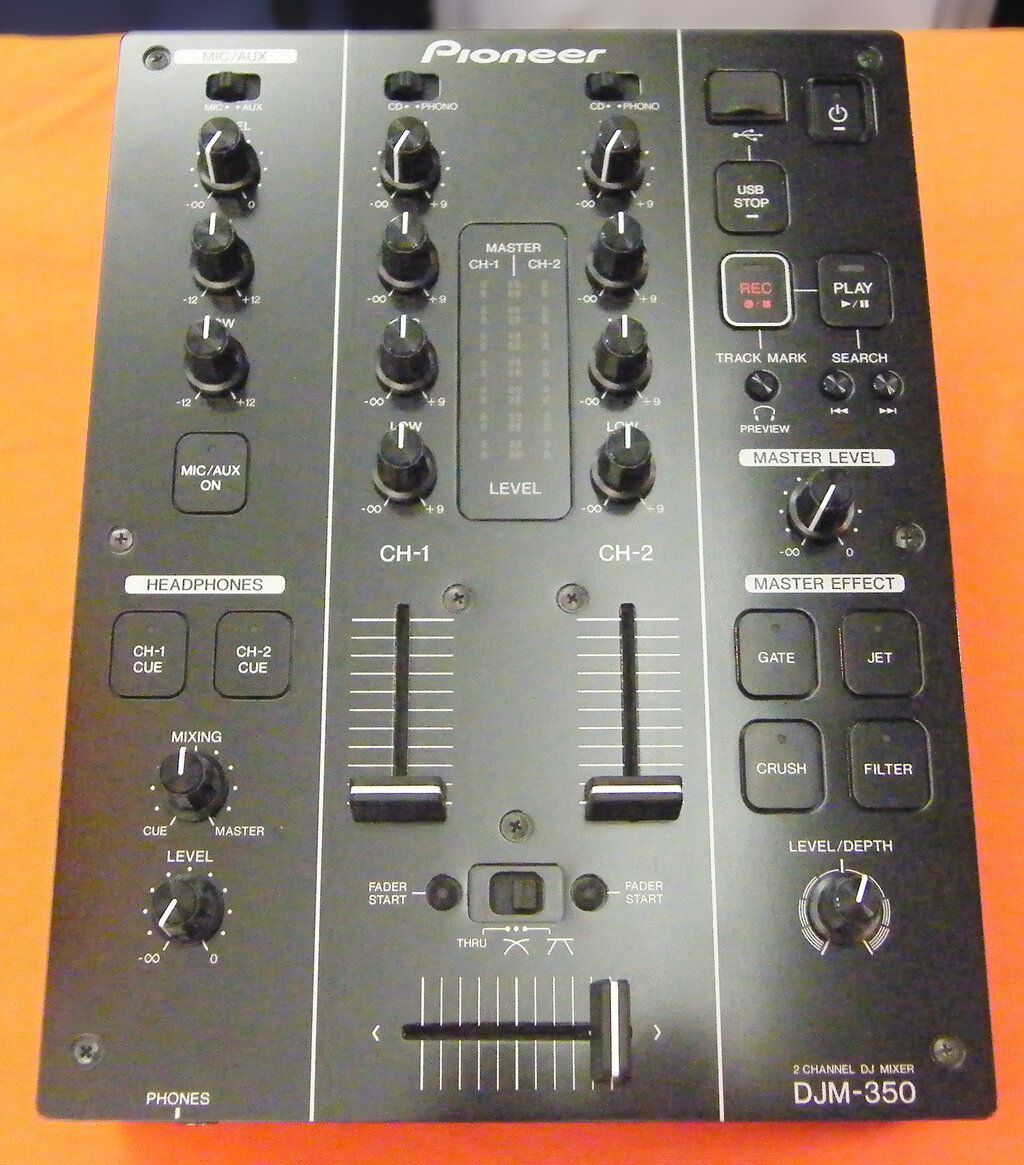
- Channels: Each deck plugs into its own channel. Each channel has its own set of controls, most importantly a volume fader (an up-and-down slider) to control how loud that deck is.
- EQs (Equalizers): On each channel, you'll find knobs to control the frequencies of the music: bass (lows), midrange (mids), and treble (highs). Cutting the bass on one track while bringing in another is a common way to create a smooth mix.
- Crossfader: This is the horizontal slider at the bottom of the mixer. It lets you fade smoothly from one channel to another. Slide it all the way to the left, and you'll only hear the deck plugged into the left channel. Slide it right, and you'll only hear the right. In the middle, you'll hear both.
Headphones and Controllers
Your headphones are one of your most important tools. They plug directly into the mixer and let you listen to a song before you play it for the audience. This is called cueing. It allows you to find the right starting point of the next track and match its beat to the song that's currently playing, all without the crowd hearing your preparation.
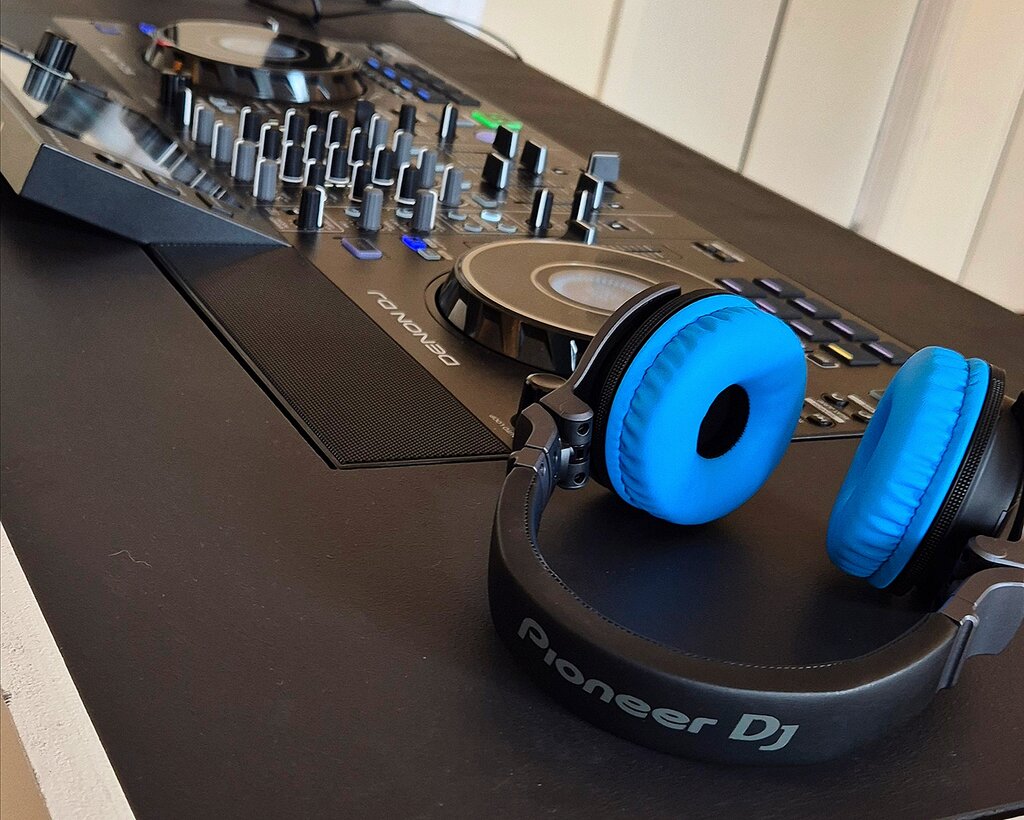
For many beginners and professionals alike, a DJ controller is the perfect all-in-one solution. A controller combines the functions of two decks and a mixer into a single piece of hardware. It doesn't play music on its own; instead, it connects to a laptop running DJ software. The knobs, faders, and jog wheels on the controller manipulate the software, giving you tactile control over your digital music library.
Putting It All Together
So, how does everything connect? The basic signal flow is straightforward. Audio travels from your decks into the channel inputs on your mixer. The mixer then combines these signals and sends a single master output to the speakers (or amplifier). Your headphones also plug into the mixer, giving you a separate audio feed for cueing.
Understanding these individual components and how they link up is the first major step. Once you're comfortable with the gear, you can focus on the art of mixing itself.
Ready to test your knowledge? Let's see what you've learned about the fundamental DJ setup.
What is the primary function of the pitch fader on a DJ deck?
The process of listening to a song in headphones before playing it for the audience to prepare it for mixing is known as:
With a solid grasp of the equipment, you're ready to start exploring how to use it to create seamless mixes.