Introduction to Computer Science
Introduction to Computer Science
What Is a Computer?
When you hear “computer science,” you might think of writing code. That’s a big part of it, but it’s not the whole story. At its heart, computer science is the study of what computers can do. It's about problem-solving, logic, and creativity. A computer is simply a tool that follows instructions to manipulate information. Understanding this tool is the first step.
A Brief History of Computing
The idea of a machine that computes is older than electricity. In the 1800s, Charles Babbage designed the Analytical Engine, a mechanical device that could perform calculations. Ada Lovelace, a mathematician, wrote what are considered the first algorithms for this machine, making her the world's first computer programmer.
These early machines were mechanical marvels, but the digital age began with the advent of electronics. The first electronic computers were enormous, filling entire rooms. They were used for complex calculations during World War II. A key breakthrough was the invention of the transistor, which replaced bulky and unreliable vacuum tubes. This led to smaller, faster, and more powerful computers.
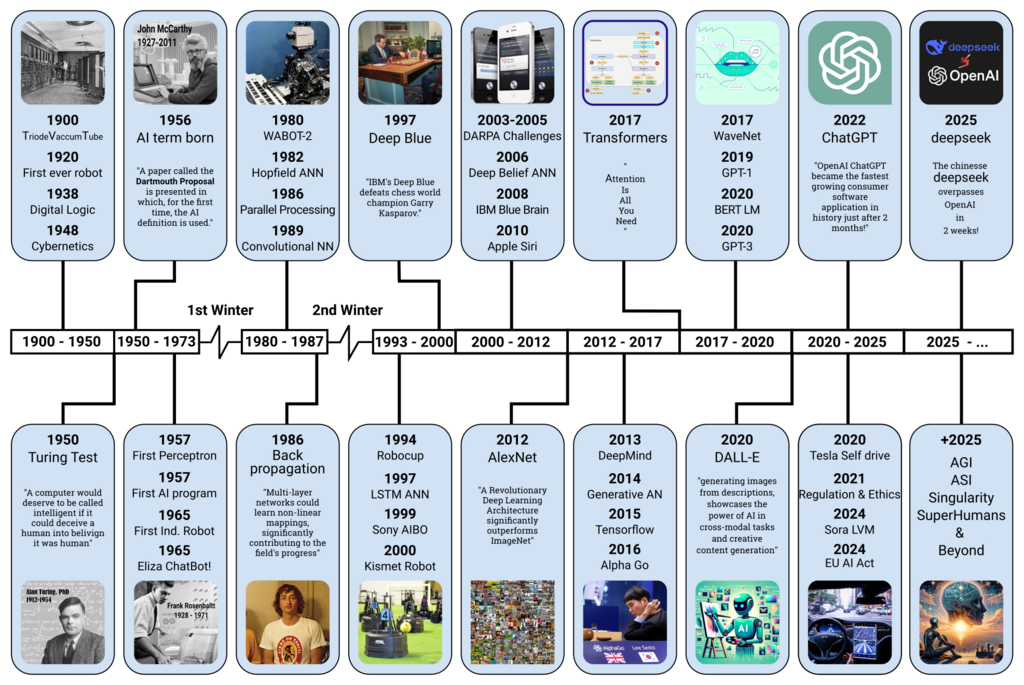
Soon after, the integrated circuit packed many transistors onto a tiny silicon chip. This innovation paved the way for the personal computer (PC) revolution in the 1970s and 80s, bringing computing from specialized labs into our homes and offices. Today, that same power—and much more—fits right in your pocket.
Inside the Machine
Every computer, from a supercomputer to a smartwatch, has the same basic components. Think of it like a simple workshop. You have a worker (the processor), a workbench (memory), and a library of manuals (storage). They work together to get things done.
Let's break down these parts:
-
Central Processing Unit (CPU): This is the brain of the operation. It performs all the calculations and executes the instructions from programs. The speed of the CPU determines how fast the computer can "think."
-
Memory (RAM): Random Access Memory, or RAM, is the computer's short-term memory. It's the workbench where the CPU places the data and programs it's actively using. RAM is very fast, but it's also volatile—it forgets everything when the power is turned off.
-
Storage (Hard Drive or SSD): This is the long-term memory, like a library or filing cabinet. It stores your files, applications, and the operating system. It's slower than RAM but keeps your information safe even without power.
-
Input and Output Devices: These are how you interact with the computer. A keyboard and mouse are input devices, allowing you to give commands. A monitor and speakers are output devices, showing you the results.
The CPU does the thinking, RAM is its temporary workspace, and storage holds the library of information.
How Computers Process Information
Deep down, computers have a very simple language. They see the world in terms of on and off, represented by the numbers 1 and 0. Each 1 or 0 is called a bit, short for binary digit. It's the smallest possible piece of data a computer can handle.
Computers group these bits together to represent more complex information. A group of eight bits is called a byte. A single byte can represent a letter, a number, or a symbol. Everything you see on your screen—text, images, videos, websites—is ultimately just a massive collection of these 1s and 0s.
| Term | Represents | Example |
|---|---|---|
| Bit | A single 0 or 1 | 1 |
| Byte | 8 bits | 01000001 (the letter 'A') |
| Kilobyte (KB) | ~1,000 bytes | A short email |
| Megabyte (MB) | ~1,000 kilobytes | An MP3 song |
| Gigabyte (GB) | ~1,000 megabytes | A high-definition movie |
The process is simple but incredibly fast. When you open an application, the CPU fetches its instructions from storage and loads them into RAM. It then reads these instructions one by one, performing calculations and moving data around as needed. It does this millions or even billions of times per second, creating the smooth, interactive experience we're used to.
Now that you understand the basic building blocks, let's test your knowledge.
At its core, what is computer science the study of?
In the workshop analogy, Random Access Memory (RAM) is described as the computer's 'workbench'. What does this imply about its function?