Introduction to C++ Programming
Introduction to C++
What is C++?
C++ is a powerful, general-purpose programming language. It was created in the early 1980s by Bjarne Stroustrup at Bell Labs as an extension of the C language. Think of C as a solid, reliable toolkit. C++ takes that same toolkit and adds a host of advanced, high-performance power tools.
This combination of low-level control (from C) and high-level features makes C++ incredibly versatile. It's the language behind many of the applications you use daily, from high-performance video games and web browsers to operating systems and financial trading software. It’s known for being fast and efficient, giving programmers direct control over system resources like memory.
Setting Up Your Workspace
To start writing C++ programs, you need two key things: a text editor and a compiler. The compiler is a special program that translates the C++ code you write—which is readable by humans—into machine code that a computer's processor can actually execute.
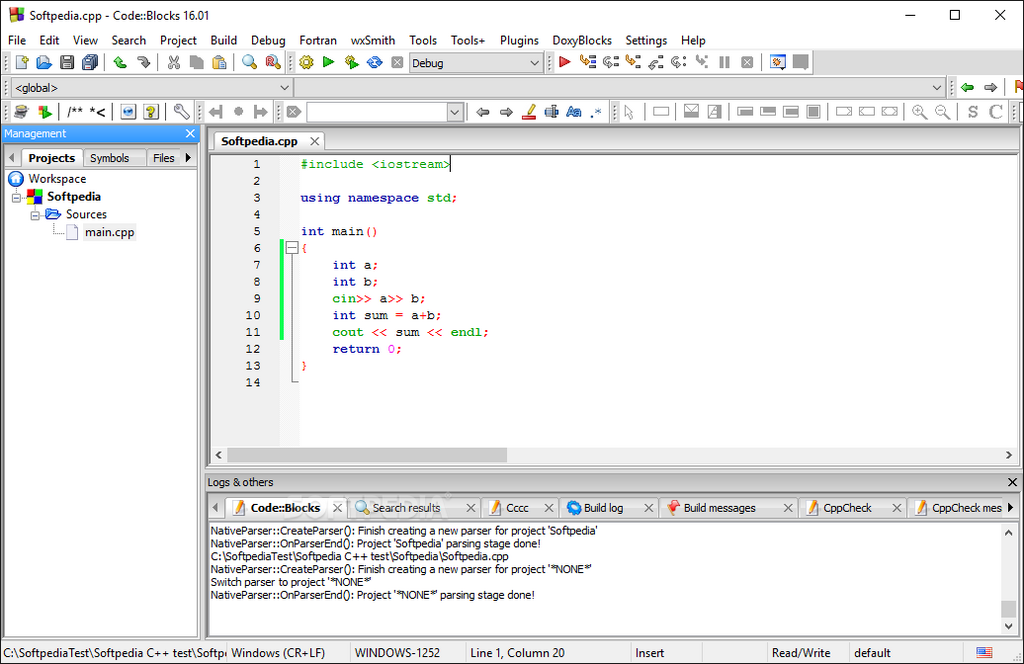
Most developers use an Integrated Development Environment, or IDE. An IDE bundles a text editor, a compiler, and other helpful tools into a single application. For beginners, an IDE makes the process of writing, compiling, and running code much simpler. Popular choices include Visual Studio, Code::Blocks, and Xcode on Macs. There are also many online compilers that let you write and run C++ code directly in your web browser, which is a great way to start without installing anything.
Your First C++ Program
A long-standing tradition in programming is to make your first program in a new language print the phrase "Hello, World!". Let's look at how to do that in C++.
// This is a simple C++ program

#include <iostream>

int main() {
    // Print "Hello, World!" to the console
    std::cout << "Hello, World!" << std::endl;
    return 0;
}
It might look a little strange, but each part has a specific job. Let's break it down line by line.
#include <iostream>: This line is a preprocessor directive. It tells the compiler to include theiostreamfile, which is a standard library that lets us work with input and output, like printing text to the screen.
int main(): This is the main function. Every C++ program must have amainfunction. Execution of the program starts here. The curly braces{and}mark the beginning and end of this function's code.
std::cout << "Hello, World!" << std::endl;: This is the statement that does the printing.std::coutis the standard output stream (think of it as the console). The<<operator is used to send the text "Hello, World!" to that stream.std::endlinserts a new line and tells the stream it's finished.
return 0;: This line ends themainfunction. It sends a value of 0 back to the operating system, which is a standard way of saying the program ran successfully without any errors.
Compiling and Running
So, how do you get from that source code to a running program? The process has two main stages.
First, the compiler takes your C++ source code (usually saved in a file with a .cpp extension) and translates it into an object file containing machine code. Then, a program called a linker combines this object file with any necessary code from libraries (like iostream) to create a final, executable program.
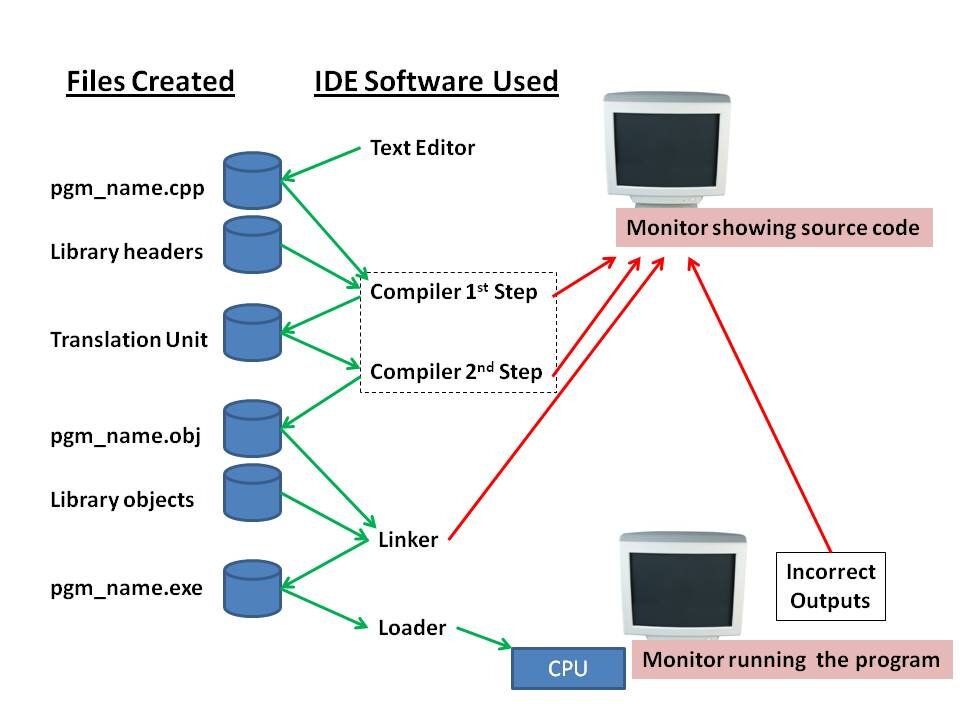
If you're using an IDE, this entire process is usually handled for you. You'll typically find a button labeled "Build," "Run," or "Build & Run" that compiles, links, and executes your code with a single click. When you run the "Hello, World!" program, a console window will pop up and display the output.
Now that you've seen the basic workflow, it's a good time to test your understanding.
C++ was created as an extension of which programming language?
What is the primary role of a compiler in the C++ development process?
Congratulations on writing your first program! The best way to learn is by doing. Try changing the text inside the quotation marks to print something different and run it again to see the result.