Introduction to C Programming
Introduction to C
Why Learn C?
C is a foundational programming language, developed in the early 1970s by Dennis Ritchie at Bell Labs. It was originally created to build the Unix operating system. Despite its age, C remains incredibly influential and widely used today.
Why? Because it's powerful and efficient. C gives programmers a level of control that's close to the computer's underlying hardware. This makes it ideal for tasks where performance is critical, like in operating systems, embedded systems (the tiny computers in your car or microwave), and high-performance computing.
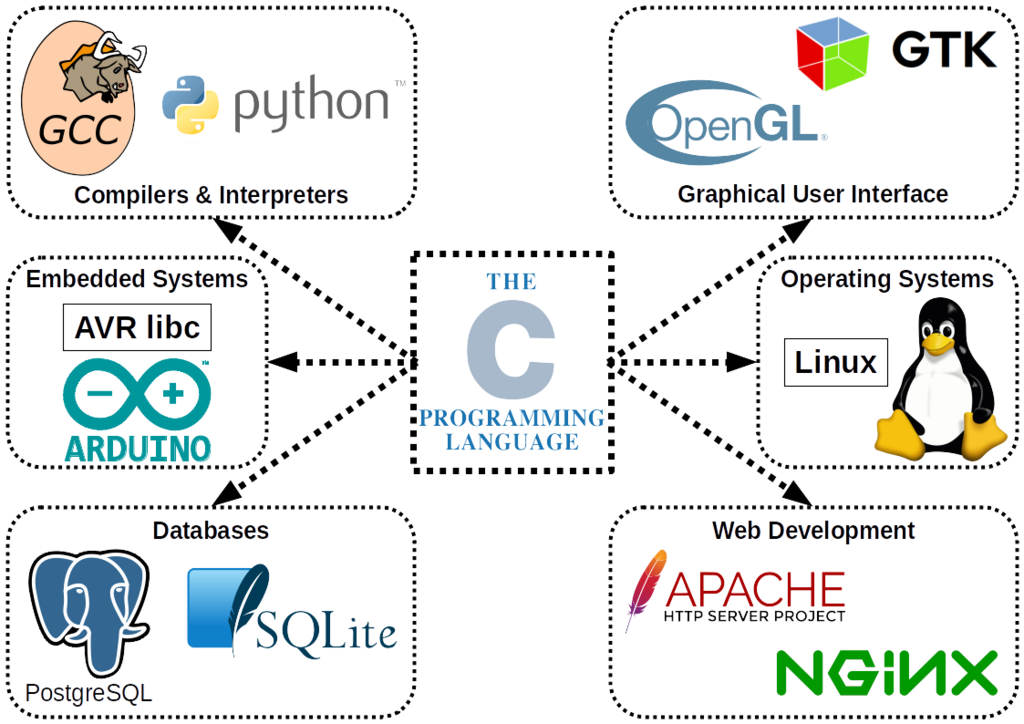
Learning C is like learning the blueprint for how most modern software is built. Many popular languages, including C++, C#, Java, and Python, borrowed concepts directly from C. Understanding it gives you a deeper appreciation for how programming languages work.
Setting Up Your Tools
To start writing C programs, you only need two basic tools: a text editor and a compiler. That's it.
A text editor is where you'll write your source code. This is the human-readable set of instructions you create. You can use a simple editor like Notepad (Windows), TextEdit (macOS), or more advanced tools like VS Code, Sublime Text, or Vim. The specific editor doesn't matter, as long as it saves your file as plain text.
The second tool is a compiler. This is the magic ingredient that translates your human-readable source code into machine code—the ones and zeros your computer's processor can actually execute.
compiler
noun
A special program that translates source code written in a high-level language into machine code that a computer's processor can execute.
One of the most common and free C compilers is GCC, the GNU Compiler Collection. It comes standard on most Linux systems and is available for macOS through Xcode's command line tools. For Windows, you can install it through environments like MinGW or Cygwin.
The basic workflow looks like this:
Your First Program
It's a tradition in programming to start with a "Hello, World!" program. It's a simple way to confirm that your tools are set up correctly and to see the basic structure of the language.
Open your text editor and type the following code exactly as you see it. Save the file with the name hello.c. The .c extension is important; it tells the compiler this is a C source file.
// This is your first C program
#include <stdio.h>

// The main function is the entry point of every C program
int main() {
    // Print the text to the screen
    printf("Hello, World!\n");
    return 0;
}
Let's quickly break this down:
#include <stdio.h>: This line includes the "standard input/output" library. It gives us access to functions for things like printing text to the screen. We need it for theprintffunction.int main(): This is the main function. Every C program must have one. When you run your program, the code inside this function's curly braces{}is what gets executed first.printf("Hello, World!\n");: This is the line that does the work. It calls theprintffunction to print the text inside the quotation marks. The\nis a special sequence that means "new line."return 0;: This line signals that the program has finished successfully. A return value of 0 is the standard for success.
Don't worry about memorizing every detail right now. The goal is just to see the pieces work together.
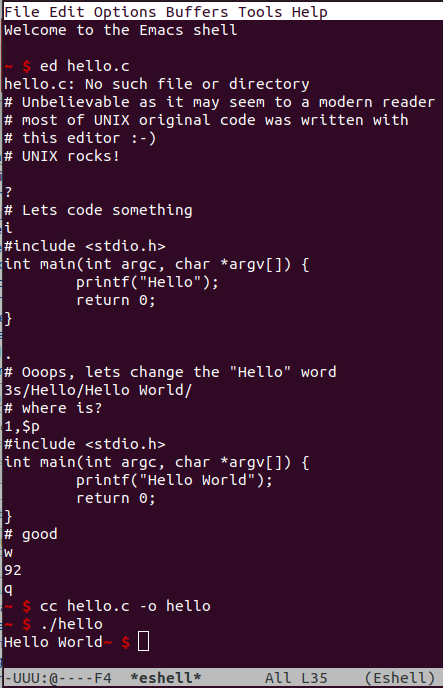
Now, let's compile and run it. Open a terminal or command prompt, navigate to the directory where you saved hello.c, and type the following command:
gcc hello.c -o hello
This command tells the gcc compiler to take your source file (hello.c) and create an executable program named hello (the -o stands for output). If everything is correct, you won't see any messages. The command prompt will just return.
To run your new program, type this:
./hello
You should see Hello, World! printed to your screen. Congratulations, you've just written and compiled your first C program!
Now that you've got the basics down, let's test your understanding.
What is the primary role of a compiler in the C programming workflow?
In a C program, every line of code must be inside the int main() function.
You've taken the first big step into the world of C programming. By setting up your environment and running a simple program, you've built the foundation for everything that comes next.