Introduction to C Programming
Introduction to C
What is C?
The C programming language is a cornerstone of modern computing. Developed in the early 1970s by Dennis Ritchie at Bell Labs, it was created to help build the UNIX operating system. Its power and efficiency were so impressive that it quickly grew beyond its original purpose.
Think of C as a foundational language. Many popular languages you might have heard of, like C++, Java, and Python, borrowed ideas and syntax from it. Learning C gives you a deep understanding of how computers work at a lower level, touching on concepts like memory that are often hidden in more modern languages.
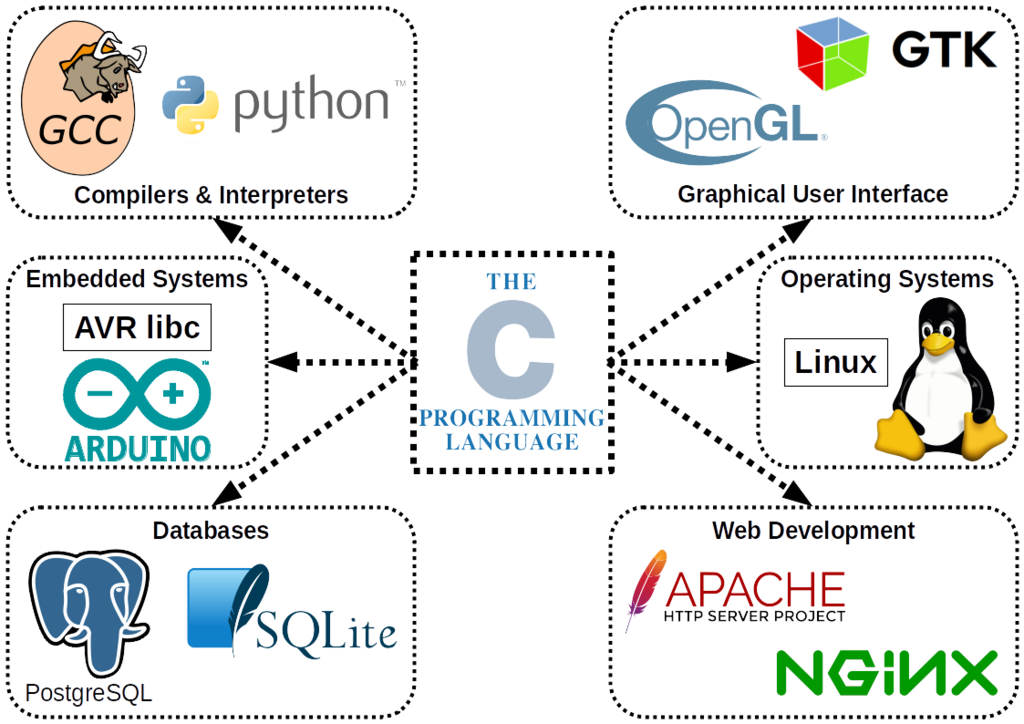
Its influence is everywhere. C is used to write operating systems (like parts of Windows, macOS, and Linux), create software that needs to be fast and efficient (like databases), and program tiny embedded systems in devices like microwaves and remote controls.
Setting Up Your Workspace
To start writing C programs, you need a development environment. This sounds complex, but it's just two main tools: a text editor and a compiler.
- Text Editor: This is where you write your code. You can use a simple one like Notepad, but it's better to use a code editor like Visual Studio Code, Sublime Text, or Atom. These offer features like syntax highlighting that make code easier to read.
- Compiler: This is a special program that translates the C code you write (source code) into machine code, the 1s and 0s that a computer's processor can actually execute.
For many, the easiest way to get both is by installing an Integrated Development Environment (IDE), which bundles a code editor, a compiler, and other helpful tools. Code::Blocks and Visual Studio are popular choices.
Depending on your operating system:
- Windows: You can install Visual Studio Code and add a C/C++ compiler like MinGW-w64.
- macOS: You can install Apple's Xcode from the App Store, which includes the Clang compiler.
- Linux: The GCC compiler is often pre-installed. You just need to pick a text editor.
The process of turning your idea into a running program follows a simple path.
Your First Program
In programming, a long-standing tradition is to make your first program print the text "Hello, World!" to the screen. It's a simple way to confirm that your development environment is set up correctly and to see the basic structure of the language.
Open your text editor, create a new file named hello.c, and type the following code exactly as it appears.
#include <stdio.h>

int main() {
    // Print the text to the screen
    printf("Hello, World!\n");
    return 0;
}
After saving the file, you need to compile it. Open your computer's terminal or command prompt, navigate to the directory where you saved hello.c, and run the compiler command. If you're using GCC or Clang, the command would be:
gcc hello.c -o hello
This tells the compiler to take your source file (hello.c) and create an executable program named hello (-o stands for output). If it compiles without any errors, you can now run your program:
- On macOS or Linux:
./hello - On Windows:
hello.exe
You should see Hello, World! printed in your terminal.
Anatomy of a C Program
Let's break down that "Hello, World!" program to understand what each part does.
#include <stdio.h>This is a preprocessor directive. It tells the compiler to include the contents of thestdio.h(Standard Input/Output) header file in our program. This file contains declarations for functions likeprintf(), which we need to print text.
Think of it as telling your program: "I'm going to need some standard tools for input and output, so please make them available."
int main() { ... }Themainfunction is the heart of every C program. When you run your compiled program, the operating system calls this function to start execution. The code inside its curly braces{}is what the program will do. Theintbeforemainindicates that the function will return an integer value when it finishes.
printf("Hello, World!\n");This line calls theprintffunction, which is used to print output to the console. The text we want to print is placed inside the parentheses and double quotes. The\nat the end is a special character that represents a newline, moving the cursor to the next line after the text is printed. The semicolon;at the end marks the end of the statement. In C, most statements must end with a semicolon.
return 0;This line ends themainfunction. It returns the value 0 to the operating system. In programming, a return value of 0 typically signifies that the program ran successfully without any errors. It's the program's way of saying "All good!"
And that's it. Every C program you write will have this basic structure: include necessary headers, define a main function, and write statements inside it to perform tasks.
The C programming language was originally developed by Dennis Ritchie at which famous research center?
What is the primary role of a compiler in C programming?
You've taken your first steps into a powerful and influential language. With these fundamentals, you're ready to explore more of what C has to offer.