Intermediate Computer Systems and Applications
Hardware Software Synergy
The Performance Tug-of-War
Think of your computer's hardware and software as a chef and a stream of orders in a busy kitchen. The software sends the orders—open this file, render this video, run this simulation. The hardware—the CPU, RAM, and storage—is the chef trying to fulfil them. When the orders come in faster than the chef can cook, the whole kitchen slows down. This is a bottleneck, and it's the core of the relationship between hardware and software.
Your software is constantly requesting resources. The operating system acts as the head waiter, taking requests from applications and directing them to the appropriate hardware component. If you ask a 3D modelling program to render a complex scene, it demands immense processing power from the CPU and GPU. If you open a dozen large files, you're taxing your RAM. A mismatch between these demands and your hardware's capabilities results in lag, slow performance, and lost productivity.
CPU and RAM Choke Points
Not all software uses the CPU in the same way. Some tasks are single-threaded, meaning they follow a single sequence of instructions. For these, a high clock speed is king. Think of a single, highly skilled artisan working very quickly on one intricate object. Tasks like active 3D modelling or certain photo-editing filters often rely on the speed of a single core.
Other tasks, like video encoding or running virtual machines, are multi-threaded. They can be broken down into smaller pieces that run simultaneously. Here, having more CPU cores is more important than raw speed. It's like having a team of artisans all working on different parts of a project at once. Choosing the right CPU means matching its architecture to your primary workload.
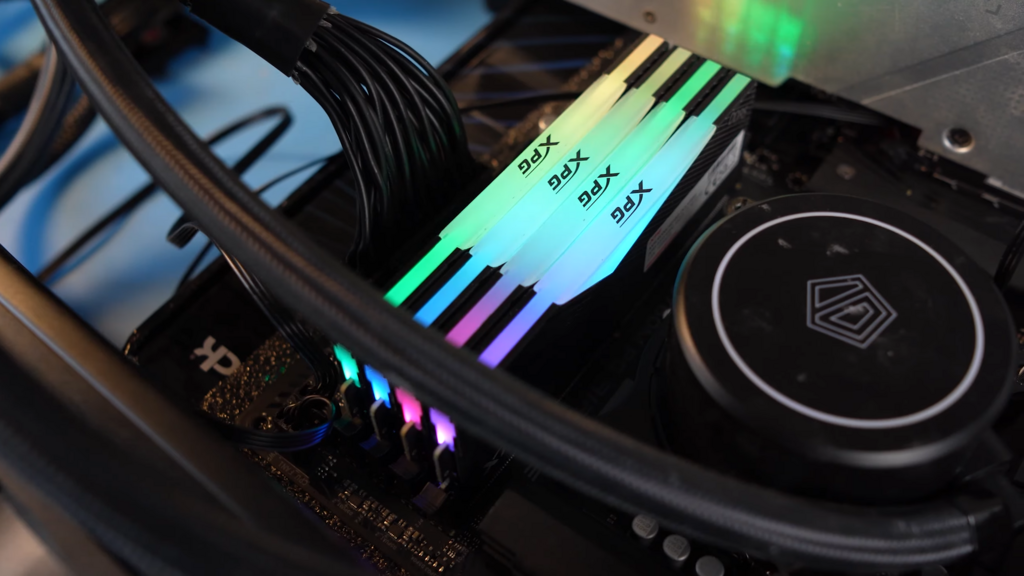
RAM, or Random Access Memory, is your computer's short-term workspace. When you open an application, its data is loaded from your storage drive into RAM for fast access by the CPU. If you don't have enough RAM for all your open applications, the system is forced to use a part of your storage drive as a temporary overflow area. This is called using a page file or swap space. Because even the fastest storage is orders of magnitude slower than RAM, this causes a significant slowdown you can feel. Suddenly, switching between programs becomes sluggish and the system feels unresponsive.
The Storage Speed Ladder
Not all storage is created equal. The type of drive you use has a massive impact on everything from boot times to how quickly applications and large files load. For decades, the Hard Disk Drive (HDD) was standard. It uses spinning magnetic platters and a moving read/write head, making it mechanically slow.
Solid State Drives (SSDs) were a major leap forward. They use flash memory with no moving parts, making them dramatically faster and more durable than HDDs. The difference is night and day. Upgrading from an HDD to an SSD is one of the most impactful performance upgrades you can make.
At the top of the ladder is the SSD. These drives connect directly to the motherboard's high-speed PCIe bus, bypassing older data transfer protocols and offering blistering speeds that leave even standard SSDs behind. For professionals working with massive video files or complex datasets, this speed can be a game-changer.
| Drive Type | Technology | Typical Read Speed | Best For |
|---|---|---|---|
| HDD | Spinning Magnetic Platters | 100-200 MB/s | Mass storage, backups, archives |
| SATA SSD | Flash Memory (SATA bus) | ~550 MB/s | Operating system, applications, general use |
| NVMe SSD | Flash Memory (PCIe bus) | 1,000-12,000+ MB/s | High-end workstations, large file transfers, demanding games |
The hierarchy is clear: NVMe for your operating system and most-used applications, a standard SSD for other programs and active project files, and a large HDD for long-term storage or backups. This tiered approach balances cost and performance effectively.
More Than Just Games
Graphics Processing Units (GPUs) are masters of parallel processing. While a CPU has a few powerful cores designed for sequential tasks, a GPU has thousands of smaller, simpler cores. This makes them incredibly efficient at handling tasks that can be broken down and worked on simultaneously, like rendering the millions of pixels in a video game.
But this power isn't just for gaming. Professional applications in science, finance, and creative fields leverage GPUs for acceleration. Frameworks like and OpenCL allow developers to offload specific, computationally-heavy workloads to the GPU. This process, known as GPGPU (General-Purpose computing on Graphics Processing Units), can slash processing times for tasks like machine learning model training, scientific simulations, and video effect rendering from hours to minutes.
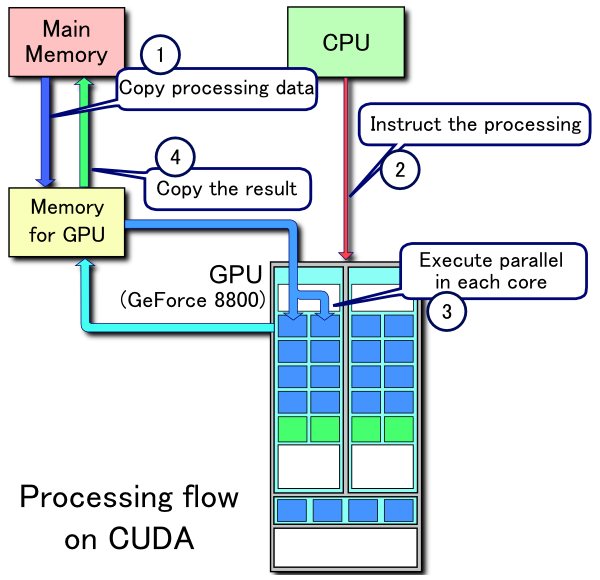
This synergy means a well-balanced system is crucial. A powerful GPU is wasted if it's constantly waiting for data from a slow HDD. A top-of-the-line CPU can't reach its potential if it's starved for memory. Building or choosing a computer isn't about getting the best individual parts; it's about selecting a team of components that work together without creating a bottleneck at any point in the workflow.
What is the primary cause of a performance 'bottleneck' in a computer system?
A video encoding application would benefit more from a CPU with a higher core count than one with a very high single-core clock speed.