Industrial Robot Programming Mastery
Industrial Robot Programming Languages
The Languages of Robots
Industrial robots don't speak a universal language. Instead, each major manufacturer has developed its own programming language, tailored to the specific hardware and capabilities of their machines. Think of it like trying to give instructions to different people who each speak a unique dialect. To get the robot to perform a task, you have to write code in its native tongue.
These languages are designed to precisely control movement, timing, and interactions with other equipment. While they share core concepts like defining points in space and commanding the robot to move between them, their syntax and structure can vary significantly. Let's look at two of the most common proprietary languages: RAPID for ABB robots and KRL for KUKA robots.
ABB and RAPID
RAPID stands for Robot Application Programming Interactive Dialogue. It’s a high-level language developed by ABB, and it has a structure that might feel familiar if you've ever seen languages like Pascal or BASIC. Code is organized into modules, which contain routines (procedures and functions) and data. All variables and constants must be declared before they are used.
The core of any RAPID program is controlling the robot's TCP, or Tool Center Point. This is the active part of the tool, like the tip of a welder or the grip of a claw. You define target positions in 3D space and then use movement commands to guide the TCP to those points.
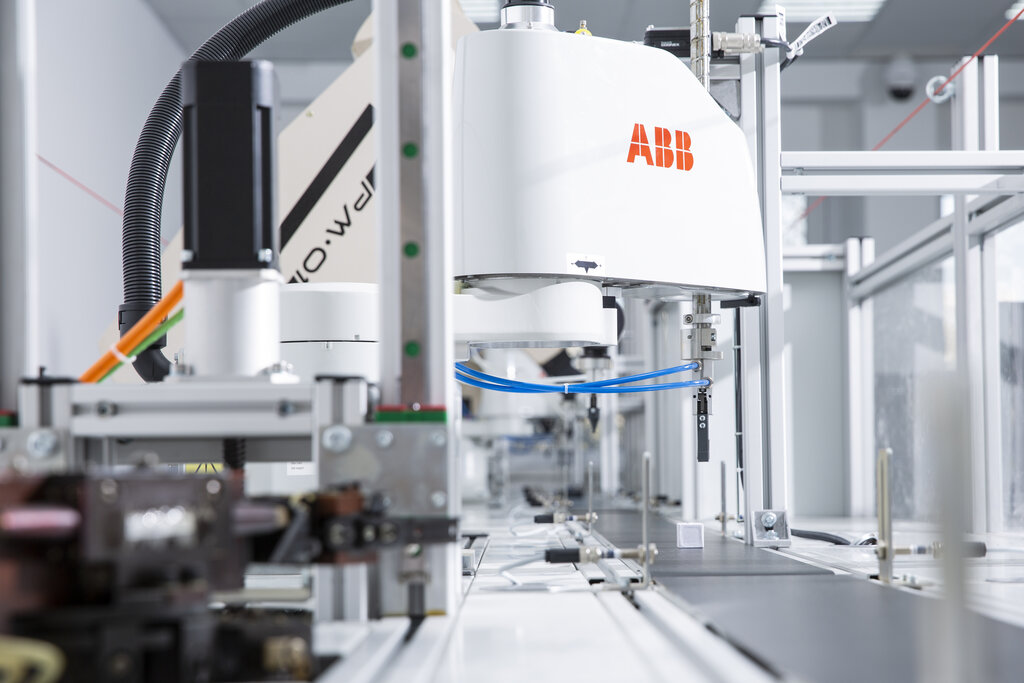
Here’s a simple example of a RAPID program. This code defines two target points, moves the robot to the first, waits, and then moves to the second.
MODULE MainModule

  ! Declare target points as constants
  CONST robtarget pStart := [[250, 0, 400], [0.707, 0, 0.707, 0], ...];
  CONST robtarget pEnd := [[250, 300, 400], [0.707, 0, 0.707, 0], ...];

  PROC main()
    ! Move the robot to the starting position
    ! MoveL is a linear move instruction
    MoveL pStart, v500, fine, tool0;

    ! Pause execution for 2 seconds
    WaitTime 2;

    ! Move the robot to the ending position
    MoveL pEnd, v500, fine, tool0;
  ENDPROC

ENDMODULE
The commands are fairly intuitive. MoveL instructs a linear movement, v500 sets the velocity to 500 mm/s, and fine specifies that the robot should reach the point precisely before continuing. tool0 refers to the default tool data.
KUKA and KRL
KUKA Robot Language, or KRL, is the programming language for KUKA robots. It shares similarities with RAPID but has its own distinct syntax and structure. KRL code is stored in source files (.src) and data files (.dat). The .dat file is where you declare and initialize variables, while the .src file contains the program logic and movement commands.
This separation helps keep the program clean. You can easily modify positions in the data file without touching the core logic in the source file. KRL also has a motion planner that runs in the background, which means it can
KRL can look ahead in the code to blend movements together, creating smoother, more efficient paths. This is known as motion advance.
Let’s look at a KRL example that performs a similar action. The position data would be in a separate .dat file, but here's what the main program file would look like.
&ACCESS RVP
&REL 1
&PARAM TEMPLATE = C:\KRC\Roboter\Template\vorgabe
&PARAM EDITMASK = *
DEF MainProgram( )

  ; This is a comment
  ; Initialize the program settings
  BAS(#INITMOV, 0)

  ; Set velocity to 1 m/s for PTP moves
  $VEL.CP = 1

  ; Move to start position (defined in .dat file)
  ; PTP is a point-to-point move
  PTP XPStart

  ; Wait for 2 seconds
  WAIT SEC 2

  ; Linearly move to end position
  LIN XPEnd

END
In KRL, PTP stands for Point-to-Point, a move where the exact path isn't critical, allowing the robot to optimize its joint movements. LIN is a linear move, just like MoveL in RAPID. Notice that position variables like XPStart start with X, which is a convention for position data types.
Choosing the Right Language
The choice of programming language isn't really a choice at all, it's determined by the hardware. If your factory has ABB robots, you'll be writing RAPID. If it has KUKA robots, you'll be writing KRL. The decision is made when the robotic hardware is selected.
However, the application influences how you use the language. The complexity and requirements of the task dictate which commands and structures you'll need to master.
| Application | Key Language Features to Use |
|---|---|
| Pick and Place | Basic movement commands (linear, joint), digital I/O for gripper control. |
| Welding | Path control commands, arc start/stop commands, weave patterns, speed control. |
| Painting | Continuous path movements, control of paint flow via analog outputs, strict velocity control. |
| Assembly | High-precision positioning, force feedback loops, communication with vision systems. |
For a simple task like moving boxes, basic movement commands are enough. But for a complex welding job, you'll need to use more advanced features of the language to control the weld path, speed, and welder settings simultaneously. The key is to understand the robot's capabilities and match them to the application's needs using the tools the language provides.
What is the primary factor that determines which programming language is used for a specific industrial robot?
A key structural difference between KUKA's KRL and ABB's RAPID is that KRL...
While every manufacturer's language is different, the underlying logic of defining points and commanding movements remains the foundation of all industrial robot programming.