Inbox Zero Automation
Understanding Email Filters
Your Automatic Mail Sorter
Think of an email filter as a personal assistant for your inbox. Its one and only job is to automatically sort your incoming messages based on a set of rules you create. Instead of manually wading through a flood of emails every morning, filters do the organizing for you, instantly.
The goal is to automate the busywork of email management so you can focus on what actually matters.
filter
noun
An automated rule that processes incoming emails and performs a specific action based on set criteria.
How Filters Work
Filters are simple cause-and-effect machines. You tell them what to look for, and then you tell them what to do when they find it. These instructions, or criteria, are usually based on a few key pieces of information in an email.
| Criteria | What It Looks For | Example Use Case |
|---|---|---|
| Sender | The email address of the person or company who sent the message. | Automatically file all messages from newsletter@company.com into a "Reading" folder. |
| Subject | The text in the email's subject line. | Move any email with the word "Invoice" in the subject to a "Bills" folder. |
| Keywords | Specific words or phrases found anywhere in the body of the email. | Mark any email containing the phrase "project deadline" as important. |
By combining these criteria, you can create a powerful system that sorts your mail before you even see it. It’s like having a mailroom that knows exactly where everything belongs.
From Clutter to Clarity
The main benefit of using filters is reclaiming your focus. When your main inbox only contains messages that need your attention, you're less likely to get distracted by promotional emails or non-urgent newsletters. This saves you time and mental energy.
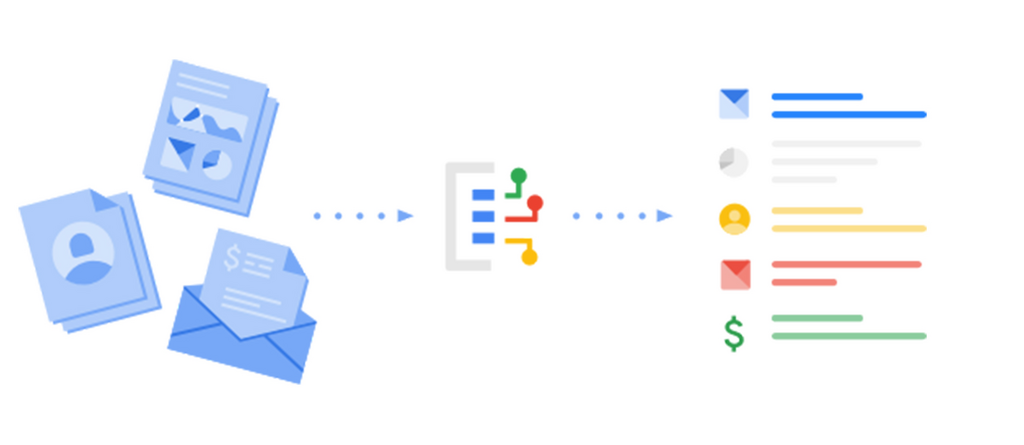
A well-filtered inbox helps you prioritize your work. Important messages from your boss or key clients can be highlighted, while less critical updates are filed away for later. This simple organization can significantly boost your productivity by keeping you focused on high-priority tasks.
Think of filters as a way to automate your organization – a lot of the work is done for you!
Common Filter Actions
Once a filter identifies an email that matches your criteria, it can perform a wide range of actions. You're not just limited to moving messages around.