Image Processing Fundamentals
Introduction to Image Processing
What Is a Digital Image?
At its core, a digital image is a picture that a computer can read. Unlike a photograph on film, which captures light continuously, a digital image is a collection of tiny, individual dots of color. Think of it like a mosaic, where thousands of small tiles are arranged to create a larger picture.
Pixel
noun
The smallest unit of a digital image or display. Each pixel has a specific color and brightness.
These tiny dots are called pixels, short for "picture elements." They're organized into a grid of rows and columns. When you look at a digital photo, you're not seeing a single, seamless image. You're actually looking at a grid of thousands or millions of pixels, each with its own specific color. From a distance, your eyes blend them together to form a smooth image.
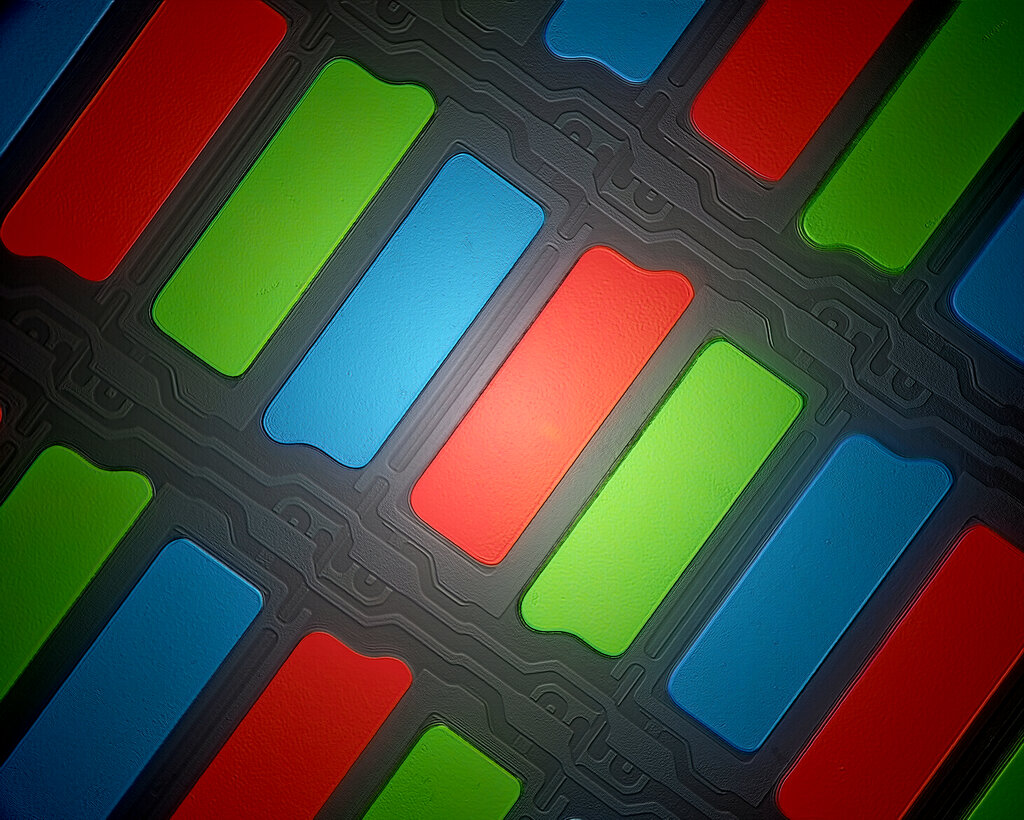
Each pixel's color is represented by numbers. A common method is the RGB color model, where the amounts of red, green, and blue light are stored as three numbers for each pixel. For example, a pixel with a value of (255, 0, 0) would be pure red. A pixel at (255, 255, 255) is white, and (0, 0, 0) is black.
Because digital images are just data, they need to be stored in a specific structure, called a file format. You've likely seen formats like JPEG, PNG, and GIF. These formats are different ways of organizing and compressing the pixel data to make the file size smaller and easier to share.
Why Process Images?
Image processing is the act of using a computer to manipulate a digital image. The goals of this manipulation usually fall into three main categories: enhancement, restoration, and analysis.
Image processing transforms an image into a different form, whether that's a better-looking version for our eyes or a set of data for a machine to understand.
Image Enhancement is about making an image more visually appealing or easier for a human to interpret. This doesn't mean the new image is more "correct," just that it's improved for a specific purpose. Common examples include increasing the contrast to make details stand out, sharpening a slightly soft photo, or adjusting colors to be more vibrant.
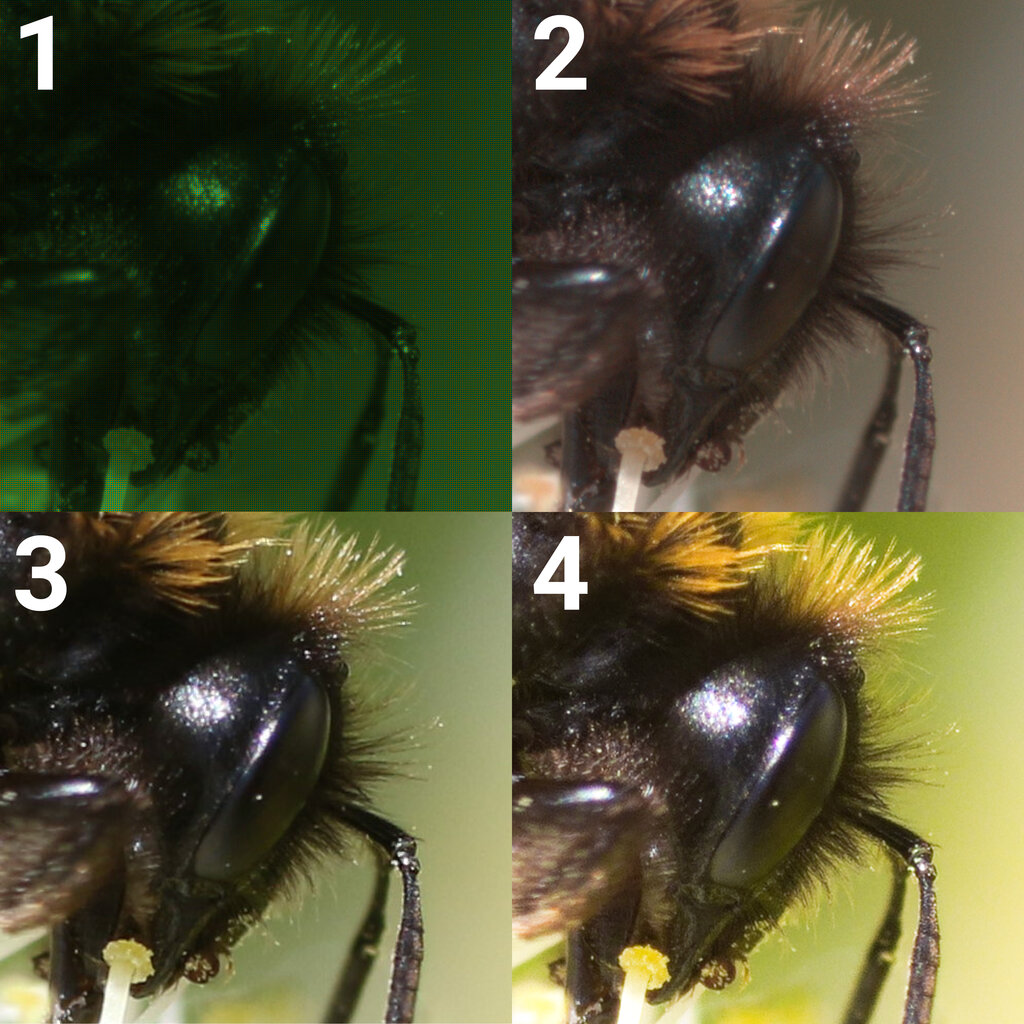
Image Restoration focuses on fixing images that have been degraded in some way. The goal is to make the image look like the original, undamaged version. This could involve removing blur from a shaky camera, reducing the "noise" or graininess from a low-light photo, or even reconstructing parts of a corrupted image file.
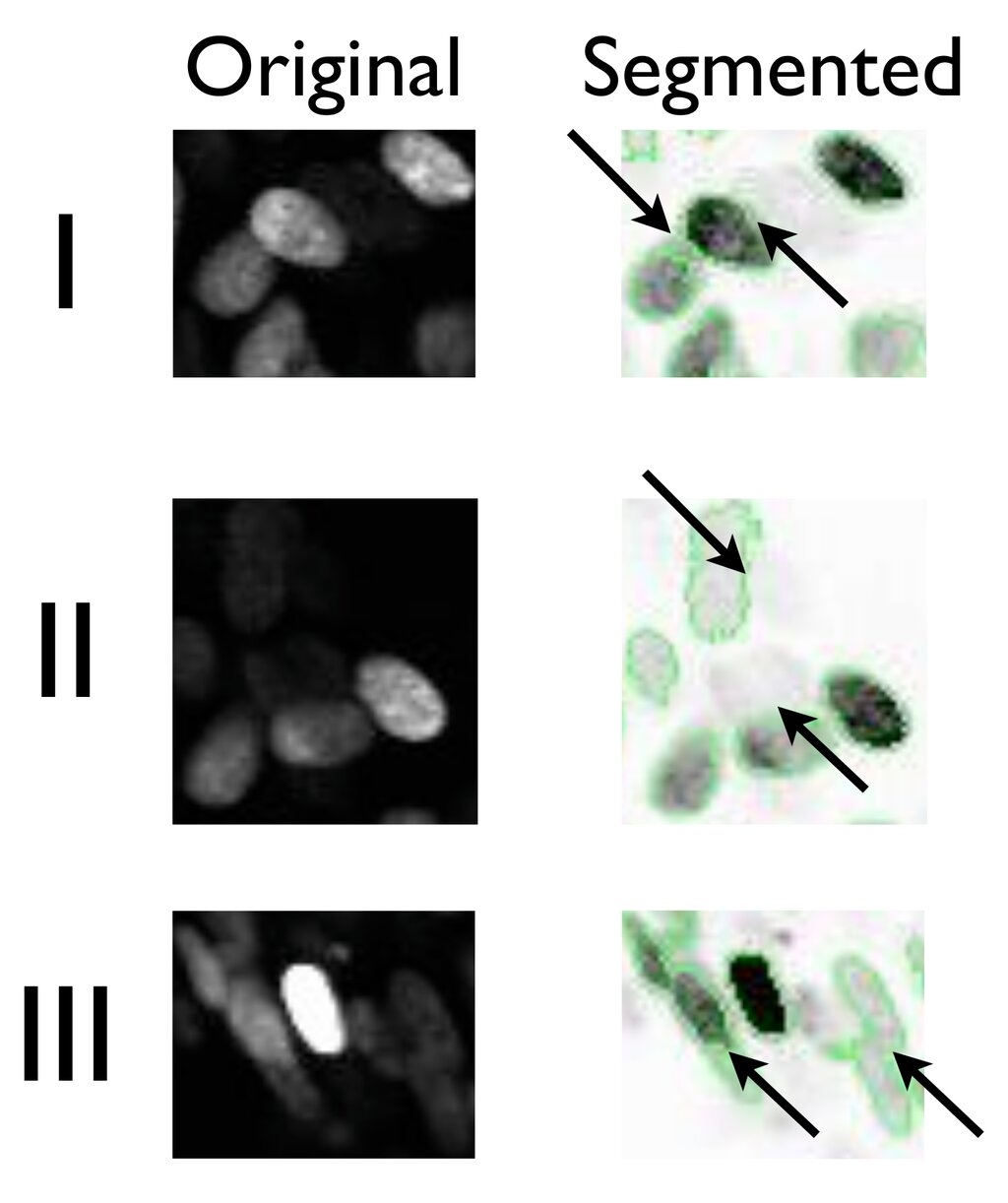
Image Analysis is about extracting useful information from an image so a computer can understand it. Instead of producing a better-looking image for a person, the output is often data. This is the foundation of computer vision. Examples include a medical program that counts the number of cells in a microscope slide, a security system that detects faces in a crowd, or a self-driving car identifying lane lines on the road.
Let's review the main concepts.
Now, check your understanding.
What is the smallest individual unit of a digital image, which holds a single color value?
A self-driving car's system identifying lane lines on the road is an example of which category of image processing?
These fundamental concepts form the basis of nearly every application of digital imaging, from simple photo editing on your phone to complex scientific analysis.