Identify Your Last Course
Accessing Past Courses
Finding Your Old Courses
Most colleges and universities use a Learning Management System (LMS) to host course materials. Platforms like Canvas, Moodle, or Blackboard are digital classrooms where you access syllabi, submit assignments, and check grades. Even after a semester ends, you can often still get back into these old courses to find what you need.
The first step is to log into your school's LMS portal. You'll typically use the same student ID and password you used during the semester. If you've forgotten your login details, there's usually a password reset option on the login page.
Navigate to Past Enrollments
Once you're logged in, your dashboard will likely show your current or upcoming courses. To find previous ones, you'll need to look for a link that takes you to a full course list. This link might be labeled "Courses," "All Courses," or something similar. On that page, look for a section or filter for "Past Enrollments" or "Concluded Courses."
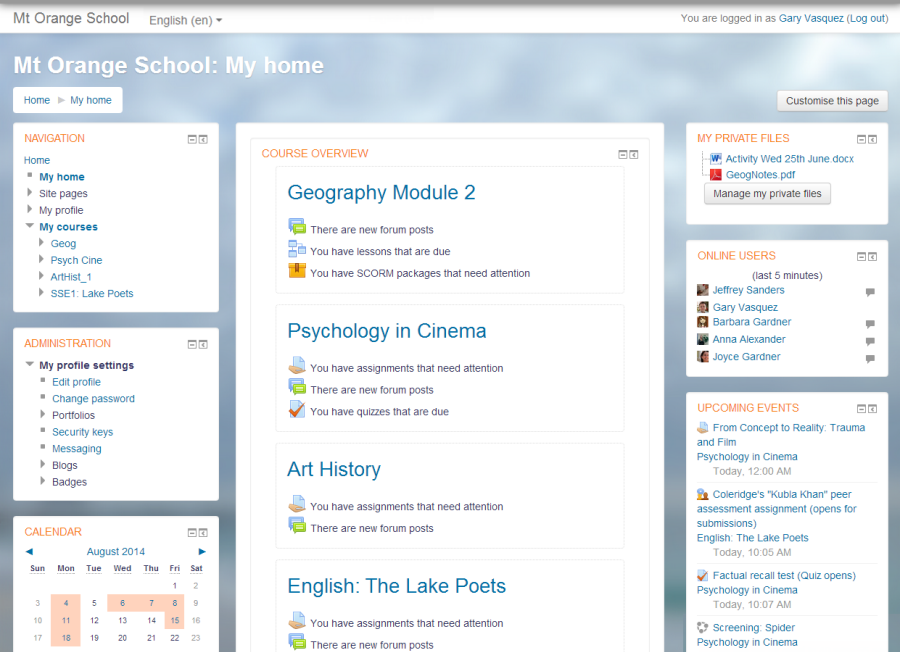
Selecting this option will display a list of all the courses you've taken. From there, you can click on a specific course to enter its homepage, just as you did when it was active.
What You Can Review
Inside a past course, you can typically access most of the static content. This is a great way to retrieve old documents or review your performance.
You can usually find:
- The course syllabus
- Lecture slides and notes
- Assignment instructions and your submissions
- Your grades for individual assignments and tests
The course syllabus is especially useful. It's the official outline of the course, containing the learning objectives, required readings, and grading policies. If you need to show another institution what you learned in a class, the syllabus is often the best document to provide.
When Materials Are Missing
Sometimes, you might find that a course is locked or that certain files are no longer available. This happens for a few common reasons.
Instructors have control over their course settings. They might make a course "read-only" or hide it entirely after the semester ends. Additionally, some course materials, like streaming videos or links to external publisher websites, may have licenses that expire. In these cases, the links will no longer work.
If you can't find what you need in the LMS, don't worry. Your first step should be to email the course instructor or the department coordinator. Politely explain what you're looking for and why you need it. They can often provide a copy of the syllabus or other key documents directly.
For official records, like your final grade for a course, the university registrar is your best resource. The LMS gradebook is a good reference, but your official transcript from the registrar's office is the definitive record of your academic performance.
Now, let's check your understanding of how to access past course materials.
After logging into your university's Learning Management System (LMS), you can only see your current courses. To find a class from a previous semester, what should you look for?
You found an old course in the LMS, but a link to a required reading on a publisher's website is broken. What is the most likely reason for this?
Being able to find your old coursework and grades is a valuable skill for tracking your academic journey.