IBM Maximo 7.5 Technical Implementation
System Architecture
The Core Architecture
IBM Maximo 7.5 operates on a classic multi-tier architecture. This model separates the system into distinct functional layers, making it more scalable, maintainable, and flexible. At a high level, the system is divided into three main tiers: the database, the application server, and the client browser.
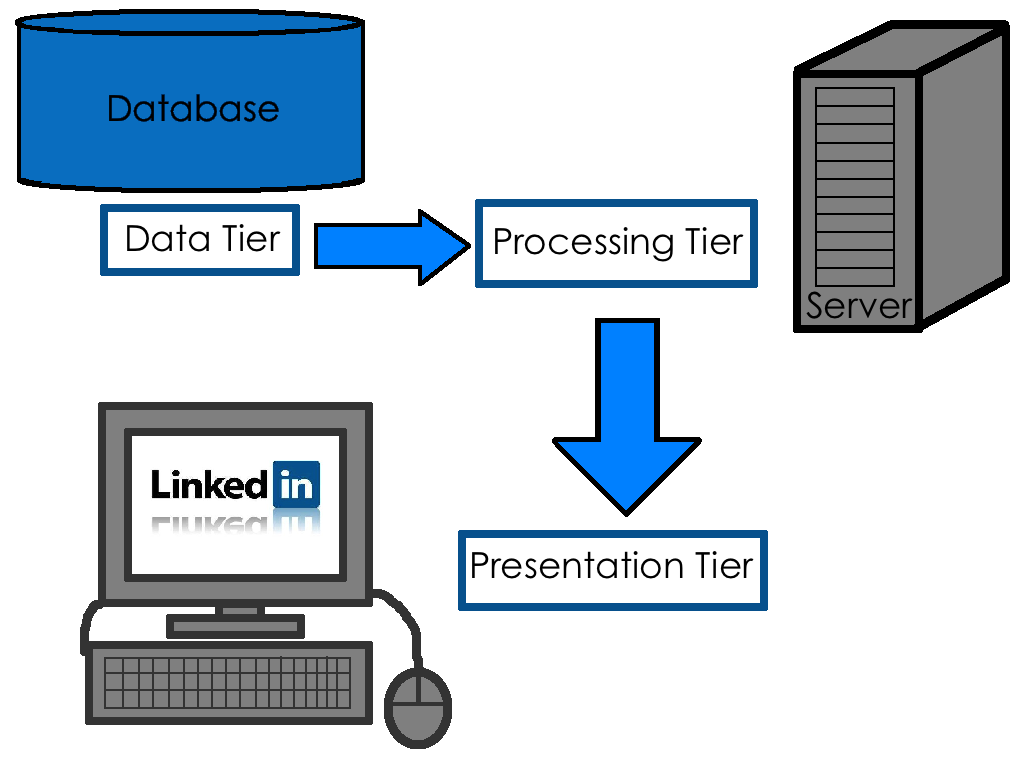
The client is simply a web browser, which renders the user interface. The database, running on its own server, is the system of record, responsible for data persistence. In the middle sits the application server, the engine of the entire system. This tier hosts the core business logic and processes all transactions. Maximo 7.5 is built as a J2EE application, designed to run within an application server like IBM WebSphere or Oracle WebLogic.
Inside the Application Server
The application tier is where all the heavy lifting happens. When a user saves a work order or updates an asset record, the request is sent from the browser to the application server. Here, the core logic is executed before any data is committed to the database. This logic is encapsulated within Maximo Business Objects, or MBOs. Think of MBOs as digital representations of business concepts like assets, work orders, or purchase orders. Each MBO contains the rules, logic, and data relationships for that specific object. For example, the WORKORDER MBO contains the logic to automatically change a work order's status from 'APPR' (Approved) to 'INPRG' (In Progress) when a labor transaction is reported against it. This server-side processing ensures that business rules are consistently enforced, regardless of how the data is entered into the system.
Beneath the application server is the database layer. This is the persistence tier where all application data, metadata, and configurations are permanently stored in a relational database like Oracle, SQL Server, or Db2. The database is organized into hundreds of tables that reflect the MBO structures. For instance, the ASSET MBO directly corresponds to the ASSET table in the database. Maximo's database also stores the system's configuration, including screen layouts, security permissions, and automation scripts.
Integrating with the Outside World
No enterprise system is an island. Maximo needs to exchange data with other systems like financials (ERP), GIS, or HR. This is handled by the (MIF). The MIF is a built-in toolset that provides the architecture for inbound and outbound data integration. It supports a wide range of communication methods, including web services (SOAP and REST), flat files, XML files, and direct database table-to-table (interface tables) transfers. The MIF uses the same MBO layer to process integrated data, which means all incoming data is subject to the same business rules and validation as data entered through the user interface. This ensures data integrity across the entire enterprise.
A major change in version 7.5 was the overhaul of the UI framework. Legacy versions relied more heavily on Java applets and other client-side components, which made the browser a 'fat client'. Maximo 7.5 shifted this paradigm by moving almost all processing to the server. The browser's role was reduced to rendering HTML, CSS, and JavaScript sent from the server. This thin-client model simplifies maintenance, improves security, and ensures a more consistent user experience. This release also introduced 'skins', allowing administrators to change the application's look and feel without altering its core functionality.
Deployment Models
How Maximo is deployed depends on the organization's needs for scalability and reliability. A simple deployment might use a single application server instance. While easy to manage, this creates a single point of failure. If that server goes down, the entire application is unavailable.
For larger enterprises, a multi-cluster environment is standard. In this setup, multiple application servers (nodes) are grouped into a cluster. A load balancer sits in front of the cluster, distributing incoming user requests across the available servers. This not only improves performance by spreading the workload but also provides . If one server in the cluster fails, the load balancer automatically redirects traffic to the remaining healthy servers, ensuring the application stays online.
This server-centric architecture also changes how user sessions, or 'state', are managed. Because any server in the cluster might handle a user's next click, the state of their session (e.g., the record they are viewing) must be shared across all nodes. This is typically managed by the application server's clustering services, ensuring a seamless experience for the user even as their requests hop between different physical servers.
Now, let's test your understanding of Maximo's architecture.
What are the three primary tiers that make up the architecture of IBM Maximo 7.5?
When a user saves a new asset record, which component is responsible for enforcing the business rules and logic before the data is saved?
Understanding this architecture is key to effectively managing, customizing, and troubleshooting a Maximo 7.5 environment. The separation of concerns between the tiers provides a robust foundation for enterprise asset management.