HTML Fundamentals For Beginners
Introduction to HTML
The Skeleton of the Web
Every website you visit, from a simple blog to a massive online store, is built on a foundation of HTML. Think of HTML as the skeleton of a webpage. It provides the basic structure and holds all the content in place, just like the frame of a house supports the walls, roof, and windows.
HTML stands for HyperText Markup Language. Let's break that down.
- HyperText refers to text that contains links to other texts. It’s what makes the web a “web,” allowing you to jump from one page to another.
- Markup Language means it's a language that uses special markers, called tags, to annotate a document. These tags tell a web browser how to display the content, defining things like headings, paragraphs, and images.
In short, HTML isn't a programming language that performs logic. It's a markup language used to structure and describe content.
A Basic Blueprint
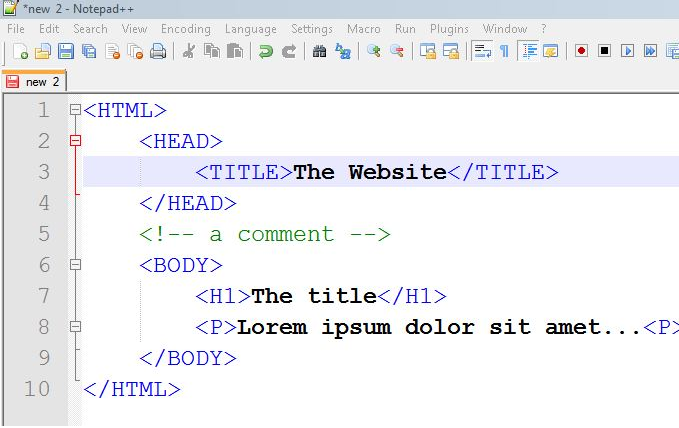
Every HTML document follows a standard structure. This blueprint ensures that web browsers can understand and render the page correctly. It consists of a few essential, nested parts.
<!DOCTYPE html>
<html>
  <head>
    <title>My First Webpage</title>
  </head>
  <body>
    <h1>Hello, World!</h1>
    <p>This is a paragraph on my first page.</p>
  </body>
</html>
Let's look at each piece of this structure:
<!DOCTYPE html>: This is the very first thing in your document. It's not an HTML tag, but a declaration that tells the browser you're using the modern standard, HTML5.<html>...</html>: This is the root element that wraps all the content on the entire page.<head>...<head>: This section contains meta-information about the page. Things like the page title, character set, and links to stylesheets go here. This content is not displayed in the main browser window.<title>...<title>: Sets the title of the page, which appears in the browser tab.<body>...</body>: This contains all the content that you want to display to the user, such as text, images, videos, and links.
Elements, Tags, and Attributes
HTML documents are made of elements. An element is an individual component of a webpage. We define these elements using tags.
Most elements have an opening tag and a closing tag. The opening tag starts a section of content, and the closing tag, which includes a forward slash /, ends it. The content goes between the two tags.
For example, to create a paragraph, you wrap your text in <p> tags:
<p>This is the content of the paragraph.</p>
Here, the entire line is the paragraph element. <p> is the opening tag, and </p> is the closing tag.
Some elements are "empty" or "self-closing," meaning they don't wrap content and don't need a closing tag. The image tag is a common example.
To add more information to an element, we use attributes. Attributes are always placed in the opening tag and provide additional details or functionality. They are made of a name and a value, like name="value".
Let's look at two important elements that use attributes: links and images.
The
<a>tag creates a hyperlink. Itshrefattribute specifies the destination URL.
<a href="https://www.example.com">Visit Example.com</a>
The <img> tag embeds an image. It's a self-closing tag that requires two key attributes:
src(source): The path or URL to the image file.alt(alternative text): A description of the image. This text is crucial for screen readers used by visually impaired users and also displays if the image fails to load.
<img src="images/logo.png" alt="A bright, shiny logo">
How Browsers See HTML
When you open an HTML file in a web browser like Chrome or Firefox, the browser reads the file from top to bottom. It looks at the tags to understand the structure and meaning of the content.
It recognizes <h1> as a top-level heading and renders it in a large, bold font. It sees <p> and displays the content as a standard paragraph. When it encounters an <img> tag, it fetches the image from the src URL and displays it.
This process of reading the markup and drawing the visual page is called rendering. The browser pieces together all the elements you've defined to create the final webpage you see on your screen.
That's the core idea. HTML provides the raw structure, and the browser brings it to life.
What does HTML stand for?
Which part of an HTML document contains the content visible to the user, such as text, images, and links?
With these basics, you have the fundamental building blocks for creating any page on the web.