HTML Essentials
Introduction to HTML
What is HTML?
Every website you visit is built on a foundation called HTML. It stands for HyperText Markup Language, and it's the standard language used to create and structure the content on a web page. Think of it as the skeleton of a website. It doesn't control the colors or fonts, but it gives everything its shape and puts it in the right place.
HTML tells the web browser what each piece of content is, whether it's a heading, a paragraph of text, an image, or a link to another page.
Without HTML, the web would just be a massive, unorganized jumble of text. It provides the essential structure that browsers need to display information in a clear, readable way.
A Quick Trip Back in Time
In 1989, a computer scientist named Tim Berners-Lee proposed a system to help scientists share information easily. This system evolved into the World Wide Web. To make it work, he created HTML. The very first websites were simple text documents with links connecting them.
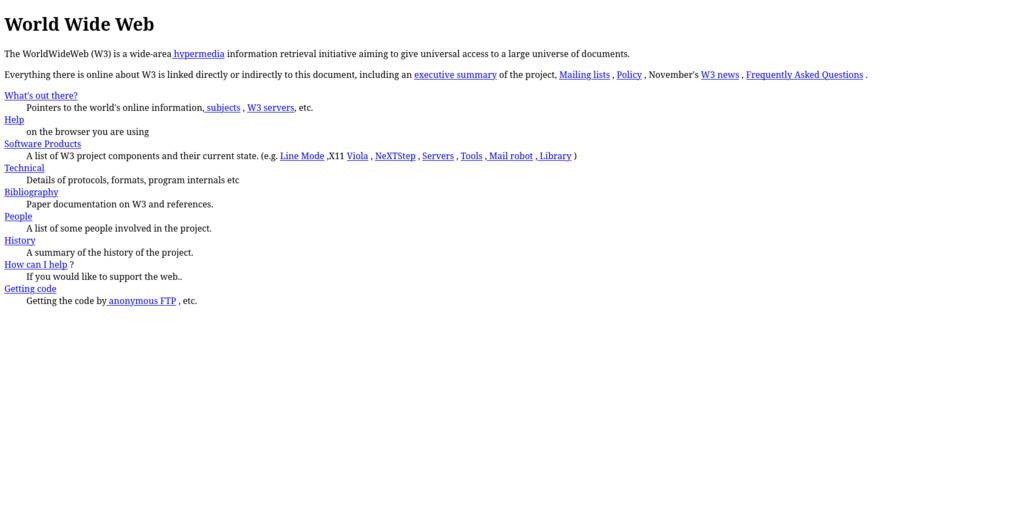
HTML has grown a lot since then. It has evolved through different versions, with each one adding new capabilities. But the core purpose remains the same: to give structure and meaning to web content.
The Building Blocks
HTML works using a system of tags. Most tags come in pairs: an opening tag and a closing tag. They wrap around a piece of content to define what it is. For example, to create a paragraph, you use the <p> tag.
<p>This is a paragraph.</p>
The opening tag is <p>, the closing tag is </p> (notice the slash), and everything in between is the content. The whole thing, from the opening tag to the closing tag, is called an element.
Every HTML file has a basic structure that it must follow. It looks like this:
<!DOCTYPE html>
<html>
<head>
  <title>My First Web Page</title>
</head>
<body>
  <h1>Hello, World!</h1>
  <p>This is my first page.</p>
</body>
</html>
Let's break that down:
<!DOCTYPE html>: This tells the browser that the document is an HTML page.<html>: This is the root element that wraps all the content on the page.<head>: This contains meta-information about the page, like the title that appears in the browser tab. This content isn't displayed on the page itself.<body>: This contains all the content that you actually see on the web page, like headings, paragraphs, and images.
Adding Content and Links
Now for the fun part: adding content. The two most common elements you'll use are headings and paragraphs.
Headings are created with <h1> through <h6> tags. <h1> is for the main heading of a page, and the numbers get smaller in importance down to <h6>.
<h1>This is a main heading</h1>
<h2>This is a subheading</h2>
<p>This is a paragraph of text. It's where you'll put most of your written content.</p>

To link to another page, we use the anchor tag, <a>. But the tag alone isn't enough. We need to tell the browser where the link should go. We do this with an attribute.
Attributes provide extra information about an element and are always included in the opening tag. For links, the most important attribute is href, which stands for "hypertext reference."
<a href="https://www.wikipedia.org">Go to Wikipedia</a>
In this example, href is the attribute, and "https://www.wikipedia.org" is its value. The text between the opening and closing <a> tags is what becomes the clickable link on the page.
What does HTML stand for?
What is the primary role of HTML in creating a website?
That's the basic anatomy of an HTML document. You now know how to structure a simple page with headings, paragraphs, and links, which are the fundamental building blocks of the web.