HTML Basics
HTML Basics
The Skeleton of the Web
Every website you visit is built on a foundation of HTML. Think of it as the skeleton that gives a webpage its structure. Just like a house needs a frame before you can paint the walls or add furniture, a website needs an HTML structure before you can add colors, fonts, or interactive elements.
HTML (HyperText Markup Language) is the standard language used to create and structure content on the web.
HTML isn't a programming language. It's a markup language. This means it uses tags to “mark up” or annotate different parts of the content to tell the browser how to display them. Is this text a heading? A paragraph? A link? HTML tags provide these instructions.
Anatomy of an HTML Page
Every HTML document follows a predictable structure. It’s like a template that ensures web browsers can understand and render the page correctly. This basic structure has four key parts.
<!DOCTYPE html>
<html>
  <head>
    <title>My First Web Page</title>
  </head>
  <body>
    <!-- Content goes here -->
  </body>
</html>
Let's break that down:
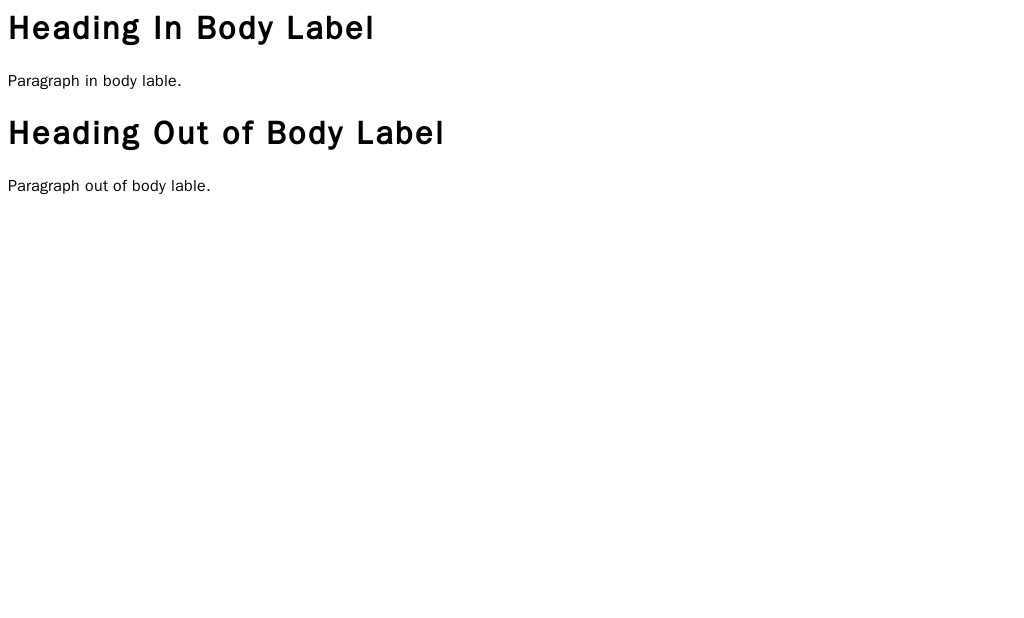
<!DOCTYPE html>: This is the very first thing on the page. It’s an instruction that tells the browser, “Hey, this is an HTML5 document.”<html></html>: This is the root element. All other elements on the page are nested inside it.<head></head>: This section contains meta-information about the page. It's the behind-the-scenes stuff that isn't displayed directly on the webpage, like the page title that appears in your browser tab (<title>).<body></body>: This is where the magic happens. Any content you want your visitors to see—text, images, links, etc.—goes inside the body tags.
Essential Building Blocks
Once you have the basic structure, you can start adding content using different tags. Most tags come in pairs: an opening tag like <p> and a closing tag like </p>. The content goes in between.
Some tags, called empty elements, don't need a closing tag. The image tag (
<img>) is a common example.
Let's look at the most common tags you'll use.
Headings
Headings structure your content and are important for readability and search engine optimization (SEO). HTML gives you six levels of headings, from <h1> (the most important) to <h6> (the least important).
<h1>This is the main heading</h1>
<h2>This is a subheading</h2>
<h3>And another level down</h3>

Paragraphs
For regular blocks of text, you'll use the paragraph tag, <p>.
<p>This is a paragraph of text. It can contain one or more sentences.</p>
<p>This is a second paragraph. The browser automatically adds space between them.</p>
Links
Hyperlinks connect your page to other pages on the web. They are created with the anchor tag, <a>. The destination of the link is specified in the href attribute.
<a href="https://www.example.com">Visit Example.com</a>
Images
To display an image, you use the <img> tag. This is an empty element, so it doesn't need a closing tag. It requires two attributes:
src: The source, which is the URL or file path of the image.alt: Alternative text, which describes the image. This text is shown if the image fails to load and is crucial for screen readers used by visually impaired users.
<img src="cute-cat.jpg" alt="A fluffy orange cat sleeping in a sunbeam">
Writing with Meaning
You could build a whole website using just <div> tags for structure, but that would be like writing a book with no chapters or page numbers. It would be hard to understand.
Semantic HTML means using tags that describe the meaning of the content they contain. Instead of a generic <div>, you can use tags like <header>, <footer>, <nav>, and <article>.
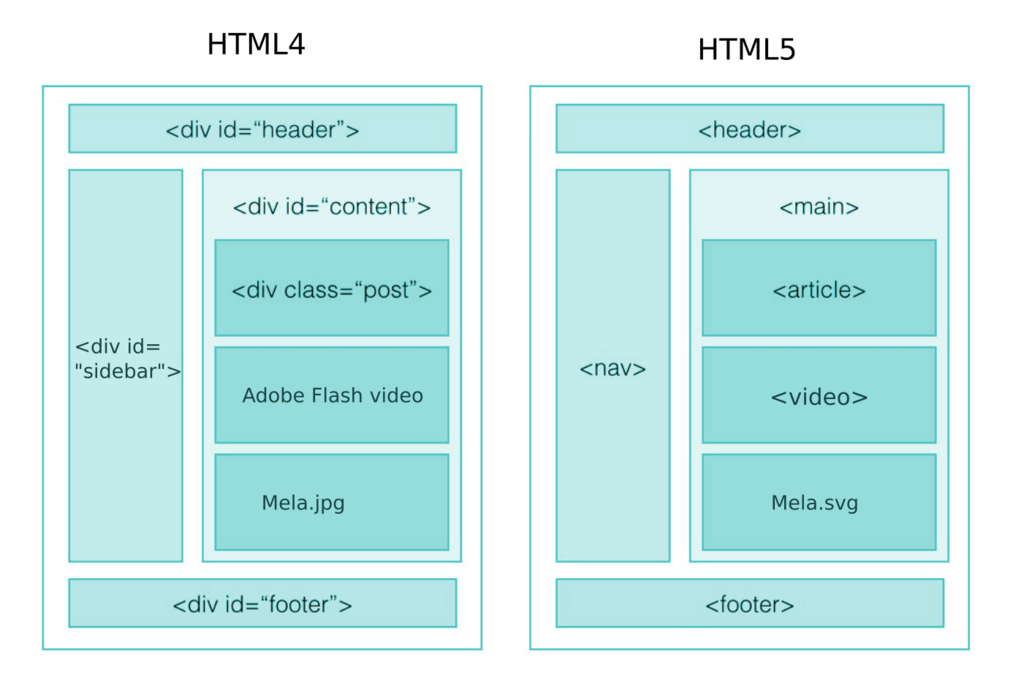
Why does this matter? For two big reasons:
- Accessibility: Screen readers use these tags to help users navigate the page. A
<nav>tag tells them, “This is the main navigation menu.” - SEO: Search engines like Google understand the structure of your page better, which can help your site rank higher in search results.
Using semantic HTML5 tags like
,
By using tags that describe the content's role, you make your website more understandable for both people and machines.
Ready to check your understanding?
What is the primary role of HTML in web development?
In an HTML document, where should you place the content that is visible to the user, such as text, images, and links?
You now have the fundamental building blocks to create a simple, structured web page. With these basics, you're on your way to building for the web.