HTML and CSS Fundamentals
Introduction to HTML
The Blueprint of the Web
Every webpage you visit, from a simple blog post to a complex social media site, is built on a foundation of HTML. Think of it as the skeleton that gives a webpage its structure. Without it, the web would just be a jumble of unformatted text.
HTML
noun
Stands for Hypertext Markup Language. It's the standard language used to create and structure content on the web.
HTML isn't a programming language. You can't write complex logic with it. Instead, it's a markup language. You use it to "mark up" or annotate your content with tags to tell the browser how to display it. For example, you use tags to say "this is a heading," "this is a paragraph," or "this is a link."
Let's break down how these tags work.
Anatomy of an HTML Page
Every HTML document follows a standard structure. It's like a template that ensures browsers can understand and render your page correctly. At its core, it's a series of nested elements.
An HTML element is usually made of an opening tag, content, and a closing tag. For example,
<p>This is a paragraph.</p>is a paragraph element.
Here's the basic boilerplate for any webpage:
<!DOCTYPE html>
<html>
<head>
    <title>My First Webpage</title>
</head>
<body>
    <h1>Hello, World!</h1>
    <p>This is my very first webpage.</p>
</body>
</html>
Let's quickly go through this line by line:
<!DOCTYPE html>: This is a required declaration that tells the browser you're using the modern version of HTML (HTML5).<html>...</html>: This is the root element that wraps all the content on the page.<head>...</head>: This section contains meta-information about the page, like the title that appears in the browser tab. It's stuff the user doesn't see directly on the page.<body>...</body>: This is where the magic happens. All the visible content—your text, images, and links—goes inside the body.
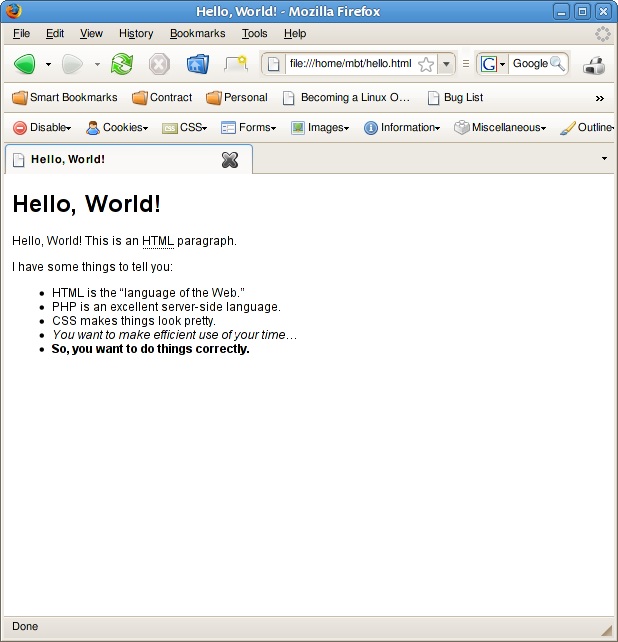
Building with Blocks
Now for the fun part: adding content. HTML provides a set of tags for common types of content you'll want on a page.
Headings and Paragraphs To structure text, you'll mainly use headings (
<h1>through<h6>) and paragraphs (<p>).<h1>is the most important heading, and<h6>is the least. Paragraphs are for regular blocks of text.
<h1>Main Title</h1>
<p>This is an introductory paragraph. It explains the topic.</p>
<h2>A Sub-heading</h2>
<p>This paragraph provides more detail under the sub-heading.</p>

Lists
HTML has two main types of lists: unordered (bullet points) and ordered (numbered). You use the <ul> tag for unordered lists and <ol> for ordered lists. Inside both, you use <li> for each list item.
<!-- An unordered list -->
<ul>
    <li>Milk</li>
    <li>Bread</li>
    <li>Cheese</li>
</ul>

<!-- An ordered list -->
<ol>
    <li>Gather ingredients</li>
    <li>Mix them together</li>
    <li>Bake for 30 minutes</li>
</ol>
Links and Images
What makes the web a web is the ability to link pages together. You do this with the anchor tag, <a>.
<a href="https://www.example.com">Visit Example.com</a>
Notice the href part? That's called an attribute. Attributes provide extra information about an element. For an anchor tag, the href (hypertext reference) attribute specifies the URL the link should go to.
Images work similarly with the <img> tag. It's a self-closing tag, meaning it doesn't need a separate closing tag like </img >.
<img src="cute-cat.jpg" alt="A photo of my cute cat.">
The <img> tag has two important attributes:
src: The source of the image file. This can be a URL or a local file path.alt: The alternative text. This text is displayed if the image can't load. It's also crucial for screen readers used by visually impaired people, making your site more accessible.
Always include an
altattribute for your images. It's a simple step that makes the web better for everyone.
Now let's see how much you've learned.
What is the primary role of HTML?
All visible content on a webpage, such as text, images, and links, should be placed inside which pair of tags?
And that's the core of HTML. By combining these simple building blocks, you can create the structure for any webpage you can imagine. Next, you'll learn how to add style and color to these structures.