Home Network Security Testing
Home Network Basics
Your Home Network Explained
Think of your home network as the digital nervous system of your house. It's the invisible web that connects your computer, phone, smart TV, and other gadgets to each other and to the vast world of the internet. Without it, each device would be an isolated island.

This system allows your laptop to print wirelessly, your phone to stream movies to your TV, and your smart speaker to tell you the weather. It all happens through a combination of a few key pieces of hardware working together seamlessly.
The Key Players
Every home network relies on two essential devices: a modem and a router. Sometimes they're separate boxes, but often they're combined into one unit.
modem
noun
A device that connects your home network to your Internet Service Provider (ISP) over a cable, fiber optic, or phone line.
The modem is your gateway to the internet. It takes the signal from your ISP and translates it into a digital format that your devices can understand. It essentially modulates and demodulates signals, which is where the name "modem" comes from.
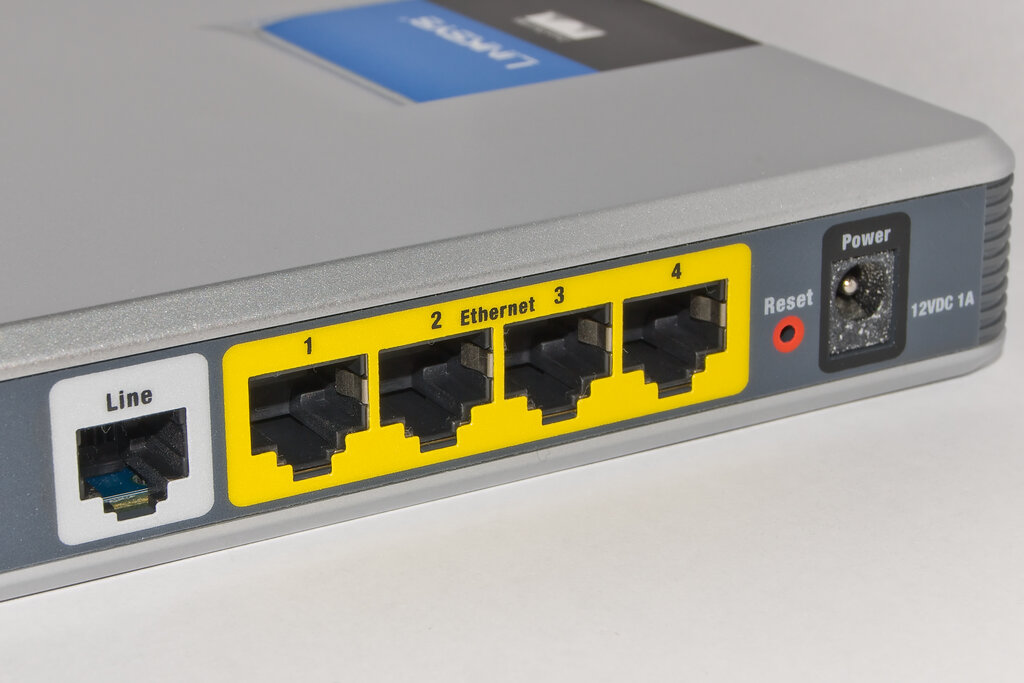
While the modem brings the internet into your home, the router takes over from there.
router
noun
A device that creates a local network and directs traffic between your connected devices and the internet.
Think of the router as the air traffic controller for your network. It creates your private Wi-Fi network, assigns a unique local address (an IP address) to each of your devices, and makes sure data packets go to the right place. It's what lets you watch a movie on your tablet while someone else is gaming on a console, all using the same internet connection.
Then you have all your connected devices, also known as "clients." This includes computers, phones, tablets, smart TVs, game consoles, and even modern appliances like refrigerators or light bulbs.

Guarding Your Digital Home
Connecting to the internet opens your network up to the outside world, which brings some risks. Just like you lock your front door, you need to secure your digital home. An unsecured network can be a gateway for others to access your personal information or use your internet connection without permission.
Once your network connects to the internet, it becomes more susceptible to outside threats.
Common threats include:
- Unauthorized Access: Neighbors or passersby using your Wi-Fi, slowing it down and potentially seeing what you're doing online.
- Malware: Malicious software that can infect your devices through an unsecured connection, leading to data theft or damage.
- Snooping: Attackers intercepting the data you send over an insecure Wi-Fi network, such as passwords or financial information.
- Compromised Devices: Many smart home devices have weak default security, making them an easy target for hackers to gain a foothold in your network.
The first and most important step is securing your router. This is the main door to your network. Start by changing the default administrator username and password. These are often public knowledge and easily found online. Choose a strong, unique password that's hard to guess.
Think of your router's admin password as the master key to your digital home. Don't leave the default key under the doormat.
Next, secure your Wi-Fi network itself. Every router gives you the option to set a password for your Wi-Fi. Always use WPA3 or WPA2 encryption—these are the strongest security protocols available today. Avoid the older, less secure WEP standard. A strong, unique Wi-Fi password prevents unwanted guests from hopping onto your network.
Let's review what we've learned.
Ready to test your knowledge?
What is the primary function of a modem in a home network?
Which device is responsible for directing internet traffic between multiple devices within your home, acting like an 'air traffic controller'?
By taking these simple steps, you make it much harder for anyone to break into your network. A secure network is a safe network.