Home Network Security Testing
Network Security Basics
Your Digital Front Door
Think about how many devices connect to your home Wi-Fi. Laptops, phones, smart TVs, gaming consoles, and even refrigerators all rely on it. This network is the gateway for your most sensitive information: bank details, private messages, work documents, and personal photos. Leaving it unsecured is like leaving your front door wide open.

Securing your home network isn't just about keeping neighbors from stealing your internet. It's about protecting your entire digital life from prying eyes and malicious attacks. A weak network can be an entry point for all sorts of trouble.
Common Threats
When a network is vulnerable, it's exposed to several common risks.
Unauthorized Access: This is more than just someone piggybacking on your Wi-Fi and slowing down your connection. If an unauthorized person joins your network, they can potentially snoop on unencrypted traffic, accessing files you share between devices or even using your connection for illegal activities, which could be traced back to you.
Malware Infection: A compromised router can be used to spread malware to every device connected to it. An attacker could change your router's settings to redirect your internet traffic to fake websites that steal your passwords or download viruses onto your computer. This is known as DNS hijacking.
Data Theft: Ultimately, most attacks aim to steal your data. This could be login credentials for your email or bank, credit card numbers, or personal files. A secure network is your first line of defense against this.
Your router acts as the gatekeeper for all your connected devices. If the gate is unlocked, everything inside is at risk.
Basic Security Measures
The good news is that securing your network doesn't require a degree in cybersecurity. A few basic steps can dramatically improve your safety.
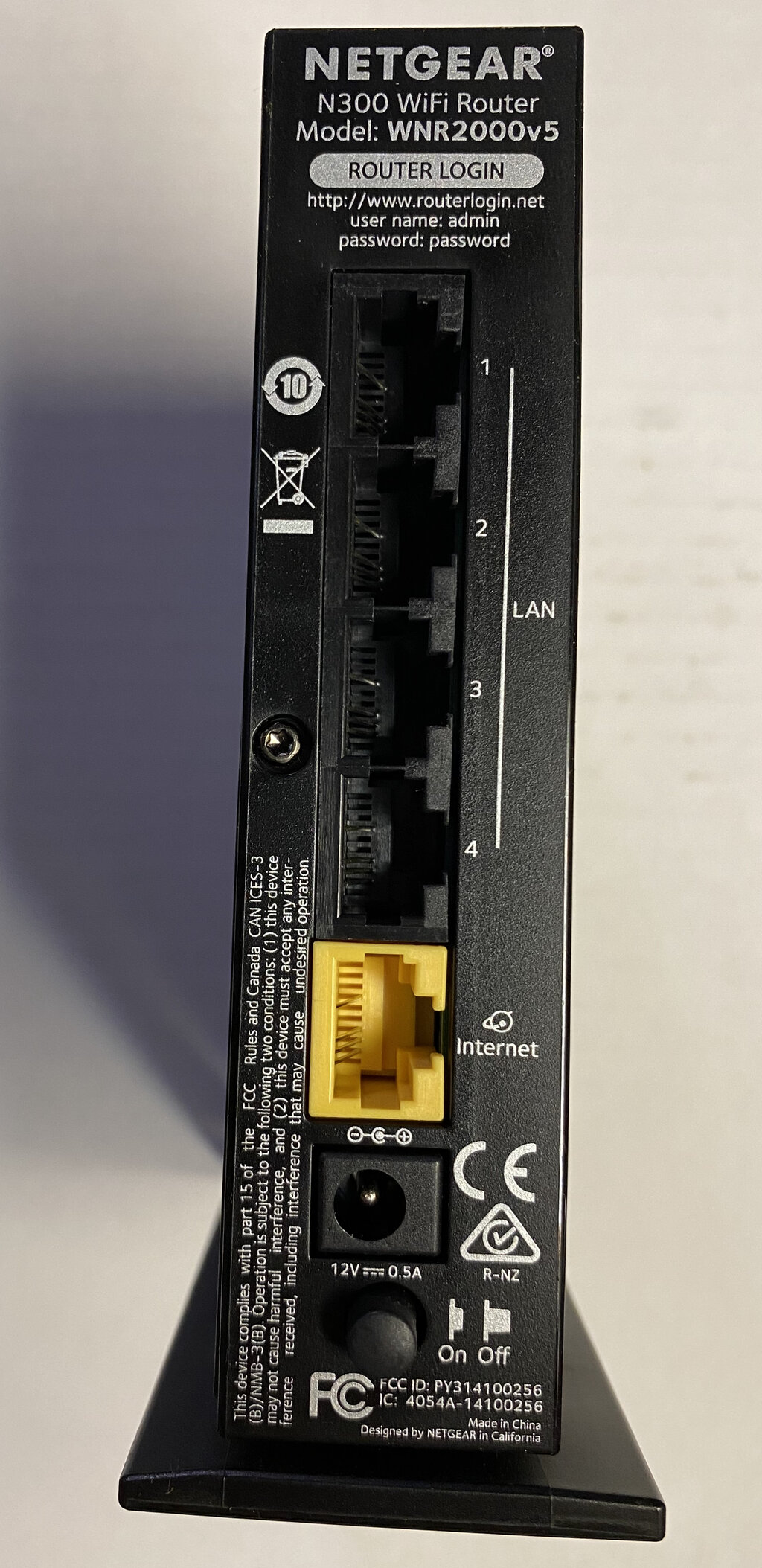
Use Strong, Unique Passwords: Your network has two critical passwords. The first is the Wi-Fi password (or passphrase) you use to connect devices. The second, and often forgotten, is the administrator password used to log in to the router's settings. Many routers come with a default admin password like "admin" or "password". You must change this. An attacker who knows your router's model can easily guess the default password and take full control of your network.
Keep Your Firmware Updated: Firmware is the software that runs on your router. Just like your computer's operating system, it needs updates. Manufacturers release firmware updates to patch security holes and improve performance. Log in to your router’s settings periodically and check for new firmware. Many modern routers can do this automatically.
Enable Network Encryption: Wi-Fi encryption scrambles the data sent over your network so that outsiders can't read it. Always use the strongest encryption method available. Right now, that's WPA3. If your devices don't support it, WPA2 is the next best thing. Avoid older, insecure standards like WEP and WPA.
To minimize this risk, practice good security principles at home: Keep all your devices up to date with the latest software, be picky about which apps, programs, and browser extensions you install, and protect your devices with long, difficult-to-guess passwords that are all different from each other.
By taking these simple steps, you create a much more secure environment for all your online activities.