Home Network Security Scan
Home Network Basics
Your Home's Digital Hub
Your home network starts with two key pieces of hardware: a modem and a router. Though they often come in a single box from your internet service provider (ISP), they perform two very different jobs.
The modem is your gateway to the internet. It connects to the cable or phone line coming into your home and translates the signal from your ISP into one your computer can understand. Think of it as a specialized translator, converting the language of the wider internet into a local dialect for your home.
The router then takes that single internet connection and creates a private network for your home. It allows all your devices—laptops, phones, smart TVs, and game consoles—to share that one connection. The router acts like a traffic cop, directing data to the correct device so your email doesn't end up on your smart TV.
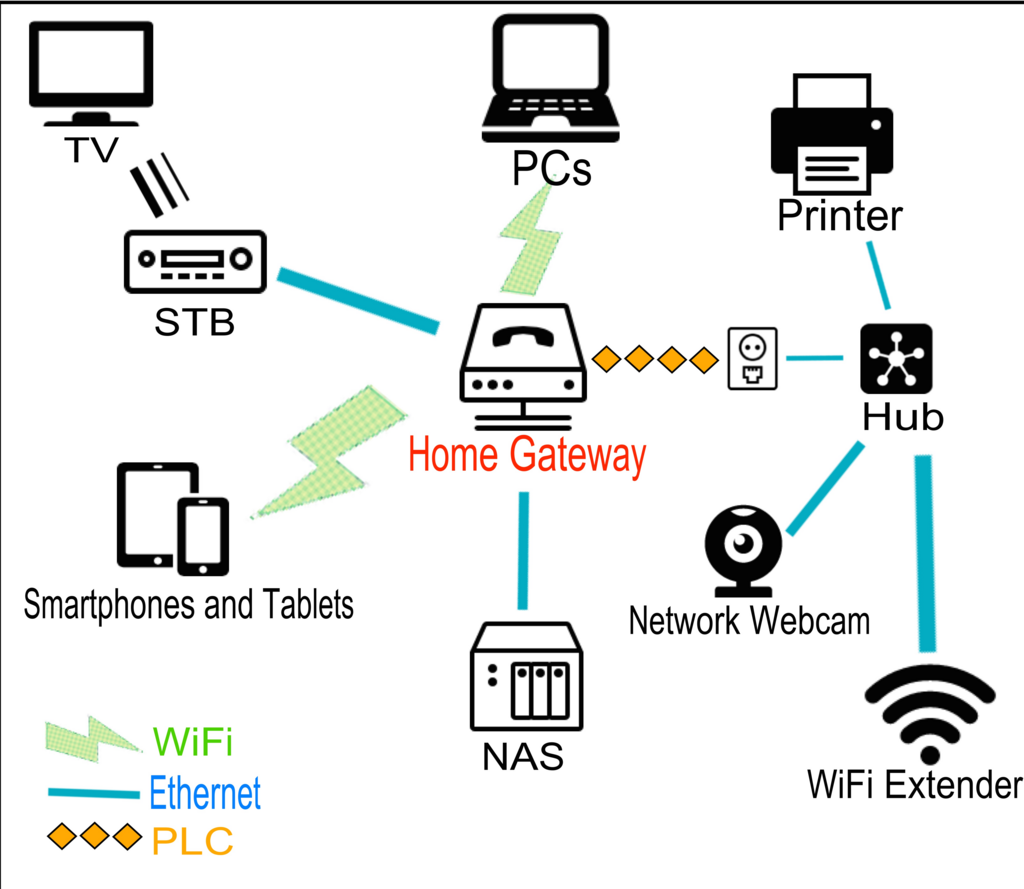
When you connect a device to your Wi-Fi, you're connecting it to the router's network. The router manages all this local traffic, making sure that when you search for something on your phone, the results are sent back to your phone and not your roommate's laptop.
Every Device Needs an Address
To direct all that internet traffic, your router needs a way to identify every device. It does this using IP addresses. An IP (Internet Protocol) address is a unique string of numbers that acts like a mailing address for a device on a network.
Your home network actually deals with two types of IP addresses. First, there's your public IP address. This is the single address that the rest of the internet sees. Your ISP assigns this address to your modem, and it identifies your entire home network. It's how services like Netflix or Google know where to send the data you request.
Then, there are private IP addresses. Your router assigns a unique private IP address to every single device connected to your home network. These addresses are only used within your home, allowing your phone, laptop, and smart speaker to communicate with the router and each other without getting their signals crossed.
Your public IP address is like your home's street address, visible to the whole world. Private IP addresses are like apartment numbers, only used inside your building.
This system, managed by the router, is called Network Address Translation (NAT). It allows a whole household of devices to share a single public IP address, which is crucial since the number of available IP addresses is limited. It also provides a basic layer of security, as it's much harder for an outside computer to connect directly to your laptop without being invited.
The Rules of the Road
For all these devices to communicate effectively, they need to follow a common set of rules. These rules are called protocols. A protocol is simply an agreed-upon format for transmitting data. Without protocols, the internet would be chaos, with different devices and programs unable to understand one another.
The most important set of protocols for the internet is the TCP/IP suite. You don't need to know the technical details, but it's helpful to understand the basic roles of its two main parts.
protocol
noun
A set of rules or procedures for transmitting data between electronic devices, such as computers.
TCP, or Transmission Control Protocol, is responsible for making sure data arrives reliably. When you load a webpage, the data is broken into tiny pieces called packets. TCP ensures all the packets arrive in the correct order and that none are missing. If a packet gets lost along the way, TCP requests it to be sent again.
IP, the Internet Protocol we've already mentioned, is in charge of addressing and routing. It takes each packet of data and stamps it with the correct destination IP address, much like putting an address on an envelope. Routers across the internet then read this IP address to forward the packet along the best path to its destination.
Think of it like sending a book through the mail. TCP carefully takes the book apart, numbers each page, and makes sure they all arrive. IP is the postal service that delivers each page to the correct address.
Together, these components—modem, router, IP addresses, and protocols—form the foundation of your home network, allowing your devices to connect to each other and the wider world.