Home Network Security Audit
Network Security Basics
Your Digital Front Door
Think of your home network as your digital house. It's where your computers, phones, and smart devices all live. Just like your actual house has doors and windows, your network has entry points to the outside world—the internet. Network security is simply the practice of locking those doors and windows to keep unwanted visitors out.
It’s not about building an impenetrable fortress. It's about making your network a less attractive target than your neighbor's.
When you connect to the internet, you're joining a global neighborhood. And like any neighborhood, it has its share of troublemakers. These troublemakers use various methods to try and get into your digital home. Your job is to make sure your defenses are solid.
Common Threats on the Block
Most threats to your home network aren't sophisticated attacks from a shadowy hacker in a movie. They're often automated, common, and looking for easy targets. Here are a few of the most frequent unwanted guests.
| Threat | What It Is |
|---|---|
| Malware | Malicious software (viruses, spyware, ransomware) that can damage your devices or steal information. |
| Phishing | Tricking you into giving up personal information, like passwords or credit card numbers, often through fake emails or websites. |
| Unauthorized Access | Someone gaining entry to your network or devices without your permission, often by guessing weak passwords. |
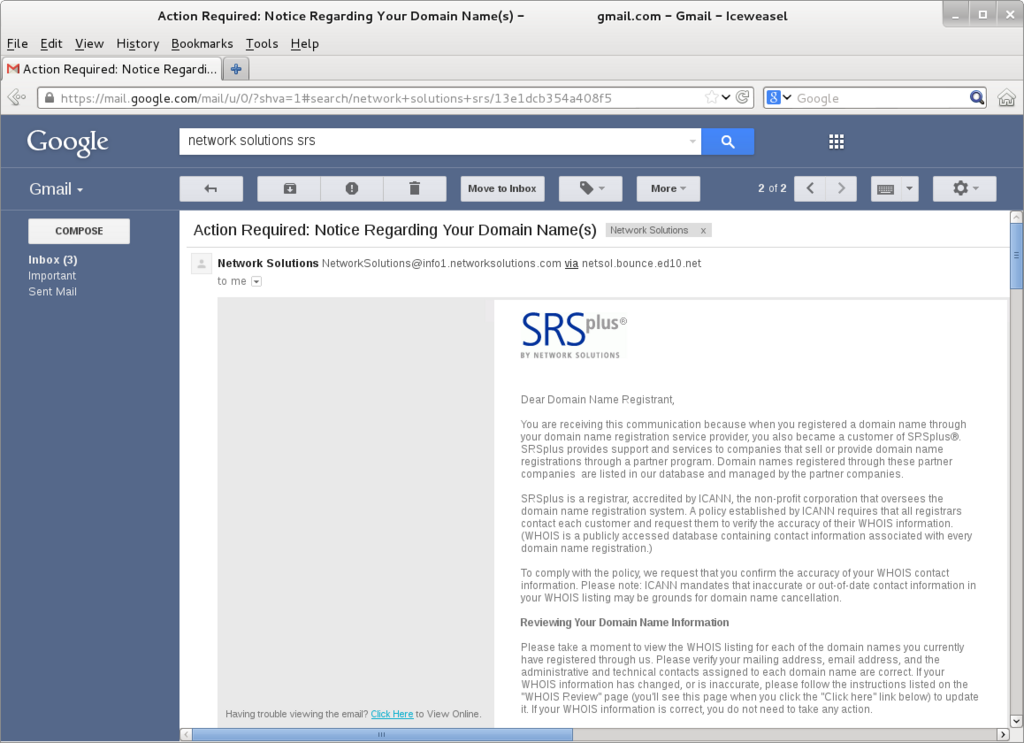
Phishing is particularly sneaky. You might get an email that looks like it's from your bank, asking you to "verify" your account details by clicking a link. That link leads to a fake website designed to steal your login credentials. Once they have that, they have access to your account.
The Cost of a Break-In
A security breach is more than just an inconvenience. The consequences can be serious and long-lasting. If someone gets into your network, they could steal your personal information for identity theft, access your bank accounts, or even use your devices to attack others.
Imagine a thief installing ransomware on your computer. Suddenly, all your family photos and important documents are locked, and the thief demands money to get them back. In another scenario, someone could silently monitor your internet activity, capturing passwords and credit card numbers as you type them. This is why securing your network is so important.
In reality, monitoring the health of your home network is an important safeguard against both network intruders as well as viruses and malware.
Keeping the Locks Fresh
Technology is constantly changing, and so are the methods attackers use. A security measure that was strong last year might be vulnerable today. This is why keeping your software and hardware updated is one of the most effective things you can do.
When a company like Apple or Microsoft releases a software update, it often includes patches for newly discovered security holes. Think of it like a city crew fixing a pothole on a road. Before it's fixed, it's a hazard. After it's patched, the road is safe again. By ignoring updates, you're essentially leaving known vulnerabilities open for anyone to exploit.
This doesn't just apply to your computer's operating system. It includes your web browser, your apps, and even the firmware on your internet router. Your router is the main gateway to your network, so keeping it updated is especially critical.
Ready to check your understanding?
What is the primary purpose of home network security, based on the analogy of a 'digital house'?
Which of the following best describes a 'phishing' attack?
Securing your home network is an ongoing process, not a one-time setup. By understanding the basic threats and the importance of regular maintenance, you've already taken a huge step toward protecting your digital life.