Home Network Security Audit
Network Security Basics
Your Digital Front Door
Think of your home network as the digital front door to your life. It connects your computers, phones, smart TVs, and even your refrigerator to the internet. Just as you lock your physical doors to keep your home and family safe, you need to secure your network to protect your personal information.

An unsecured network is an open invitation for trouble. It can expose your private data, like bank details and personal messages, to outsiders. It can also allow others to use your internet connection for illegal activities, which could be traced back to you. Securing your network is not just about technology; it’s about personal safety.
Common Network Threats
Several types of threats can target a home network. Most fall into two broad categories: malicious software that sneaks onto your devices, and people who gain access without your permission.
Malware
noun
Software intentionally designed to cause disruption to a computer, server, client, or computer network, leak private information, gain unauthorized access to information or systems, or deprive a user of access to information.
Malware includes viruses that corrupt your files, spyware that secretly records what you do online, and ransomware that locks up your files until you pay a fee.
Unauthorized access is another major risk. This could be a neighbor using your Wi-Fi to stream movies, which slows down your connection. Or it could be a criminal accessing your network to steal sensitive information or launch attacks on others from your connection.
Both malware and unauthorized access can lead to identity theft, financial loss, and a major loss of privacy.
Basic Security Measures
The good news is that you can protect yourself with a few simple steps. You don't need to be a tech expert to make your network much safer. The two most important actions are creating strong passwords and keeping your devices updated.
To minimize this risk, practice good security principles at home: Keep all your devices up to date with the latest software, be picky about which apps, programs, and browser extensions you install, and protect your devices with long, difficult-to-guess passwords that are all different from each other.
Your router is the gatekeeper of your network. It comes with a default username and password for its settings, which are often printed right on the device. These defaults are public knowledge, making them a huge security risk.
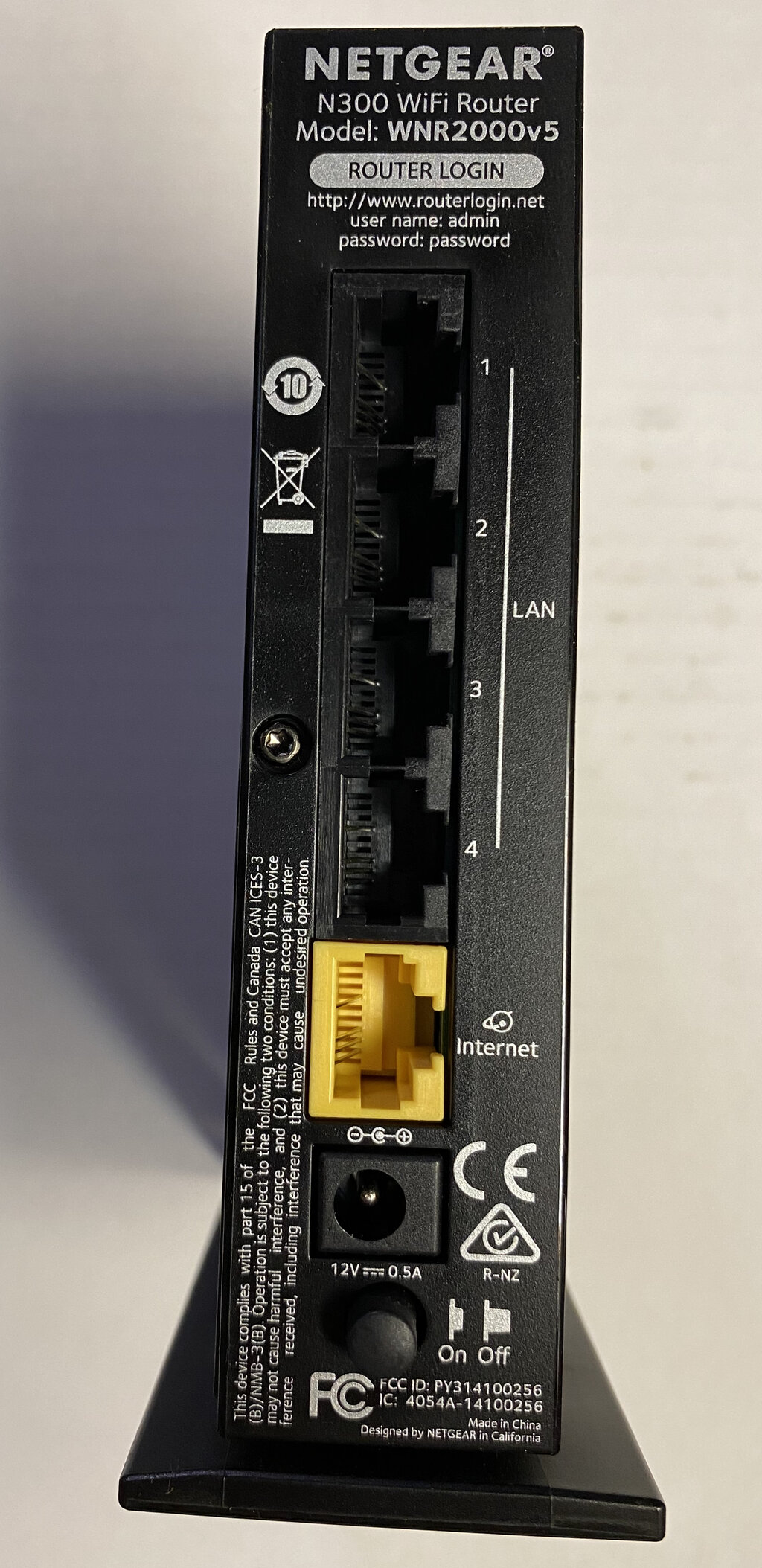
First, change your router's administrative password to something unique and strong. This prevents anyone from locking you out or changing your settings. Second, secure your Wi-Fi network itself with a strong password. Use a long phrase that is hard to guess, and enable WPA3 encryption if your router supports it. WPA2 is a good second choice.
Finally, keep your router's software, known as firmware, up to date. Manufacturers release updates to fix security holes and improve performance. Most modern routers can update automatically, but it's wise to log in to your router's settings and check for updates yourself every few months.
What is the primary risk of an unsecured home network?
Software that locks up your files and demands a payment for their release is known as ______.
These fundamental steps are the foundation of a secure home network. By controlling who can access your network and keeping its defenses current, you can significantly reduce your risk from common online threats.