Home Lab Networking Essentials
Networking Basics
What is a Network?
At its heart, a computer network is simple: it’s just two or more computers connected so they can share information. The purpose is to share resources. This could mean sharing a file, a printer, or an internet connection.
Think of it like a conversation. You can talk to someone in the same room, or you can call someone across the country. The network is the system that makes either of those conversations possible.

Networks Big and Small
Networks are not all the same size. They're categorized based on the geographical area they cover. The three main types you'll encounter are LAN, WAN, and MAN.
LAN
noun
A Local Area Network connects devices over a small area, like a single home, office, or school building. This is the type of network you'll be building for your home lab.
When you connect your laptop and phone to your home Wi-Fi, you've created a LAN. All the devices can easily talk to each other.
WAN
noun
A Wide Area Network connects devices over a large geographical area, such as a city, country, or even the entire globe. It's essentially a network of networks.
A WAN connects multiple LANs. For a company with offices in New York and London, a WAN allows their separate office LANs to communicate as if they were one.
MAN
noun
A Metropolitan Area Network is larger than a LAN but smaller than a WAN. It typically covers a city or a large university campus.
| Network Type | Scope | Example |
|---|---|---|
| LAN | Single building or room | Home Wi-Fi network |
| MAN | A city or large campus | A university's network connecting multiple buildings |
| WAN | Across cities, countries, or the globe | The Internet |
The Rules of the Road
For devices on a network to understand each other, they need a common set of rules for communication. These rules are called protocols. Just as humans use grammar to structure sentences, computers use protocols to structure data so it can be sent and received correctly.
To manage this complexity, engineers created conceptual frameworks called models. These models break down the entire process of network communication into a series of layers. Each layer has a specific job, and it only talks to the layers directly above and below it. The two most important models are the OSI model and the TCP/IP model.
Think of network protocols as the "languages" that computers use to talk to each other.
-
OSI Model (Open Systems Interconnection): This is a 7-layer model that's great for understanding the theory of how networks function. It's a detailed, conceptual guide.
-
TCP/IP Model: This is a 4-layer (or sometimes 5-layer) model that is more practical. It's the model the modern internet is actually built on.
You don't need to memorize every layer right now. The key takeaway is that network communication is a layered, orderly process, not a chaotic free-for-all.
The Network's Traffic Cops
Protocols and models are the rules, but physical devices do the actual work of moving data around. For a basic home lab, you'll need to know about three key pieces of hardware.
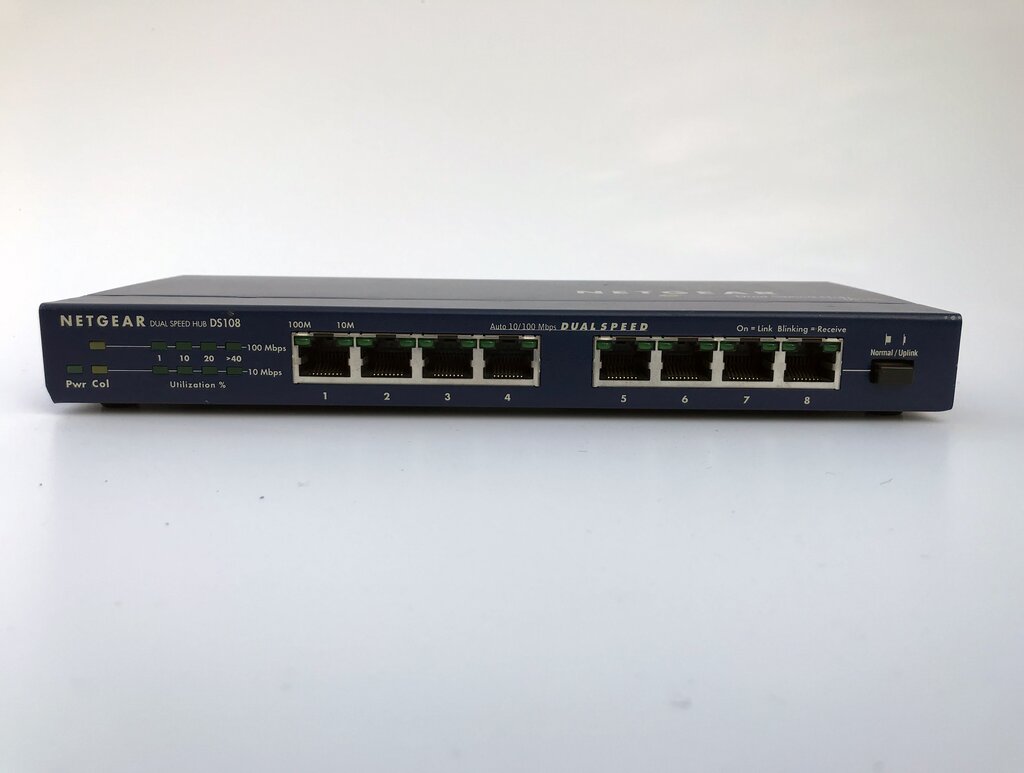
Switch
noun
A device that connects other devices together on a single computer network (a LAN). It uses hardware addresses (MAC addresses) to forward data only to the specific device it's intended for.
A switch is like a smart mail sorter inside an office building. It knows exactly which desk (device) each letter (data packet) should go to, so it doesn't bother anyone else.
Router
noun
A device that connects different networks together. It directs traffic between them, like from your home LAN to the internet (a WAN). It uses logical addresses (IP addresses) to figure out the best path for data to travel.
If a switch is the mail sorter inside a building, the router is the local post office. It takes mail from inside the building and sends it out into the wider world, and vice versa.
Access Point
noun
A device that allows wireless devices to connect to a wired network using Wi-Fi. It acts as a bridge between the wireless and wired worlds.
In many modern home setups, the router, switch, and access point are combined into a single device, often just called a "Wi-Fi router."
What is the primary purpose of creating a computer network?
A global corporation has offices in Tokyo, Berlin, and Rio de Janeiro. To connect the local networks of these three offices, what type of network would they need to implement?
With these fundamentals in hand, you have the conceptual tools to start planning and building your own network.