H264 vs H265 Video Encoding
Introduction to Video Compression
Why We Need to Shrink Video
Raw video footage is enormous. A single minute of uncompressed high-definition video can easily take up several gigabytes of storage space. Trying to stream or download a file that large would be a nightmare for most internet connections.
This is where video compression comes in. It’s a process that intelligently removes redundant or less noticeable data from a video file to make it smaller. The goal is to shrink the file size as much as possible without a noticeable drop in visual quality.
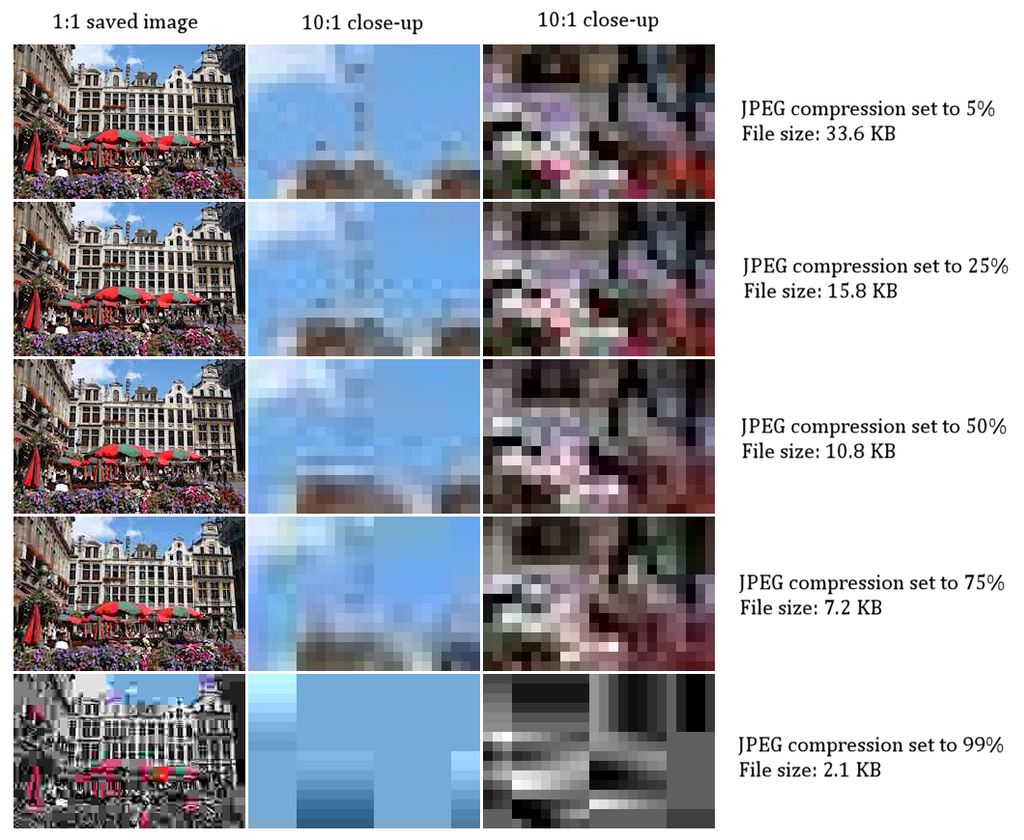
Think of it like packing a suitcase. You could just throw all your clothes in, but that would take up a lot of space. Instead, you fold and roll them tightly to fit more in. Video compression works on a similar principle, but with digital information instead of clothes. It finds clever ways to pack the visual data more efficiently.
Codecs The Language of Compression
The tool that performs this digital packing is called a codec. The word itself is a blend of "coder" and "decoder."
A codec, which stands for coder-decoder, is a software used to compress and decompress video files.
The coder part handles the compression when a video is created or saved. It analyzes the frames and figures out how to shrink the data. The decoder part works on the other end, on your phone or computer, unpacking the data so you can watch the video. Every time you stream a movie or watch a clip online, a codec is working behind the scenes to decompress the video in real time.
codec
noun
A device or program that compresses data to enable faster transmission and decompresses received data.
There are many different codecs, each with its own methods and strengths. Some are better at maintaining quality at low file sizes, while others are designed for fast encoding. Here are a few common ones you might encounter:
| Codec | Common Use | Key Feature |
|---|---|---|
| H.264 (AVC) | Blu-ray, Streaming | Very widely supported. Good balance of quality and file size. |
| H.265 (HEVC) | 4K/UHD Streaming | More efficient than H.264, offering better quality at the same file size. |
| VP9 | YouTube, Web Video | An open and royalty-free codec developed by Google. |
| AV1 | Modern Streaming | The newest royalty-free option, even more efficient than H.265. |
Bitrate and Resolution
Two other key terms you'll hear are resolution and bitrate. They work together with the codec to determine a video's final quality and size.
Resolution is the number of pixels that make up the image on your screen. It’s expressed as width by height. For example, a video with a resolution of has 1,920 pixels horizontally and 1,080 pixels vertically. Higher resolution means a sharper, more detailed picture, but it also means more data to manage.
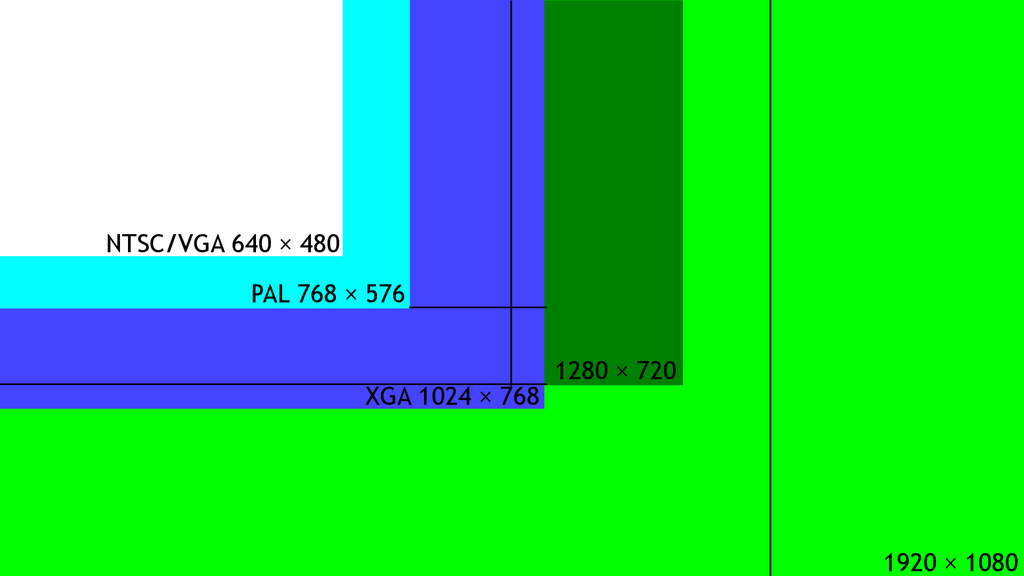
Bitrate is the amount of data used to represent one second of video. It's usually measured in megabits per second (Mbps). Think of bitrate as the video's data budget. A higher bitrate allows for more detail and less visible compression, resulting in better quality. A lower bitrate means a smaller file, but if it's too low for the resolution, the picture can look blocky or blurry.
Finding the right balance is key. For a high-resolution 4K video, you need a high bitrate to maintain clarity. For a small video on a webpage, a much lower bitrate will do the job just fine. Compression is all about making these trade-offs intelligently.
Ready to check your understanding?
What is the primary purpose of video compression?
The term 'codec' is a combination of which two words?
Understanding these core concepts gives you a foundation for how modern digital video works. It's a constant balancing act between quality, file size, and the power of the device playing the video.