Google Antigravity for Repository Analysis
Introduction to Antigravity
Meet Your AI Teammate
Most AI coding tools work like assistants. You write the code, and they offer suggestions, complete lines, or fix bugs. They're helpful, but you're still the one driving. Google's Antigravity flips this model on its head. It's an integrated development environment, or IDE, built with a completely different philosophy.
Antigravity reframes coding from “you write, AI helps” to “you give high-level instructions, AI (agents) do the work.”
Instead of an assistant, Antigravity gives you an autonomous agent. Think of it less like a helpful co-pilot and more like a junior developer on your team. You provide a high-level goal, like "build a login page" or "refactor this database schema," and the AI agent gets to work, figuring out the necessary steps on its own.
An Agent-First World
The core idea behind Antigravity is its "agent-first" architecture. In a traditional IDE, the developer is the central actor. In Antigravity, AI agents take center stage. This shift from assistance to agency is what makes the platform unique. The AI doesn't just watch you work; it performs the work itself.
This means the AI agent can plan and execute complex, multi-step tasks that go beyond simple code generation. It can write code, test it, debug errors, and even search for information online, all in service of the goal you've assigned.
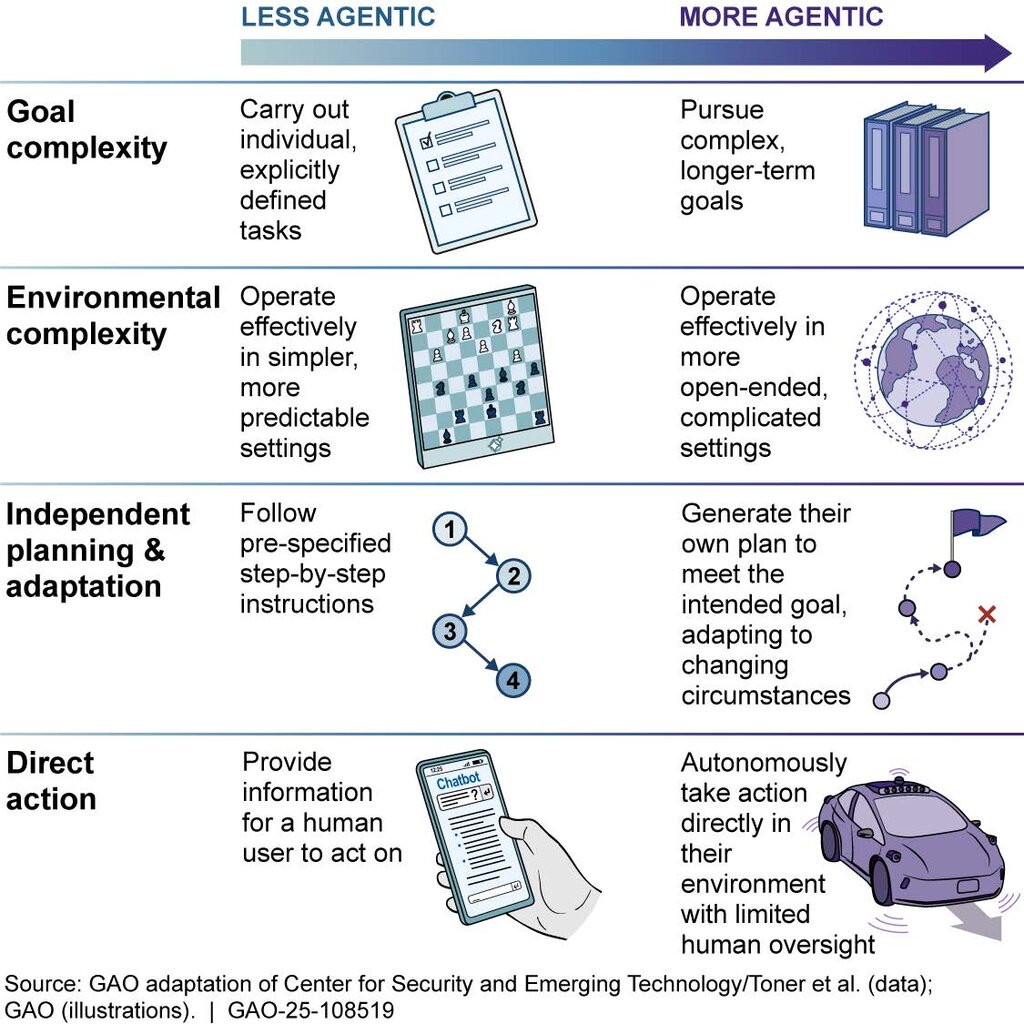
This approach is designed for tackling larger projects and prototyping ideas rapidly. Instead of getting bogged down in the details of implementation, a developer can focus on the bigger picture, delegating entire features to their AI agent.
How It Works
Giving an AI agent so much autonomy might sound a little chaotic, but Antigravity is built with transparency in mind. It achieves this through two key features: multi-surface integration and a system of "Artifacts."
Multi-surface integration means the agent isn't confined to just the code editor. It has direct access to the tools a human developer uses every day.
This includes:
- The Editor: To write and modify code files.
- The Terminal: To run commands, install packages, and execute scripts.
- The Browser: To look up documentation, research solutions, and interact with web services.
By giving the agent control over these surfaces, Antigravity allows it to perform a much wider range of tasks autonomously. It can mimic the workflow of a human developer much more closely.
Antigravity automatically creates comprehensive Markdown artifacts as your agents work, providing transparent insights into the development process.
As the agent works, it documents everything it does by creating Artifacts. These are detailed records of its process, including its plan, the actions it took, screenshots, and task lists. This system provides a clear, high-level overview of the agent's work, making it easy for the developer to understand what has been done and what the agent plans to do next. It’s like getting a status report from a teammate, ensuring you're always in the loop.
Now let's review the key concepts.
Time to check your understanding.
What is the core philosophical difference between Google's Antigravity and most other AI coding tools?
The text compares the AI agent in Antigravity to which of the following roles?
By understanding this agent-first approach, you can start to see how AI is changing the very nature of software development, moving from simple assistance to active collaboration.