GitHub Copilot Explained
Introduction to GitHub Copilot
Meet Your AI Coding Partner
Think of the autocomplete on your phone. It guesses the next word you want to type, making texting faster. Now, imagine that for writing code. That's GitHub Copilot. It's an AI tool that acts as a pair programmer, suggesting entire lines or blocks of code right inside your editor.
Developed by GitHub and OpenAI, Copilot is trained on a massive amount of public code. It uses this knowledge to understand the context of what you're writing and offer relevant suggestions in real time. This isn't just about finishing a variable name; it's about generating a whole function based on a comment you wrote.
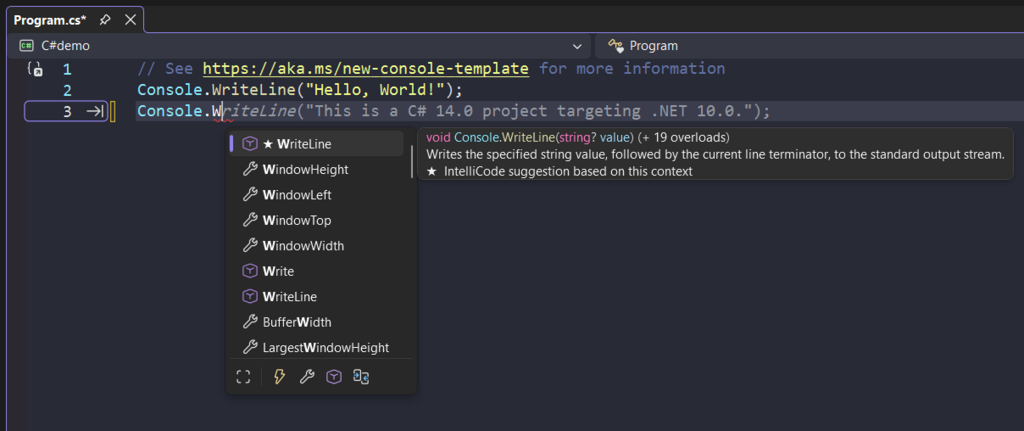
How It Works in Your Editor
GitHub Copilot doesn't live in a separate window. It integrates directly into popular code editors, known as Integrated Development Environments (IDEs). The most common one is Visual Studio Code, but it also works with others like JetBrains IDEs (IntelliJ, PyCharm) and Neovim.
Once installed as an extension, Copilot quietly analyzes the code in your open files. It looks at the functions you've written, the libraries you've imported, and even the comments you've added. This context is key. Because it understands what you're trying to build, its suggestions are surprisingly accurate.
The magic of Copilot is its ability to turn natural language into code. You can write a comment describing what a function should do, and Copilot will often generate the complete code for you.
Let's see a simple example. If you write a comment in Python:
# function to fetch user data from an API
# takes a user ID as an argument
Copilot might immediately suggest the following code. The grayed-out text represents Copilot's suggestion, which you can accept with a single keystroke.
import requests

def fetch_user_data(user_id):
    response = requests.get(f"https://api.example.com/users/{user_id}")
    return response.json()
Getting Started
Setting up GitHub Copilot is straightforward. First, you'll need a subscription, which you can get through your GitHub account. Many students and maintainers of popular open-source projects can get access for free.
Next, you install the GitHub Copilot extension in your preferred IDE. For Visual Studio Code, you can find it in the Extensions Marketplace. Once installed, you'll be prompted to sign in with your GitHub account to authorize it. That's it. Copilot will start providing suggestions as you type.
If you live in VS Code and use GitHub extensively, Copilot’s integration and context awareness will boost your productivity.
You can configure its behavior in your editor's settings. For example, you can enable or disable it for specific languages or toggle different suggestion types. The real power comes from learning how to effectively prompt it with clear comments and code structure, guiding it to generate the best possible results.
What is the primary function of GitHub Copilot?
How does GitHub Copilot understand the context of the code you are writing?