Git Fundamentals for Medical Students
Introduction to Version Control
What is Version Control?
Have you ever saved a file as report_final.docx, only to create report_final_v2.docx and then report_REALLY_final.docx? This common habit is a basic, manual form of version control. You're trying to keep a record of your changes without losing previous work.
A Version Control System (VCS) automates this process. It’s a tool that tracks and manages changes to a collection of files over time. Think of it as a detailed diary for your project. It records every modification, noting who made the change, when they made it, and why. This lets you recall specific versions of your work later on, much like rewinding a video to a specific scene.
Version Control System
noun
A system that records changes to a file or set of files over time so that you can recall specific versions later.
This isn't just for computer code. Scientists use it to manage data, writers use it for manuscripts, and teams use it for any project where history and collaboration are important. It provides a safety net, allowing you to experiment freely, knowing you can always undo a change or revert to a previous state that worked.
Keeping Everyone in Sync
The real power of version control shines when you work with others. Instead of emailing files back and forth and trying to merge different people's changes, a VCS handles this automatically. Everyone works from the same set of files, and the system helps integrate contributions from all team members.
Every change is logged, creating a transparent history of the project. You can see exactly what was altered, who did it, and when. This is incredibly useful for debugging, auditing, or simply understanding how a project has evolved. It’s like the revision history page on Wikipedia, where every edit is meticulously tracked.
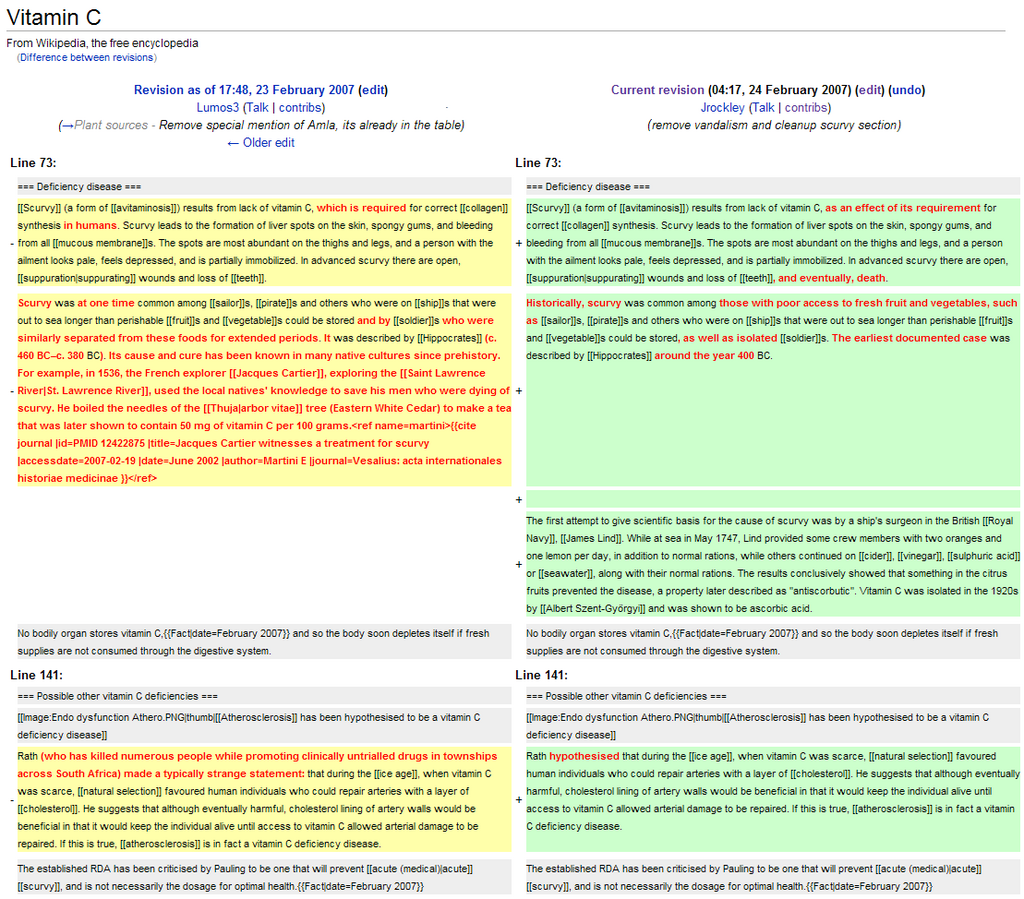
This level of tracking is essential in fields like medical research, where data integrity and reproducibility are critical. A VCS provides a clear, verifiable log of how data and analysis code have changed, which is crucial for validating results.
Two Flavors of Version Control
There are two main approaches to version control: centralized and distributed.
Centralized Version Control Systems (CVCS) rely on a single, central server that stores all the files and their history. To work on the project, you "check out" the current version from this server. Your changes are saved back to this central location. It's like a library with one master copy of a book; everyone has to check it out from the same place.
The main drawback is that this central server is a single point of failure. If it goes down, nobody can collaborate or save their changes.
Distributed Version Control Systems (DVCS) give every user their own full copy of the project, including its entire history. Instead of one library with one book, everyone gets their own personal copy of the entire library. You can save changes to your local copy and only need to connect to a central server to share your work with others.
This distributed model is more flexible and robust. If the main server is unavailable, you can still work locally and even share changes with other team members directly. One of the most popular distributed systems is called Git, which has become the standard for software development and is widely used in many other fields.