Git for Perforce Veterans
Git Basics
The What and Why of Git
At its heart, Git is a version control system (VCS). Think of it like a magic journal for your code. Every time you make a change, you write a new entry. This journal doesn't just record what changed; it saves a complete snapshot of your entire project. If you make a mistake, you can flip back to a previous entry and restore everything to how it was.
Git is a distributed version control system (DVCS) that allows developers to track changes, revert to previous states, and manage collaborative workflows.
What makes Git special is that it's distributed. In older, centralized systems like Perforce or Subversion, the entire project history lives on one central server. You check out files, work on them, and then check them back in. If that server goes down, work stops.
Git is different. When you work on a Git project, you get a full copy of the entire history on your own computer. You don't just have the latest version of the files; you have every version. This means you can work offline, commit your changes, and browse the project's history without needing a network connection. It also provides a natural backup. If the main server fails, any developer's copy can be used to restore it.
The Building Blocks
To work with Git, you only need to understand a few core ideas. These are the fundamental concepts that everything else is built on.
Repository
noun
The complete collection of files and folders for a project, along with each file's revision history. Often shortened to "repo."
A repository is the main container for your project. It’s a directory that contains all your project files and, crucially, a hidden sub-directory named .git. This is where Git stores all the history and metadata. You can think of the repository as the entire project folder, supercharged with version control.
Commit
noun
A snapshot of the repository's files at a specific point in time. It represents a single, atomic change to the project.
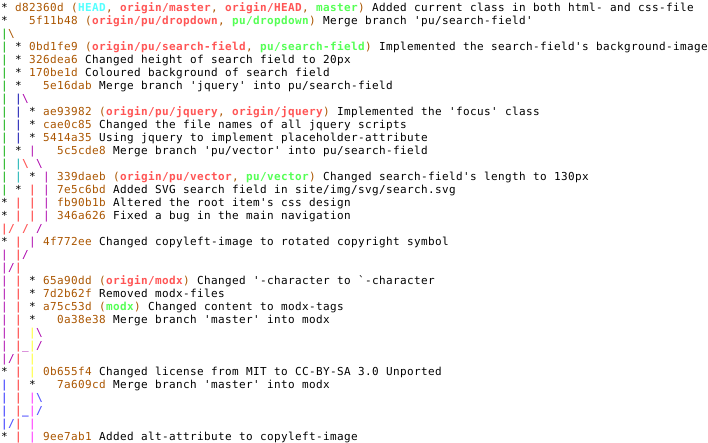
A commit is like a save point in a video game. When you've made a set of changes you're happy with—like fixing a bug or adding a feature—you create a commit. Each commit has a unique ID and a message describing what you did. This creates a detailed history of your project, showing who changed what, when, and why.
Branch
noun
A lightweight, movable pointer to a specific commit. Branches allow for parallel development on different features or fixes.
Branches are one of Git's most powerful features. Imagine you have a stable, working version of your project on a main branch (often called main or master). Now, you want to add a new, experimental feature. Instead of working directly on the main version, you create a new branch.
This branch is a copy of your project at that moment. You can now make all the changes you want on this new branch, completely isolated from the main one. You can create commits, break things, and experiment freely. Once the feature is complete and working, you can merge your branch back into the main project. This keeps the main branch clean and stable at all times.
With these three concepts—repositories, commits, and branches—you have the foundation for understanding how Git works. Let's test your knowledge.
What is the primary characteristic that distinguishes Git from older, centralized version control systems like Subversion?
You've just finished adding a new feature and want to save this specific set of changes as a single, recorded point in your project's history. This action is best described as creating a ______.
Understanding this architecture is the first step. By thinking in terms of these building blocks, you can manage complex projects, collaborate with teams, and keep a clean, reliable history of your work.