Game UI Design Fundamentals
Defining Game UI
More Than Just Buttons
When you use a mobile app, the user interface, or UI, is straightforward. You see buttons, menus, and text fields. They are tools for you to interact with the software. But in video games, the UI has a much bigger job. It doesn't just need to be functional; it needs to be part of the world.
Good UX keeps players immersed by making controls, menus, and progression systems feel natural and effortless.
The main difference between game UI and standard app UI is the goal of immersion—the feeling that you are truly inside the game world, not just looking at a screen. A game's UI must provide vital information without breaking that feeling. A giant, clunky menu can pull you out of the fantasy just as you're getting into it. Great game UI design is a balancing act between clarity and storytelling.
Immersion
noun
The deep mental involvement in a virtual or fictional world, where the user feels like a part of that environment.
The Four Flavors of Game UI
To better manage this balancing act, designers often categorize game UI elements into four main types. This framework helps them decide how information should appear to the player. The categories are based on whether the UI element exists within the game's world and story.
Diegetic UI: These are elements that exist within the game world and are part of the story. The characters in the game can see and interact with them. Think of the Pip-Boy wrist computer in the Fallout series. The player uses it to check maps, inventory, and stats, and the character in the game is doing the exact same thing.
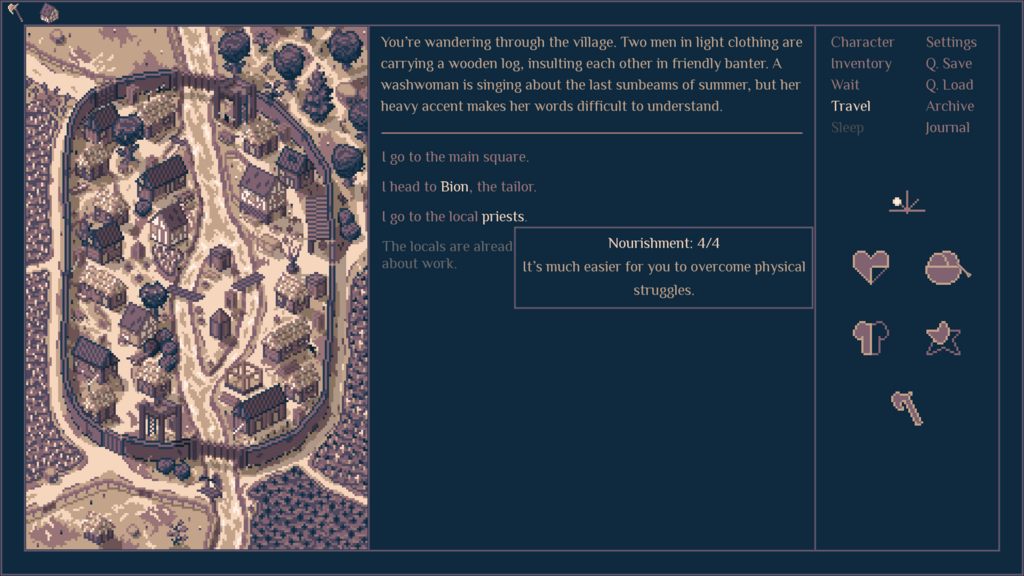
Non-Diegetic UI: This is the most traditional type of UI. It’s an overlay on the screen that exists only for the player. The characters in the game have no awareness of it. Health bars, ammo counters, and mini-maps are classic examples. They provide clear information but can be the most immersion-breaking if not designed well.
Spatial UI: These are UI elements that appear in the game's 3D space but are not part of the story. The characters aren't aware of them. Examples include selection highlights around objects you can interact with, or the names and health bars that appear over other players in an online game. They help guide the player without cluttering the screen with a permanent overlay.
Meta UI: This is the most abstract category. These elements are part of the game's story and narrative but aren't located in the game's physical 3D space. The most common example is blood spattering on the screen to show your character has been injured. The character feels the injury, but the blood on your "camera lens" isn't something they see. It communicates a feeling or state directly to the player, often in a very visceral way.
Putting It All Together
Most games use a combination of these four UI types. A first-person shooter might use a non-diegetic ammo counter, a spatial icon over a mission objective, and a meta blood spatter when hit. The goal is always to deliver the necessary information in the least intrusive way possible, preserving that precious sense of immersion.
| UI Type | Exists in World? | Exists in Story? | Common Example |
|---|---|---|---|
| Diegetic | Yes | Yes | A character's in-game GPS device |
| Non-Diegetic | No | No | A score counter in the corner |
| Spatial | Yes | No | A glowing trail to your next quest |
| Meta | No | Yes | The screen turning gray when in stealth mode |
Thinking in these categories allows designers to be more creative. Instead of defaulting to a standard health bar, they might ask: can we show the player's health diegetically? Perhaps the character's armor cracks and breaks as they take damage. Or maybe it's meta, with the character's breathing becoming louder and more ragged. Every piece of information is an opportunity to either build the world or break the immersion. Good designers choose wisely.
Time to check your understanding.
What is the primary goal that distinguishes game UI from the UI of a standard mobile app?
A character's name and health bar appearing over their head in an online game is an example of a spatial UI element.
Understanding these core concepts is the first step toward designing interfaces that feel like a natural part of the game, not just a menu slapped on top.