Full-Stack Data Visualization Engineering
Web Development Foundations
The Building Blocks of the Web
Every website you visit, from your favorite social media feed to a simple blog, is built using three core technologies: HTML, CSS, and JavaScript. Think of them like building a house. HTML is the structural frame, CSS is the paint and furniture that give it style, and JavaScript is the electrical wiring and plumbing that make everything functional.
Make sure you're fluent in HTML, CSS, and JavaScript - the building blocks of web development.
These three languages work together in the user's browser to create the websites we see and interact with every day. Understanding how they fit together is the first and most important step in learning web development.
HTML: The Skeleton
HTML stands for HyperText Markup Language. It’s the standard for creating the structure of web pages. HTML uses a system of tags to define elements like headings, paragraphs, images, and links. These tags tell the browser how to display the content.
It's important to use tags that accurately describe the content they hold. This is called semantic HTML. For example, using a <h1> tag for the main heading of a page doesn't just make the text big; it tells search engines and screen readers that this is the most important title on the page.
Tag
noun
A keyword enclosed in angle brackets, used in HTML to define the structure and content of elements on a web page.
Here is the basic structure of a simple HTML document.
<!DOCTYPE html>
<html>
<head>
    <title>My First Web Page</title>
</head>
<body>
    <h1>Hello, World!</h1>
    <p>This is a paragraph.</p>
</body>
</html>
The <!DOCTYPE html> declaration defines the document type. The <html> element is the root of the page. The <head> contains meta-information like the title, and the <body> contains the visible content.
CSS: The Style
Without CSS, or Cascading Style Sheets, the web would be a very plain place. CSS is the language used to describe the presentation of a document written in HTML. It controls the colors, fonts, spacing, and layout of your content. You can think of it as the designer's tool for the web.
CSS works by selecting HTML elements and applying style rules to them. You can select elements by their tag name (like p or h1), a class, or an ID. This separation of style from structure makes the code cleaner and easier to manage.
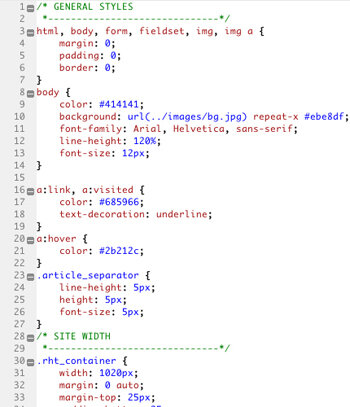
Here’s how you might style the HTML from our previous example. This code would typically live in a separate file (e.g., style.css) and be linked from the HTML <head>.
/* This is a CSS comment */

body {
  font-family: Arial, sans-serif;
  background-color: #f0f0f0;
}

h1 {
  color: #333;
  text-align: center;
}

p {
  font-size: 16px;
  line-height: 1.5;
}
JavaScript: The Brains
JavaScript (JS) brings a web page to life. While HTML provides structure and CSS adds style, JavaScript adds interactivity. It's a true programming language that runs directly in the browser. When you click a button that shows a pop-up, see a photo gallery slideshow, or get live updates in a news feed, you're seeing JavaScript in action.
One of the most common uses for JavaScript is to manipulate the Document Object Model, or DOM. The DOM is a programming interface for web documents. It represents the page so that programs can change the document structure, style, and content. When JavaScript changes the DOM, you see the page update without needing to reload.
Think of the DOM as a live, interactive map of your HTML page. JavaScript can read this map and redraw parts of it on the fly.
Here’s a simple example. Let's add a button to our HTML and use JavaScript to change the paragraph text when it's clicked.
<!-- In your HTML body -->
<p id="demo">This is the original text.</p>
<button onclick="changeText()">Click Me!</button>

<!-- In your JavaScript file -->
function changeText() {
  document.getElementById("demo").innerHTML = "Hello, JavaScript!";
}
Making Websites for Everyone
Building a website isn't just about making it look good on your own computer. A modern website needs to work well for every user, on any device. Two key principles guide this goal: responsive design and accessibility.
Responsive design ensures your website looks and functions correctly on all screen sizes, from a small smartphone to a large desktop monitor. It uses flexible grids and layouts, images that resize, and CSS media queries to adapt the site's presentation to the viewing environment.
Web accessibility (often abbreviated as a11y) is the practice of ensuring that people with disabilities can use the web. This includes people with visual, auditory, motor, or cognitive impairments. Following accessibility standards, like using semantic HTML and providing text alternatives for images, not only helps users with disabilities but also improves the experience for everyone and can boost search engine optimization (SEO).
| Principle | Goal | Key Technique |
|---|---|---|
| Responsive Design | Consistent experience across devices | CSS Media Queries |
| Web Accessibility | Usable by people with disabilities | Semantic HTML (<nav>, <main>) |
Now let's test your knowledge on these fundamental concepts.
If a website were a house, what would JavaScript represent?
What is the primary benefit of using semantic HTML tags like <h1> and <p>?
Mastering these three building blocks—HTML, CSS, and JavaScript—along with the principles of responsive and accessible design, provides a strong foundation for any path in web development.