Full Stack C# .NET 8 Mastery
Introduction to C# and .NET 8
Your First Look at C#
C# (pronounced “C sharp”) is a programming language developed by Microsoft. It's known for being versatile and relatively easy to learn, making it a popular choice for everything from web applications to video games. Think of a programming language as a set of instructions a computer can understand. With C#, you write these instructions in a way that’s readable for humans, and then a special program called a compiler translates them into the zeros and ones the computer's processor can execute.
Let's look at the basic building blocks. Like any language, C# has its own grammar, or syntax. At its core, you'll work with variables, which are containers for storing data. Each variable has a specific data type that tells the computer what kind of information it will hold.
| Data Type | What it stores | Example |
|---|---|---|
int | Whole numbers | int age = 30; |
string | Text | string name = "Alex"; |
double | Numbers with decimals | double price = 19.99; |
bool | True or false values | bool isValid = true; |
Here’s a simple C# program that declares a variable and prints a message to the console. Notice the use of semicolons at the end of statements—they're like periods in a sentence, telling the compiler where one instruction ends and the next begins.
// A variable of type string is created
string greeting = "Hello, World!";

// The Console.WriteLine() method prints the text
Console.WriteLine(greeting);
Thinking in Objects
C# is an object-oriented programming (OOP) language. This might sound complex, but the core idea is simple: we can model real-world things as objects in our code. An object bundles together data (properties) and the actions it can perform (methods).
Imagine a car. It has properties like color, model, and current speed. It also has methods, or things it can do, like StartEngine(), Accelerate(), and Brake(). In C#, we define a blueprint for creating these objects called a class.
The Car class is the blueprint. From that single blueprint, we can create multiple, individual car objects, each with its own properties. One car object might be red and stationary, while another could be blue and moving at 60 mph. This approach helps organize code into logical, reusable pieces, which is incredibly helpful for building large applications.
In OOP, a class is the blueprint, and an object is the actual thing built from that blueprint.
What is .NET?
You'll often hear C# mentioned alongside .NET. So what's the connection? .NET is a framework—a collection of tools, libraries, and a runtime environment that work together to make building applications easier. C# is one of the primary languages used to build on the .NET framework.
Think of it like building a house. C# is the language you use to write the blueprints (the code). The .NET framework is the construction company that provides the power tools (development tools), pre-fabricated materials (code libraries), and the foundation and utilities (the runtime) to actually build and run the house.
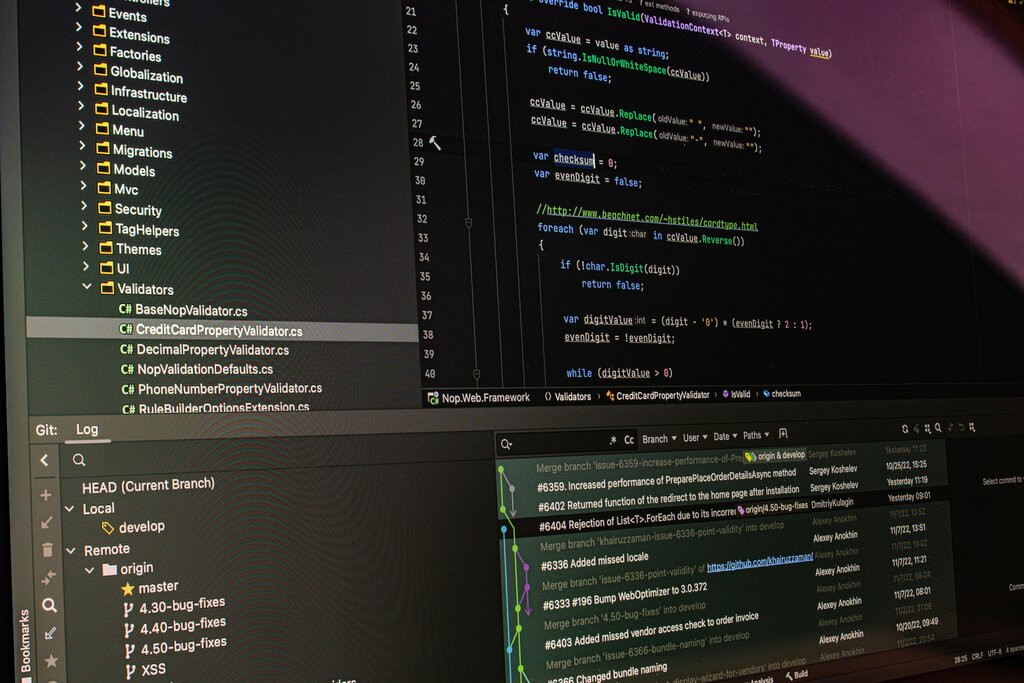
.NET 8 is the latest version, offering high performance and tools for building all kinds of applications, from web apps to mobile and desktop software. It includes:
- The Runtime: This is the engine that executes your C# code.
- Base Class Library (BCL): A huge collection of pre-written code that handles common tasks like reading files, working with text, and managing data.
- Development Tools: Programs and command-line interfaces that help you compile and build your projects.
Setting Up Your Workspace
To start writing C# and .NET applications, you need an Integrated Development Environment (IDE). An IDE is a software application that combines a code editor, a compiler, and debugging tools into one place. For C# development, the most common choice is Visual Studio.
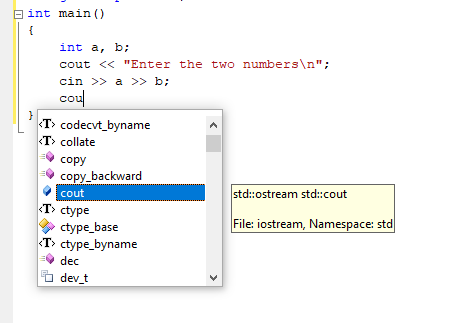
Visual Studio is a powerful IDE from Microsoft that streamlines the development process. It understands C# and .NET deeply, providing features like intelligent code completion (IntelliSense), easy-to-use debugging, and project management. You can download the free Community edition of Visual Studio, which includes everything you need to start building .NET 8 applications. During installation, you'll select a "workload" for web development, which will install the necessary .NET SDK and templates.
It covers fundamental concepts like variables, data types, control structures, and object-oriented programming.
With your environment set up, you're ready to start building. Let's review what we've covered.
Now, let's check your understanding of these core concepts.
What is the primary role of a 'class' in C# object-oriented programming?
Which statement best describes the relationship between C# and the .NET framework?
You now have a foundational understanding of C#, object-oriented principles, and the .NET framework. These are the essential building blocks for creating powerful web applications.