From Figma to Live: The Full Development Cycle
Design Handover
The Handoff
The design is done. The mockups are polished, the user flows are seamless, and every pixel is in its place. Now what? The project moves from the designer's canvas to the developer's code editor. This transition, known as the design handoff, is where a great design can become a great product, or get lost in translation.
A sloppy handoff creates confusion, wastes time, and leads to a final product that doesn't match the original vision. A clean handoff, on the other hand, empowers developers to build pixel-perfect experiences efficiently. It all starts with organization.
Think of your design file as a blueprint for a house. If the plans are messy, unlabeled, and incomplete, the builder will have to guess. The result won't be the house you designed.
Before sending anything to a developer, your design files need to be impeccable. This means every element should be logically named and grouped. Instead of a dozen layers named "Rectangle 12 copy," use descriptive names like "Primary Button Background" or "User Avatar Mask."
Group related layers into components or symbols. For example, all the elements that make up a user profile card—the avatar, name, and handle—should be a single, reusable component. This not only keeps the file tidy but also helps developers understand the structure of the interface.
| Bad Naming | Good Naming |
|---|---|
Group 51 | Header Navigation |
Rectangle copy 3 | Button/Primary/Default |
image_final_v2 | Hero Image - Homepage |
Tools of the Trade
Manually documenting every color hex code, font size, and margin is tedious and prone to error. Thankfully, specialized tools can automate this process, creating a direct bridge between designers and developers.
Tools like Zeplin, Avocode, or Figma's built-in Dev Mode act as a single source of truth. Designers upload their completed designs, and these platforms automatically generate style guides, specifications, and code snippets. Developers can then inspect any element to get its exact dimensions, colors, typography, and spacing values in a format they can use directly.
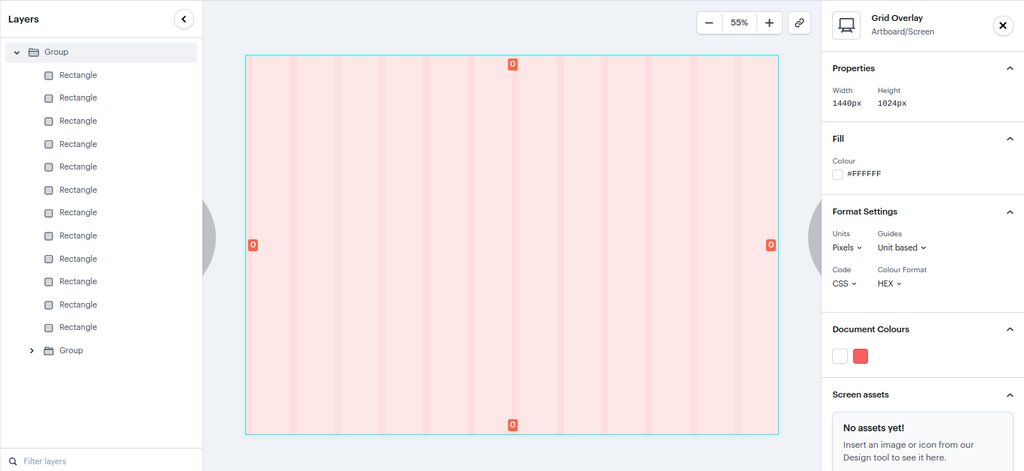
These tools also handle asset exporting. Instead of a designer manually saving out every icon and image in different sizes, developers can pull the assets they need, in the format they need (like SVG, PNG, or WebP), directly from the platform. This ensures that the assets used in development are identical to the ones in the design file.
A well-thought-out design system acts as a bridge between designers and developers, creating a shared language that eliminates confusion.
Communication is Key
Tools are helpful, but they don't replace communication. The handoff isn't a one-time event where a designer throws files over a wall to the development team. It's an ongoing conversation.
Before the handoff, hold a walkthrough session. The designer should present the final designs to the developers, explaining the user flows, interactions, and any complex animations. This is a chance for developers to ask questions and spot potential technical challenges before they start coding.
Be prepared to provide context for your design decisions. Why does this button animate this way? What happens in this specific edge case? Clear documentation and open dialogue can answer these questions and prevent developers from making incorrect assumptions.
For example, a designer might create a complex animation. Without a conversation, a developer might build a simpler, less performant version. By talking it through, the designer can explain the user experience goal, and the developer can suggest a technically feasible way to achieve a similar effect.
Finally, the designer’s job isn't over once the coding starts. They should remain available to review the developed product, provide feedback, and answer questions. This collaborative loop ensures the final product remains true to the design intent.
Ready to check your understanding?
What is the primary benefit of meticulously naming layers and grouping related elements into components in a design file before handoff?
What is the main function of specialized tools like Zeplin, Avocode, or Figma's Dev Mode in the design handoff process?
A smooth handoff transforms a design from a static image into a functional, living product. It's a critical step built on organization, the right tools, and clear, continuous communication.