Foundations of Design
Introduction to Design Principles
What Are Design Principles?
Design principles are the fundamental rules that help designers create work that is both effective and beautiful. Think of them not as strict laws, but as guiding lights. They help answer questions like, “How do I make this easy to understand?” or “How can I make this look good?”
These principles of design help set a universal structure for creating visuals that don’t just look good but actually work as intended, too.
Following these principles helps ensure that a design communicates its message clearly and gives the user a pleasant experience. Whether you're designing a website, a poster, or a product, these core ideas are the foundation of all good design.
Start With the User
The most important principle is user-centered design. This is the idea that you should design for the people who will actually be using the product. It sounds obvious, but it’s easy to forget.
A designer might have a brilliant idea, but if users find it confusing or difficult, the design has failed. User-centered design means putting yourself in their shoes. What are their goals? What frustrates them? What do they need to accomplish?
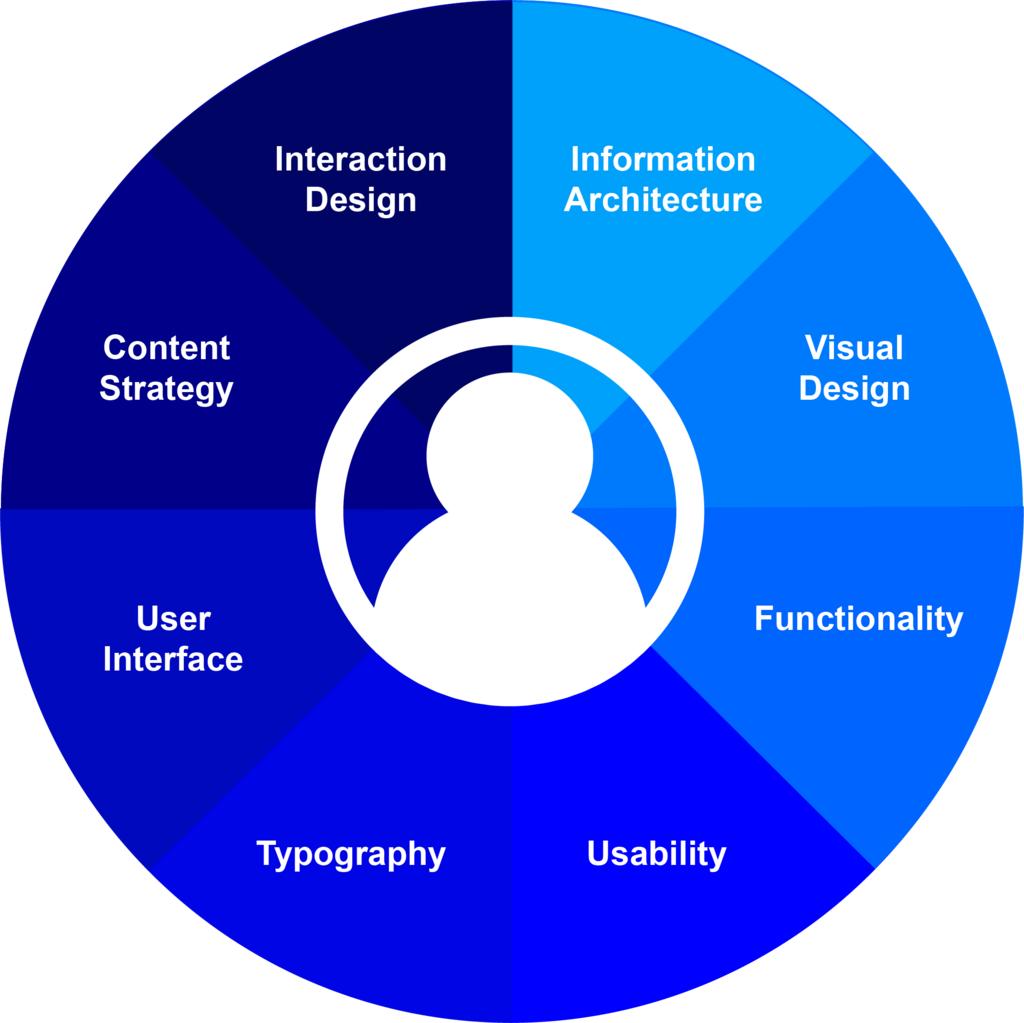
To do this, designers conduct research. They might interview potential users, create surveys, or observe people interacting with similar products. This information helps build empathy and ensures the final design is helpful and intuitive, not just cool-looking.
A design isn't finished when there's nothing left to add, but when there's nothing left to take away. The focus is on clarity and ease of use for the user.
Guide the Eye
When you look at a webpage or a magazine layout, your eyes don't just wander randomly. They're guided by visual hierarchy. This principle is about arranging elements to show their order of importance. It tells the viewer what to look at first, second, and third.
hierarchy
noun
A system in which members of an organization or society are ranked according to relative status or authority.
Designers create hierarchy using several tools:
- Size: Larger elements grab more attention.
- Color: Bright, bold colors stand out more than muted ones.
- Contrast: A light object on a dark background is easy to see.
- Placement: Elements at the top of a page or in the center are often seen first.
A clear visual hierarchy makes information easier to scan and digest. Without it, a design can feel chaotic and overwhelming, leaving the user unsure of where to focus.
A Process for Problem-Solving
Good design doesn't just happen. It follows a structured process. One of the most common frameworks is called Design Thinking. It's a method for solving complex problems in a creative and user-focused way. The process is iterative, meaning designers cycle through the steps, refining their ideas along the way.
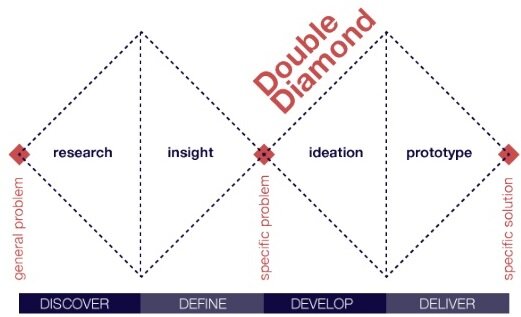
The design thinking process generally includes five phases:
| Phase | Goal |
|---|---|
| 1. Empathize | Understand the user's needs and problems through research. |
| 2. Define | Clearly state the core problem you are trying to solve. |
| 3. Ideate | Brainstorm a wide range of creative solutions. |
| 4. Prototype | Create simple, low-cost versions of the potential solutions. |
| 5. Test | Get feedback from users by letting them interact with the prototypes. |
This process helps teams move from a vague idea to a well-tested solution. It encourages experimentation and accepts that the first idea is rarely the best one. By focusing on empathy and testing, it keeps the user's needs at the forefront.
Let's check your understanding of these core principles.
What is the primary focus of the user-centered design principle?
Which of the following is NOT a common tool for creating visual hierarchy?
These principles—user-centered design, visual hierarchy, and the design thinking process—are the bedrock of creating things that people love to use. They transform design from a purely artistic exercise into a thoughtful, problem-solving discipline.