Foundations of Computing
What is a Computer
What Is a Computer?
At its core, a computer is an electronic device that processes data. Think of it as a machine that follows instructions to perform tasks. It takes in information, works with it, and then produces a result.
This cycle can be broken down into four basic steps: input, processing, storage, and output.
You give the computer an input (like typing on a keyboard), it processes that information (calculates, sorts, or changes it), it might store the result, and then it gives you an output (like displaying text on a screen). Every action, from opening a file to playing a video, follows this fundamental pattern.
The Physical Parts: Hardware
Hardware refers to the physical components you can actually touch. These are the nuts and bolts of the computer. While there are many parts, they all fall into a few key categories.

The main hardware components are:
- Central Processing Unit (CPU): This is the brain of the computer. It executes commands and runs all the calculations. A faster CPU means the computer can think more quickly.
- Memory (RAM): Random Access Memory is the computer's short-term workspace. When you open a program, it's loaded into RAM for quick access. This memory is volatile, meaning it's cleared when the computer shuts down.
- Storage Devices: This is the computer's long-term memory, like a hard drive or solid-state drive (SSD). It's where your files, applications, and the operating system are kept, even when the power is off.
- Input Devices: These get data into the computer. Common examples include a keyboard, mouse, microphone, and webcam.
- Output Devices: These get data out of the computer in a way humans can understand. A monitor, printer, and speakers are all output devices.
The Instructions: Software
Software is the set of instructions that tells the hardware what to do. Without software, a computer's hardware is just a collection of inert plastic and metal. Software brings it to life. There are two main types of software.
Operating System (OS): The OS is the master program that manages all the hardware and other software. It's the foundation on which everything else is built. Examples include Microsoft Windows, Apple's macOS, Linux, and Android.
Application Software: These are the programs you use to do specific things. A web browser, a word processor, a photo editor, or a game are all applications. They run "on top of" the operating system.
How They Work Together
Hardware and software are two sides of the same coin. They are completely dependent on each other. Software needs hardware to execute its instructions, and hardware is useless without software to give it purpose.
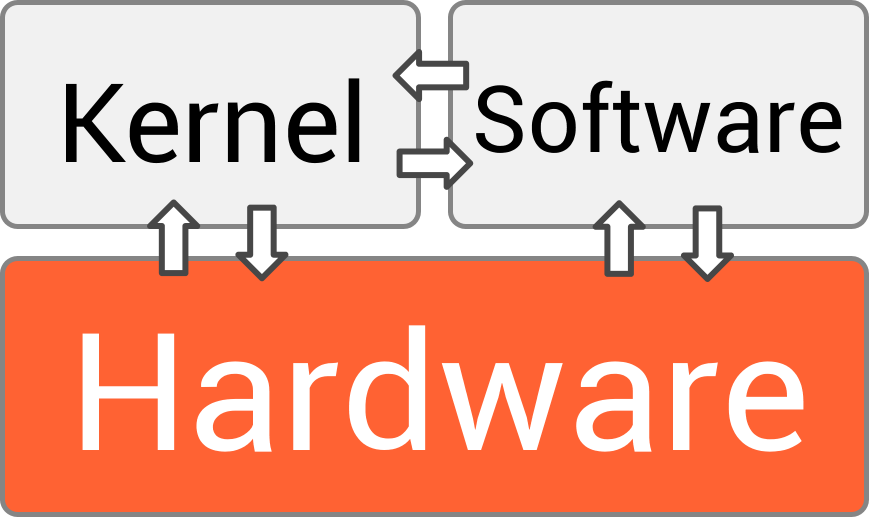
Let’s look at a simple example: opening a web browser.
- Input: You use a hardware device (your mouse) to double-click the browser icon.
- Processing (OS): The operating system receives this signal. It finds the browser's program files on the storage drive (hardware).
- Processing (CPU & RAM): The OS tells the CPU (hardware) to load the program's data from the storage drive into RAM (hardware). The CPU then begins executing the browser's instructions.
- Output: The browser appears on your monitor (hardware), ready for you to use.
This constant conversation between the user, the application software, the operating system, and the physical hardware is what makes a computer work.