Foundations of Computing
Introduction to Computing
What Is a Computer?
At its heart, a computer is a machine that processes information. Its main purpose is to take instructions and carry them out with incredible speed and accuracy. Think of it as a super-fast, rule-following assistant.
We give it a task, and it follows the steps we’ve laid out to get the job done, whether that’s calculating a budget, playing a video, or connecting us with friends. Computers are everywhere, not just on our desks. They're in our phones, our cars, and even our coffee makers, performing all sorts of tasks to make our lives easier.
Hardware vs. Software
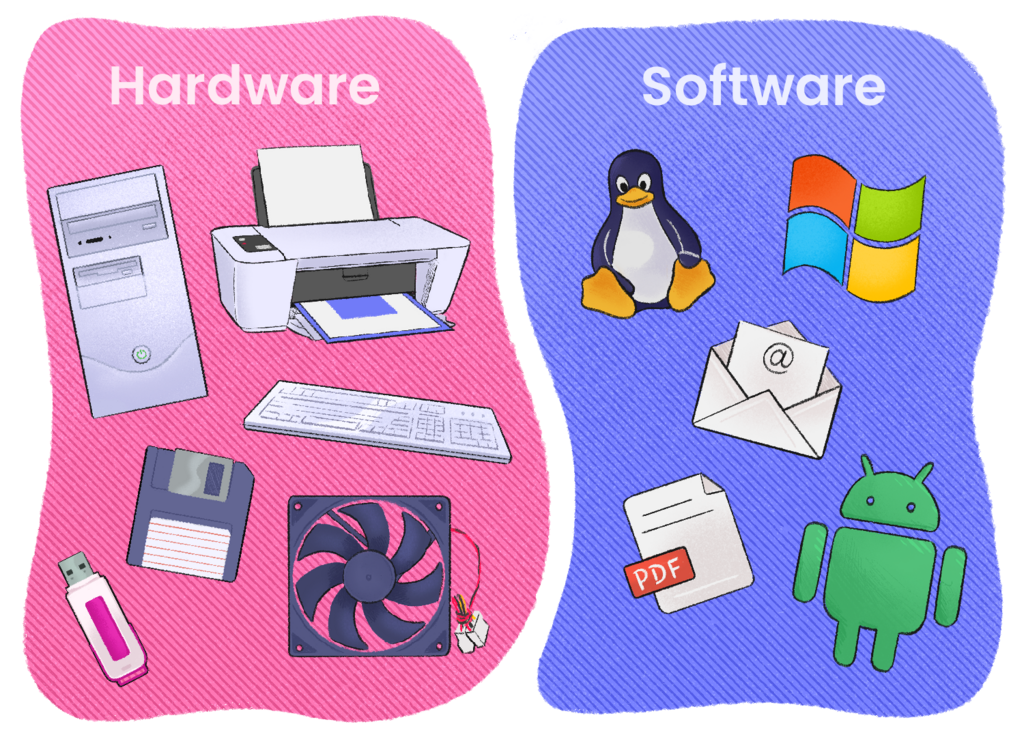
Every computer system is made of two fundamental parts: hardware and software. They work together, but they are very different things.
Hardware is any physical part of the computer you can touch. This includes the screen, the keyboard, the mouse, and all the chips and wires inside. It's the body of the machine.
Software, on the other hand, is the set of instructions that tells the hardware what to do. You can't touch software. It includes the apps on your phone, the operating system that runs your laptop, and the websites you visit. It's the mind of the machine.
Think of it like a book. The physical pages and cover are the hardware. The story written on those pages—the ideas and instructions—is the software.
How Computers Process Information
Computers don't actually "think" like humans do. They follow a simple but powerful process to handle any task. This process can be broken down into four basic steps: input, processing, output, and storage.
1. Input: This is how you give the computer data and instructions. When you type on a keyboard, click a mouse, or tap a screen, you're providing input.
2. Processing: This is the computer's "brain" at work. The central processing unit (CPU) takes the input and follows instructions to perform a calculation or a task. If you type $2+2$, the CPU processes that command to figure out the answer.
3. Output: After processing the information, the computer shows you the result. This is the output. The answer '4' appearing on your screen is an output. So is music playing from speakers or a page printing from a printer.
4. Storage: Not all information is needed right away. Computers can save information for later use. This is storage. When you save a document or download a photo, the computer is placing it in storage (like a hard drive) so you can access it again in the future.
Every action, from sending an email to playing a game, follows this fundamental cycle of input, processing, output, and storage.
Now, let's check your understanding of these core concepts.
What is the fundamental purpose of a computer?
Which of the following is an example of software?
Understanding these basics—what a computer is, the roles of hardware and software, and the information processing cycle—provides the foundation for everything else in computing.