Foundations of Computing
Introduction to Computers
What is a Computer?
At its heart, a computer is a machine designed to follow instructions. It takes in information, processes it, and produces a new result. Think of it like a lightning-fast chef in a kitchen. The recipe is the set of instructions, the ingredients are the information (or data), and the delicious meal is the final output.
This simple pattern of input, process, and output is the foundation of everything a computer does. When you type a letter on your keyboard, that’s input. The computer processes that command and figures out how to display the letter. The letter appearing on your screen is the output.
Input -> Process -> Output. This three-step cycle is the fundamental job of every computer.
Hardware and Software
A computer system is made of two main parts: hardware and software. They have a simple relationship: the software tells the hardware what to do.
Hardware is any physical part of the computer you can touch. The screen, the keyboard, the mouse, and all the little chips and wires inside are hardware.
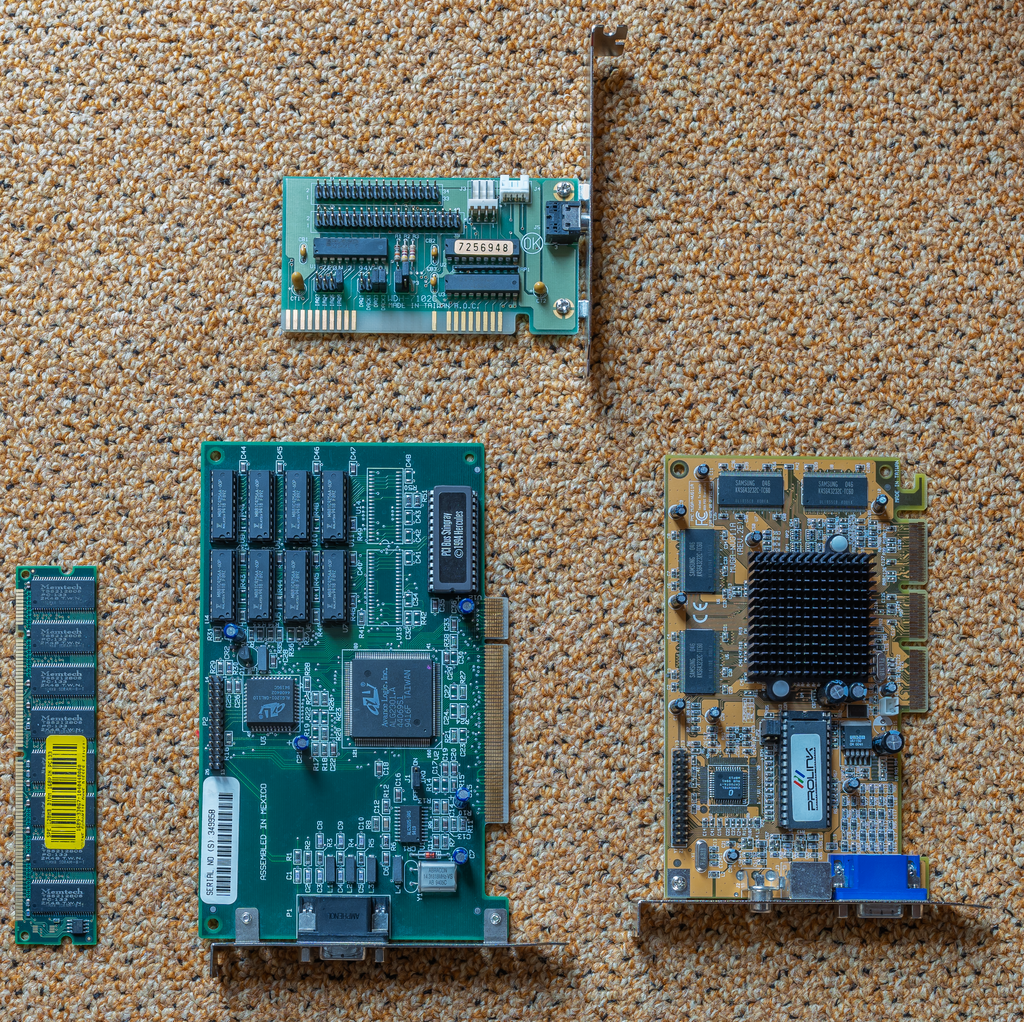
Software, on the other hand, is the set of instructions that runs on the hardware. It's the invisible part that brings the machine to life. Your web browser, your operating system, and the apps on your phone are all examples of software. Without software, computer hardware is just a collection of plastic and metal.
Let's look at the most important pieces of hardware that software directs.
Core Hardware Components
CPU
noun
The Central Processing Unit. It's the primary component of a computer that executes instructions.
The CPU is the brain of the operation. It's a small chip that does the vast majority of the 'thinking'—performing calculations and carrying out the instructions given by the software. A faster CPU means the computer can process information more quickly, making everything feel snappier.
Next up is memory, often called RAM (Random Access Memory). RAM is the computer's short-term workspace. When you open a program, it's loaded into RAM so the CPU can access it quickly. It's like a workbench: you place the tools and materials you're currently using on it for easy access. However, RAM is volatile, meaning its contents are erased when the computer is turned off. The workbench gets cleared overnight.
For long-term safekeeping, computers use storage devices. These include hard disk drives (HDDs) or solid-state drives (SSDs). Unlike RAM, storage is non-volatile; it holds onto your files, photos, and programs even when the power is off. This is the computer's filing cabinet, where everything is stored until you need it again.
| Component | Analogy | Purpose |
|---|---|---|
| CPU | The Brain | Executes instructions |
| RAM | Workbench | Short-term workspace |
| Storage | Filing Cabinet | Long-term file keeping |
Finally, we have input and output devices. These are how we communicate with the computer and how it communicates back to us.
Input devices get data into the computer. Keyboards, mice, microphones, and webcams are all common input devices.
Output devices get information out of the computer. Monitors, speakers, and printers show us the results of the processing. They let us see, hear, or hold the computer's work.
Which of the following best describes the relationship between hardware and software?
Which component is considered the 'brain' of the computer, responsible for performing calculations and carrying out instructions?
Together, these simple parts form the powerful tools we use every day. Understanding their roles is the first step to understanding how computers work.