Flutter for Desktop Development
Introduction to Flutter
What Is Flutter?
Flutter is a toolkit from Google for building user interfaces (UIs). Think of it as a complete set of tools and building blocks, like digital LEGOs, for creating apps. The big idea behind Flutter is that you can write your code once and use it to build beautiful, fast applications for mobile (iOS and Android), web, and desktop. This saves a massive amount of time and effort.
Flutter is Google's recommended SDK for when you want to share business logic and UI code across all platforms to deliver a consistent, reliable user experience.
How does it work? Unlike many other frameworks that rely on the platform's built-in UI components, Flutter brings its own. It uses a high-performance rendering engine called Skia to draw every pixel on the screen. This gives developers total control over the look and feel of the app, ensuring it looks and behaves identically everywhere.
Flutter applications are written in a programming language called Dart, which is also developed by Google. Dart is optimized for building UIs, with features that make development fast and productive.
Why Choose Flutter?
Developers love Flutter for a few key reasons. One of the most popular features is Hot Reload. This lets you see the changes you make to your code reflected in the app almost instantly, without losing your current state. It’s like painting on a canvas and seeing your brushstrokes appear in real time, which dramatically speeds up the development process.
In Flutter, everything is a widget. A button is a widget, a line of text is a widget, and even the layout of the entire screen is a widget. You build your UI by composing these widgets together, like stacking blocks. Flutter provides a rich library of pre-built widgets for both Material Design (Google's design language) and Cupertino (Apple's design language), making it easy to create interfaces that feel native to the platform.
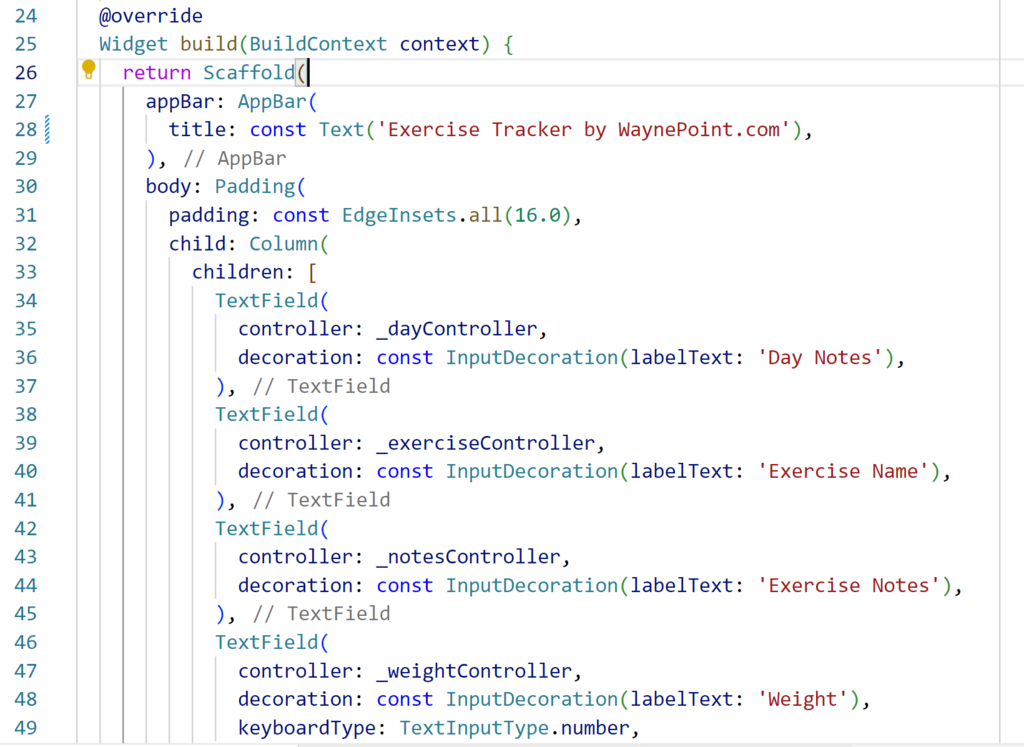
Finally, Flutter delivers excellent performance. Because it compiles directly to native machine code, it can communicate with the platform without going through a JavaScript bridge, which can be a performance bottleneck in other cross-platform frameworks. The result is smooth animations and a responsive user experience.
Setting Up Your Environment
Getting started with Flutter involves a few one-time setup steps. First, you'll need to download the Flutter SDK (Software Development Kit) from the official Flutter website. The SDK contains all the command-line tools and libraries you need to develop Flutter apps.
After downloading and unzipping the SDK, you must add the Flutter tool to your system's PATH. This allows you to run Flutter commands from any terminal window.
Once the SDK is in place, you can run a helpful diagnostic command to check if your setup is complete. Open your terminal or command prompt and run:
flutter doctor
This command reviews your installation and shows a report of what's working and what might be missing, like an Android or iOS toolchain. It will even offer guidance on how to fix any issues it finds.
Next, you'll need a code editor, also known as an Integrated Development Environment (IDE). The most popular choices for Flutter development are Visual Studio Code (VS Code) and Android Studio. Both offer excellent support for Flutter and Dart through official extensions or plugins.
Choosing the right IDE is essential to getting all the features that the Dart programming language provides us with.
In your chosen editor, install the Flutter and Dart extensions. These provide essential features like syntax highlighting, code completion, and the ability to run and debug your apps directly from the editor. With these tools in place, you're ready to create your first Flutter project.

Let's check your understanding of these foundational concepts.
What is the primary purpose of Flutter?
Flutter applications are written in which programming language?
With your environment set up, you have the tools to start building beautiful, high-performance apps from a single codebase.