Fixing Website Formatting with HTML CSS
HTML and CSS Basics
The Blueprint of the Web
Every website you visit is built with two core languages: HTML and CSS. Think of them like the structure and style of a house. HTML is the framing, the walls, and the roof. It provides the essential structure. CSS is the paint, the furniture, and the landscaping. It makes the house look good.
HTML, or HyperText Markup Language, provides the skeleton for your web content.
HTML (HyperText Markup Language) isn't a programming language. It's a markup language. You use it to "mark up" text to tell the browser how to display it. Is this text a heading? A paragraph? A link? HTML uses tags to define these different types of content.
HTML
noun
Stands for HyperText Markup Language. It's the standard language used to create the structure and content of web pages.
An HTML document is a plain text file with a .html extension. It's made up of elements, which are created using tags. Most tags come in pairs: an opening tag and a closing tag. For example, to create a paragraph, you'd wrap your text in <p> and </p> tags.
<p>This is a paragraph.</p>
Here's the basic structure of every HTML page:
<!DOCTYPE html>
<html>
<head>
  <title>Page Title</title>
</head>
<body>

  <h1>My First Heading</h1>
  <p>My first paragraph.</p>

</body>
</html>
<!DOCTYPE html>: This declaration defines the document type. It's a heads-up to the browser that this is an HTML5 document.<html>: This is the root element that wraps everything on the page.<head>: This contains meta-information about the page, like the title that appears in the browser tab. This content isn't displayed on the page itself.<body>: This is where the visible content goes—headings, paragraphs, images, and links.
There are many HTML tags, each with a specific purpose. Here are a few of the most common ones.
| Tag | Purpose |
|---|---|
<h1> to <h6> | Headings, from most important (h1) to least (h6) |
<p> | A paragraph of text |
<a> | A hyperlink to another page |
<img> | An image |
<ul> | An unordered (bulleted) list |
<li> | A list item, used inside <ul> or <ol> |

Adding Style with CSS
HTML alone is functional but plain. To control the look and feel of a website—the colors, fonts, and layout—we use CSS, or Cascading Style Sheets.
CSS describes how HTML elements should be displayed.
CSS
noun
Stands for Cascading Style Sheets. It's a language used to describe the presentation and styling of a document written in a markup language like HTML.
CSS works by selecting HTML elements and applying styling rules to them. A CSS rule has two main parts: a selector and a declaration block.
- The selector points to the HTML element you want to style.
- The declaration block contains one or more declarations, each of which includes a CSS property name and a value, separated by a colon.
In the example above, the selector is p. This rule targets all <p> (paragraph) elements in the HTML document and sets their text color to blue.
Connecting HTML and CSS
So how do you apply these styles to your HTML? The most common method is to use an external stylesheet. You write your CSS in a separate file with a .css extension and then link to it from your HTML file.
This is done using the <link> tag inside the HTML's <head> section.
<head>
  <title>My Styled Page</title>
  <link rel="stylesheet" href="styles.css">
</head>
This single line of code tells the browser to find the styles.css file and apply the rules inside it to the HTML document. This is powerful because you can use one CSS file to style many HTML pages, ensuring a consistent look across your entire website.
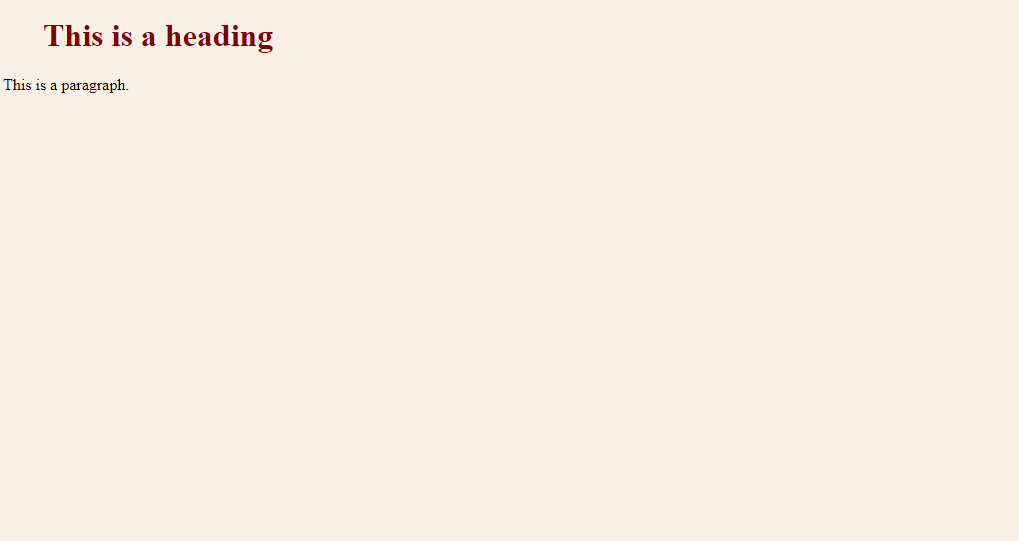
Besides selecting elements by their tag name (like p or h1), you can get more specific using class and id attributes in your HTML.
<!-- HTML File -->
<p class="highlight">This paragraph will be highlighted.</p>
<p id="main-point">This is the main point.</p>


/* CSS File */
.highlight {
  background-color: yellow;
}

#main-point {
  font-weight: bold;
  font-size: 18px;
}
In CSS, you select a class with a period (.) and an ID with a hash (#). A key difference is that an ID must be unique on a page—you can only have one element with id="main-point". However, you can apply the same class to multiple elements.
Now, let's test your understanding of these foundational concepts.
In the analogy of building a house, what do HTML and CSS represent?
Which statement best describes the fundamental nature of HTML?
By keeping your content structure (HTML) separate from your presentation (CSS), you create code that is cleaner, easier to manage, and more flexible for future updates.