Fixing Website Formatting with HTML CSS
HTML Basics
The Blueprint of the Web
Every website you visit, from a simple blog to a sprawling news site, is built on a foundation of HTML. Think of HTML (HyperText Markup Language) as the skeleton of a webpage. It doesn't control the colors or fonts—that's a job for CSS—but it gives the content structure and meaning.
HTML, or HyperText Markup Language, provides the skeleton for your web content.
All HTML documents follow a predictable structure. They start with a declaration telling the browser what version of HTML to expect. Then, the <html> tag wraps everything. Inside, you'll find two main parts: the <head> and the <body>.
The <head> contains metadata—information about the page, like its title, which appears in the browser tab. This information isn't displayed on the page itself. The <body> holds all the visible content: the text, images, and links you actually see and interact with.
<!DOCTYPE html>
<html>
  <head>
    <title>My First Web Page</title>
  </head>
  <body>
    <h1>Hello, world!</h1>
    <p>This is the content of my page.</p>
  </body>
</html>
Giving Content Meaning
HTML uses tags to define different types of content. A tag is usually a keyword wrapped in angle brackets, like <p> for a paragraph. Most tags come in pairs: an opening tag (<p>) and a closing tag (</p>). The closing tag has a forward slash before the keyword. Everything between the opening and closing tag is considered the content of that element.
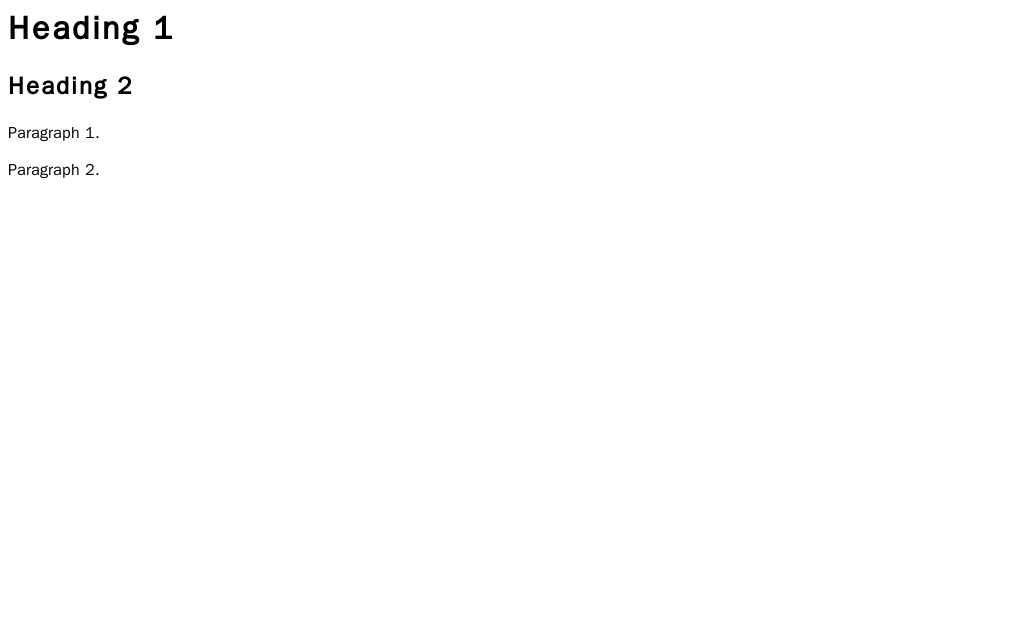
Common tags include headings (<h1> through <h6>) for titles and subtitles, and paragraphs (<p>) for regular text. For lists, you can use <ul> for an unordered (bulleted) list or <ol> for an ordered (numbered) list, with each item wrapped in an <li> tag.
Some tags also have attributes, which provide extra information. For example, the anchor tag <a>, used for links, needs an href attribute to specify the destination URL. The image tag <img> needs a src attribute for the image source and an alt attribute to describe the image for screen readers and search engines.
<!-- A link to another website -->
<a href="https://www.example.com">Visit Example.com</a>

<!-- An image with descriptive alt text -->
<img src="dog.jpg" alt="A golden retriever playing fetch">
It's crucial to nest elements correctly. If you open a tag inside another tag, you must close the inner tag before closing the outer one. Think of them like parentheses in math or Russian nesting dolls.
Good:
<p><strong>This text is bold.</strong></p>Bad:<p><strong>This text is broken.</p></strong>
Building a Smarter Structure
In the early days of the web, developers often used the generic <div> tag for almost every part of a page's layout. A <div> is like a plain, unlabeled cardboard box. It holds things, but it doesn't tell you anything about what's inside.
Modern HTML encourages using semantic elements. These are tags that describe the meaning of their content to both the browser and the developer. For example, instead of <div id="header">, we can just use <header>. This makes the code clearer and more meaningful.
Semantic HTML not only improves the readability of your code but also enhances accessibility and SEO.
Some of the most important semantic tags are:
<header>: For introductory content, often containing a logo and navigation.<nav>: Specifically for navigation links.<main>: The primary, unique content of the page.<article>: A self-contained piece of content, like a blog post or news story.<footer>: For the bottom of a page, usually with copyright info and contact links.
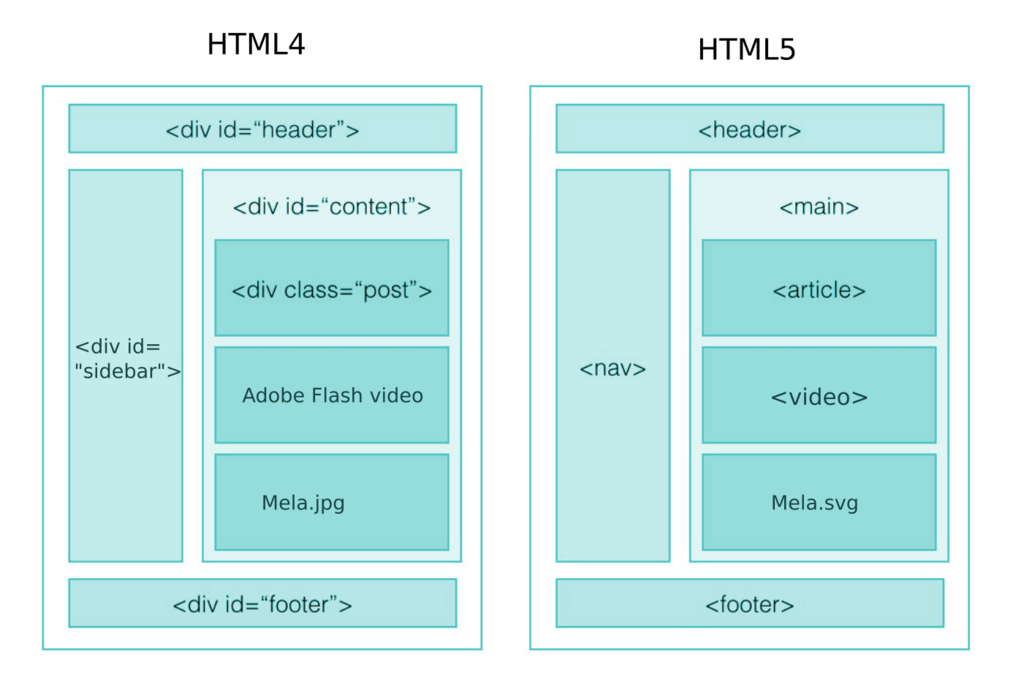
Using semantic tags helps search engines understand your content and makes your site more accessible for people using assistive technologies like screen readers.
The DOM Tree
When a browser reads your HTML file, it doesn't just display it as text. It builds an internal model of the page's structure called the Document Object Model, or DOM. The DOM represents the HTML document as a tree of objects.
Each HTML element, piece of text, and attribute becomes a "node" in this tree. The <html> tag is the root, with <head> and <body> as its direct children. Those children have their own children, and so on, creating a full hierarchy.
This tree structure is what allows languages like CSS to style the page and JavaScript to manipulate its content. Understanding the DOM is fundamental because it's how the browser sees and works with your webpage. When something is wrong with your page's formatting, it often means there's an issue in this underlying structure—like a tag that was never closed, creating an incorrect branch in the tree.
Ready to check your understanding? Let's see what you've learned.
What is the primary purpose of HTML?
Which section of an HTML document contains the visible content, like text, images, and links?
You now have a solid grasp of what HTML is, how it's structured, and why semantic tags and the DOM are so important. This foundation is the first and most critical step in building for the web.