Fixing Website Formatting with HTML and CSS
HTML Basics
The Blueprint of a Web Page
Every website you visit is built on a foundation of HTML, which stands for HyperText Markup Language. Think of it as the skeleton of a webpage. It doesn't control the colors or fonts, but it gives the content structure and meaning. It tells the browser what's a heading, what's a paragraph, and where to put an image.
HTML is a markup language, which means it uses tags to label content and define the structure of a web page.
Every HTML document follows a standard structure. It starts with a declaration to the browser that it's an HTML document, and then has <html>, <head>, and <body> tags. Tags usually come in pairs: an opening tag like <p> and a closing tag like </p>. The content goes between them.
The <head> section contains metadata, like the page title that appears in your browser tab. This information isn't displayed on the page itself. The <body> section holds all the content you actually see, like text, images, and links.
<!DOCTYPE html>
<html>
  <head>
    <title>My First Web Page</title>
  </head>
  <body>
    <!-- Content for the page goes here -->
  </body>
</html>
Adding Text Content
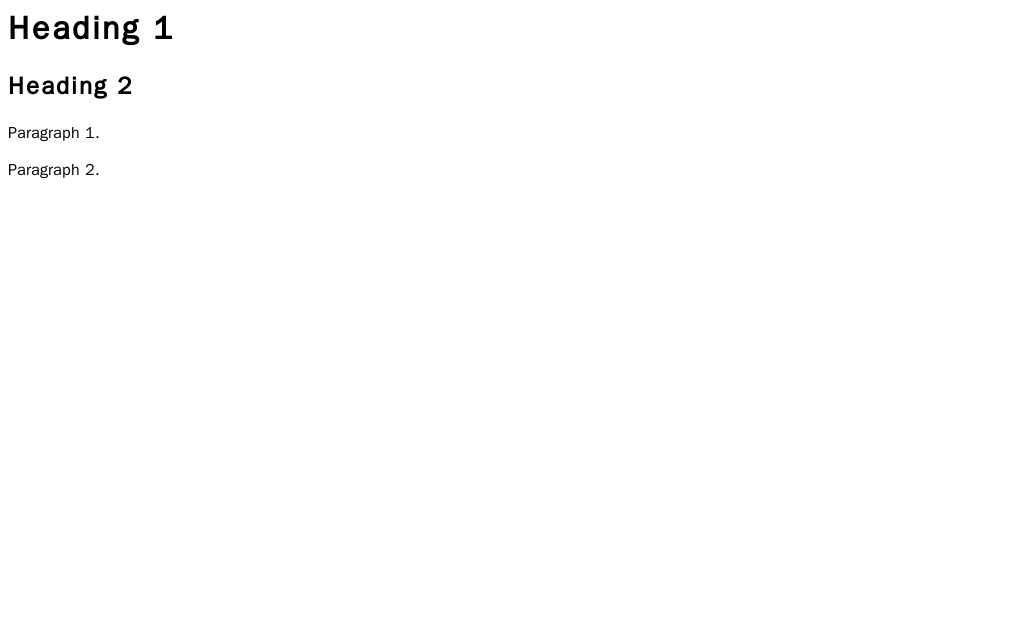
The most common types of content are headings and paragraphs. HTML provides six levels of headings, from <h1> (the most important) to <h6> (the least important). Search engines use headings to understand the structure of your content, so it's good practice to use them logically. Don't just pick a heading because it looks big; use it to outline your page.
For regular text, you wrap it in a <p> tag, which stands for paragraph. The browser will automatically add some space before and after each paragraph.
<h1>This is the main heading</h1>
<p>This is a paragraph of text. It introduces the main topic of the page.</p>
<h2>This is a subheading</h2>
<p>This paragraph provides more detail under the subheading.</p>
Organizing with Lists, Links, and Images
To organize information, you can use lists. An unordered list (<ul>) is for items where the order doesn't matter, and it usually appears as a bulleted list. An ordered list (<ol>) is for sequential items and is typically numbered. In both cases, each item in the list is wrapped in a <li> (list item) tag.
<ul>
  <li>Apples</li>
  <li>Oranges</li>
  <li>Bananas</li>
</ul>

<ol>
  <li>First, mix the ingredients.</li>
  <li>Second, bake for 30 minutes.</li>
  <li>Third, let it cool.</li>
</ol>
The web is built on connections, which are made with hyperlinks, or links. The <a> (anchor) tag creates a link. The href attribute specifies the destination URL.
<a href="https://www.example.com">Visit Example.com</a>
Finally, to add an image, you use the <img> tag. This is a self-closing tag, meaning it doesn't need a separate closing tag. It requires two main attributes: src (source) for the image URL and alt (alternative text) to describe the image. The alt text is crucial for accessibility, as it's what screen readers announce to visually impaired users, and it's also displayed if the image fails to load.
<img src="cute_puppy.jpg" alt="A golden retriever puppy playing in the grass.">
Making Content Meaningful
Using the right tag for the right job is called semantic HTML. Using a <h1> for a main title and <p> for a paragraph is semantic. This practice gives your content meaning and context, which is incredibly valuable for search engines and assistive technologies like screen readers.
Semantic HTML helps both computers and people understand your website's structure and content.
Beyond basic text tags, HTML provides tags to define the different sections of a webpage. Instead of using generic containers for everything, you can use tags that describe their purpose.
<header>: For introductory content or navigation links.<nav>: Contains the main navigation links.<main>: The main, unique content of the page.<article>: A self-contained piece of content (e.g., a blog post).<section>: A thematic grouping of content.<footer>: For the bottom of a page, often containing contact info or copyrights.
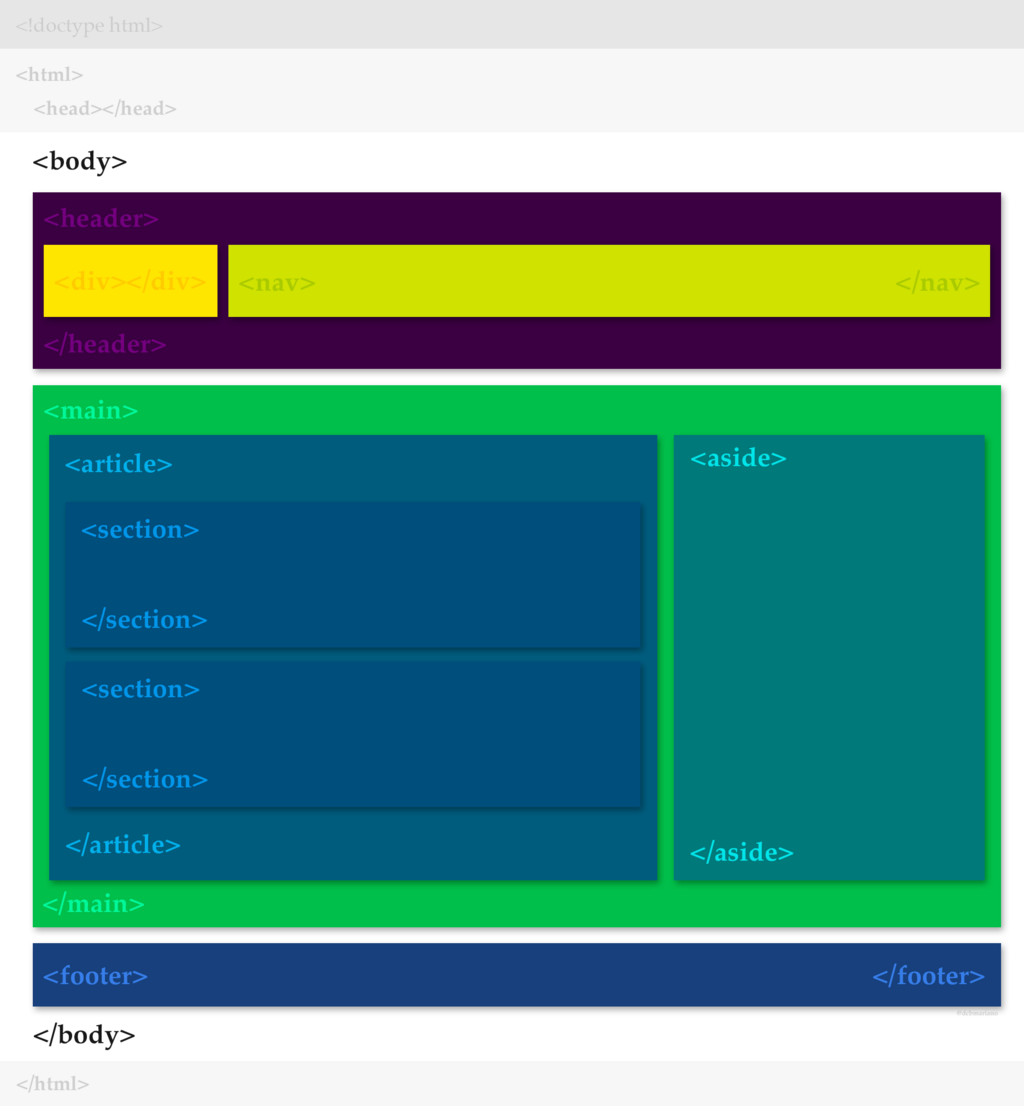
Using these tags makes your code cleaner and your site more accessible and easier for search engines to index.
Let's review the key terms we've covered.
Now, let's test your knowledge.
What does HTML stand for?
Which section of an HTML document contains the visible content of a webpage, like text and images?
You now have the fundamental building blocks to structure any web page. By using these elements correctly, you can create a clear, meaningful, and accessible foundation for your content.