Fix Website Formatting with HTML CSS
Introduction to HTML and CSS
The Blueprint of the Web
Every website you visit, from a simple blog to a massive online store, is built on a foundation of HTML. Think of HTML, or HyperText Markup Language, as the skeleton of a webpage. It provides the essential structure, defining all the different parts like headings, paragraphs, images, and links.
HTML, or HyperText Markup Language, provides the skeleton for your web content.
HTML works by using tags to wrap around content. Most tags come in pairs: an opening tag and a closing tag. The opening tag, the content, and the closing tag together form an element. For example, to create a paragraph, you wrap your text in paragraph tags.
<p>This is a paragraph.</p>
Here, <p> is the opening tag and </p> is the closing tag. The text in between is the content.
Some elements also have attributes, which provide extra information. Attributes are always included in the opening tag. A common example is the href attribute in a link, which specifies the destination URL.
<a href="https://www.example.com">Click here!</a>
In this link element, <a> is the tag, href="https://www.example.com" is the attribute, and "Click here!" is the content the user sees.
Assembling a Webpage
An HTML document has a standard structure. It always starts with a document type declaration, <!DOCTYPE html>, which tells the browser it's an HTML page. The rest of the content is wrapped in <html> tags. Inside, you'll find two main sections: the <head> and the <body>.
The <head> contains meta-information about the page, like the title that appears in the browser tab. The <body> contains all the visible content of the webpage—the text, images, and links you actually see and interact with.
<!DOCTYPE html>
<html>
<head>
    <title>My First Webpage</title>
</head>
<body>
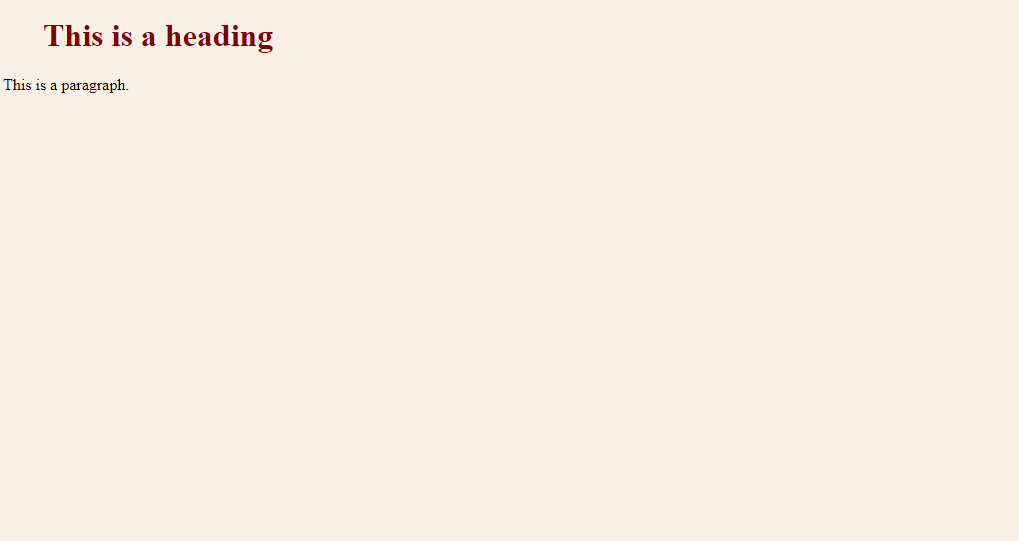
    <h1>This is a heading</h1>
    <p>This is a paragraph.</p>
</body>
</html>
If you saved that code as an .html file and opened it in a web browser, you'd see a simple but functional webpage.

Adding Style with CSS
A webpage with only HTML is functional, but it's not very visually appealing. That's where CSS comes in. CSS, or Cascading Style Sheets, is the language used to style the HTML elements. If HTML is the skeleton, CSS is the paint, furniture, and decorations that bring the house to life.
CSS is the language we use to style an HTML document.
CSS works by defining rules. Each rule consists of a selector and a block of declarations. The selector targets the HTML element you want to style. The declarations, enclosed in curly braces {}, are made up of a property and a value.
For instance, if you wanted to make all your main headings blue, you'd use the h1 selector. The property would be color, and the value would be blue.
h1 {
    color: blue;
    font-size: 24px;
}
This CSS rule tells the browser to find every <h1> element and apply two styles: make its text color blue and set its font size to 24 pixels. Notice how properties and values are separated by a colon, and each declaration ends with a semicolon.
Connecting HTML and CSS
To apply these styles, you need to link your CSS to your HTML document. The most common way is to place your CSS rules in a separate file (e.g., style.css) and link to it from the <head> section of your HTML file.
<!DOCTYPE html>
<html>
<head>
    <title>My Styled Webpage</title>
    <link rel="stylesheet" href="style.css">
</head>
<body>
    <h1>This heading is now styled!</h1>
    <p>This is a paragraph.</p>
</body>
</html>
The <link> tag tells the browser to fetch the stylesheet at style.css and apply its rules to the HTML elements on the page. By keeping the structure (HTML) and the presentation (CSS) separate, you can make changes to your site's design without altering the underlying content. This separation is a core principle of modern web development.
Now you know the fundamental roles of HTML and CSS. With HTML, you give your content structure, and with CSS, you make it look great.
What is the primary role of HTML in web development?
In the following HTML code, what part is the attribute? html <img src="photo.jpg" alt="A sunny beach">