FastAPI CRUD Development with Python
Pydantic Schema Design
Defining Your Data Contract
In FastAPI, data shapes aren't just a suggestion; they're a contract. Pydantic models are how you define this contract. By inheriting from Pydantic's BaseModel, you create Python classes that specify the exact structure, data types, and constraints for your API's inputs and outputs.
FastAPI makes use of Pydantic models to provide simple validation and serialization of data.
Think of a BaseModel as a blueprint for your data. It ensures that any data entering or leaving your API conforms to a predefined structure. If a request body is missing a required field or contains a string where a number should be, FastAPI, powered by Pydantic, automatically rejects it. It responds with a clear 422 Unprocessable Entity error, detailing exactly what went wrong. This saves you from writing heaps of boilerplate validation code.
from pydantic import BaseModel, Field
from typing import Optional
from datetime import datetime

# A Pydantic BaseModel serves as a schema
class Item(BaseModel):
    name: str
    description: Optional[str] = None # An optional field
    price: float
    tax: Optional[float] = None
    tags: set[str] = set() # A set of unique strings
    id: int # This will be set by the database
    created_at: datetime # Also set by the database
This Item model defines the complete structure of an item in our system. It includes required fields like name, price, and id, along with optional ones. But this single model presents a problem in a typical application. When a user creates an item, they shouldn't provide an id or created_at timestamp; the database handles that. When they update an item, all fields should be optional. And when they read an item, they should see all the fields.
Versioning Schemas for CRUD
The solution is to create different schema versions for each operation. This is a powerful pattern that gives you fine-grained control over your data at each stage of its lifecycle. We'll define a base model with common fields, then extend it for creation, updates, and reading.
ItemBase: Contains fields common to all versions.ItemCreate: Inherits fromItemBase. It's what the user sends to create an item.ItemUpdate: Inherits fromItemBasebut makes all fields optional.Item: The full model, used for reading data from the API. It includes database-generated fields likeid.
This separation prevents clients from sending data they shouldn't, like an id, and allows for different validation rules. For an update, you might not require any fields, but for a creation, name and price might be mandatory.
Advanced Validation and Fields
Pydantic's Field function unlocks more granular control. You can set aliases for field names (perfect for mapping Python's snake_case to JSON's camelCase), add validation like minimum/maximum lengths, and provide default values.
Let's refine our ItemCreate schema. We want the name to be between 3 and 50 characters and ensure the price is positive. We'll also add a computed_value that depends on other fields.
from pydantic import BaseModel, Field, field_validator, model_validator

class ItemCreate(BaseModel):
    # Use Field for constraints and an alias
    name: str = Field(min_length=3, max_length=50, alias="itemName")
    price: float = Field(gt=0, description="The price must be greater than zero.")
    tax: Optional[float] = Field(default=None, gt=0)

    # Pydantic V2 allows computed fields
    @property
    def price_with_tax(self) -> float:
        if self.tax:
            return self.price * (1 + self.tax)
        return self.price

    # Cross-field validation with model_validator
    @model_validator(mode='after')
    def check_price_and_tax(self) -> 'ItemCreate':
        if self.tax is not None and self.tax >= self.price:
            raise ValueError('Tax cannot be greater than or equal to the price.')
        return self
The Field function is incredibly powerful. The alias parameter tells Pydantic to look for itemName in the incoming JSON but populate the name attribute in the model instance. Constraints like min_length and gt (greater than) are enforced automatically.
The model_validator allows for complex validation that involves multiple fields. Here, we ensure that the tax amount never exceeds the item's price, a rule that couldn't be enforced on a single field alone.
Finally, Pydantic V2 introduced using Python's standard @property decorator. This allows you to define fields that are calculated on the fly. When you serialize the model, this computed value can be included.
Serialization and Documentation
Once your data is validated and processed, you need to send it back to the client. Pydantic handles this through serialization. The .model_dump() method converts your Pydantic model instance into a Python dictionary, which FastAPI then converts to JSON.
One of the best features of this integration is the automatic, interactive API documentation. FastAPI inspects your Pydantic models, including their types, constraints from Field, and descriptions, to generate a detailed schema.
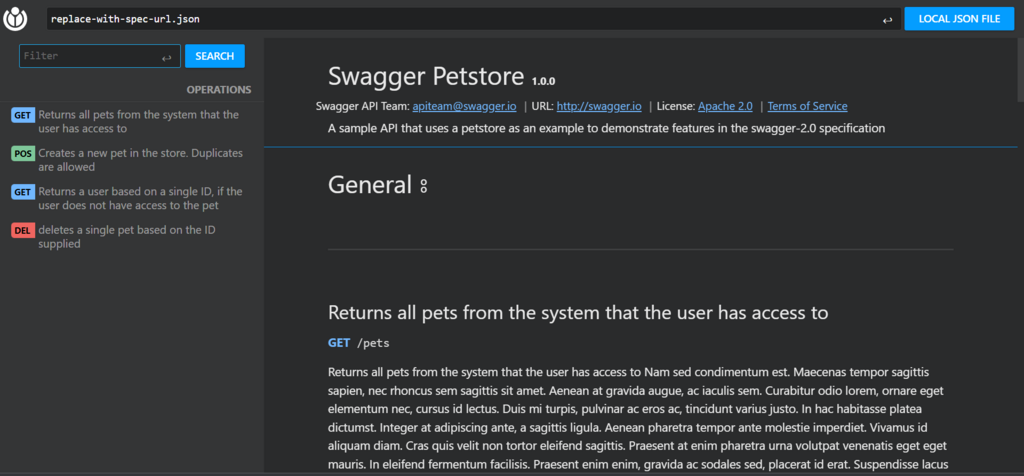
This means your data contract is not just enforced but also self-documenting. A developer consuming your API can go to the /docs endpoint and see the exact expected request body for creating an item, including the itemName alias and descriptions for each field. This drastically reduces integration time and misunderstandings.
By defining a clear schema, you create a single source of truth that drives validation, serialization, and documentation.
Now that you understand the key concepts, let's review them before testing your knowledge.
Ready to check your understanding?
What is the primary role of Pydantic's BaseModel in a FastAPI application?
When a client sends a request that fails validation against a Pydantic model (e.g., a missing required field), what HTTP status code does FastAPI automatically return?
By mastering Pydantic schemas, you build APIs that are robust, easy to use, and self-explanatory. This strict but helpful approach to data handling is a cornerstone of modern API development with FastAPI.