Exploring Operating System Types
Introduction to Operating Systems
The Computer's General Manager
Think of an operating system (OS) as the general manager of a busy hotel. The hotel has resources like rooms (memory), staff (CPU), and amenities (devices like printers and keyboards). Guests (applications) want to use these resources, but they can't just run around and grab what they need. They talk to the manager.
The OS is that manager for your computer. It's the essential software that sits between the physical hardware and the applications you use, like your web browser or a game. Without an OS, your computer would just be a collection of silent, uncooperative electronic parts. The OS translates your requests into a language the hardware understands, making sure everything runs smoothly and fairly.

This management role isn't just one job; it's a collection of critical tasks that the OS handles behind the scenes. These tasks ensure that multiple programs can run at the same time without interfering with each other and that the computer's resources are used efficiently.
The Core Jobs of an OS
To keep everything in order, an operating system juggles five main responsibilities: managing processes, memory, devices, files, and security.
Process Management: Imagine you're cooking a big meal with multiple dishes. You have to switch between chopping vegetables, stirring a pot, and checking the oven. Process management is similar. When you have several applications open (like a browser, music player, and word processor), each running program is a 'process'.
The OS is the chef in charge. It decides which process gets to use the Central Processing Unit (CPU) and for how long. It expertly switches between them thousands of times per second, creating the illusion that they're all running simultaneously. This is called scheduling. The OS also handles starting these processes when you launch an app and cleaning up after them when you close it.
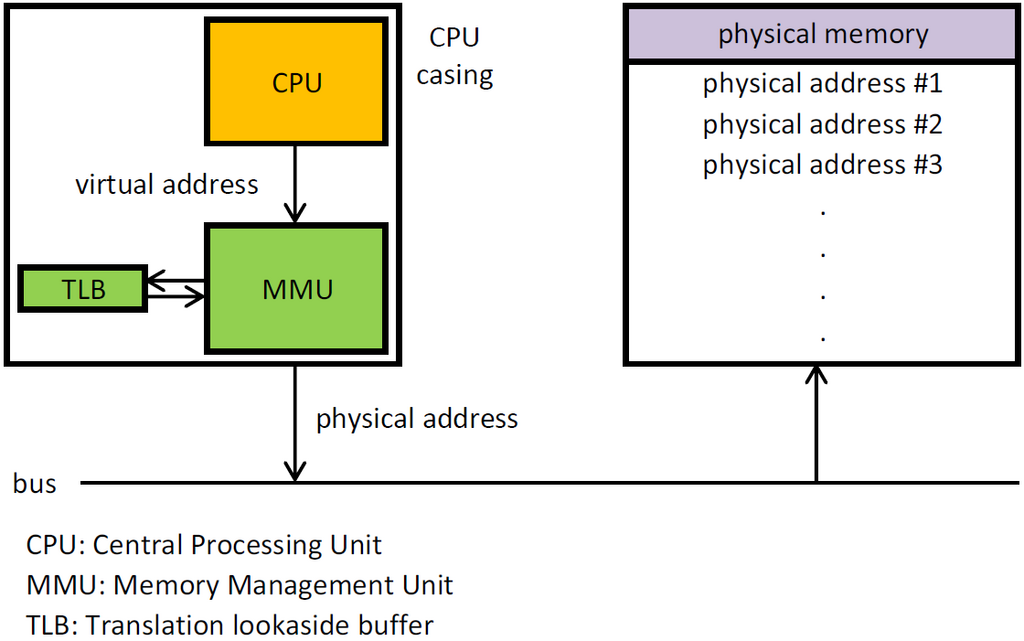
Memory Management: Your computer's memory (RAM) is like a workbench. It's a limited space where you place the tools and ingredients you're actively working with. The OS is responsible for managing this workbench.
It keeps track of which parts of memory are being used by which processes. When you open a new application, the OS finds an empty spot on the 'workbench' for it. When you close the app, the OS clears that space so it can be used by something else. This ensures that processes don't accidentally write over each other's data, which would cause crashes and errors. It's a constant act of organization and allocation.
Device Management: Your computer has many connected devices: the keyboard, mouse, monitor, printer, and Wi-Fi adapter. The OS acts as a universal translator and traffic cop for all of them.
Each device speaks its own specific language. Instead of forcing every application to know how to talk to every possible printer model, the OS provides a simple, consistent way for programs to interact with hardware. An application just tells the OS, 'print this document,' and the OS uses a special piece of software called a device driver to handle the specific commands for the connected printer. It manages requests from multiple programs to a single device, preventing conflicts.
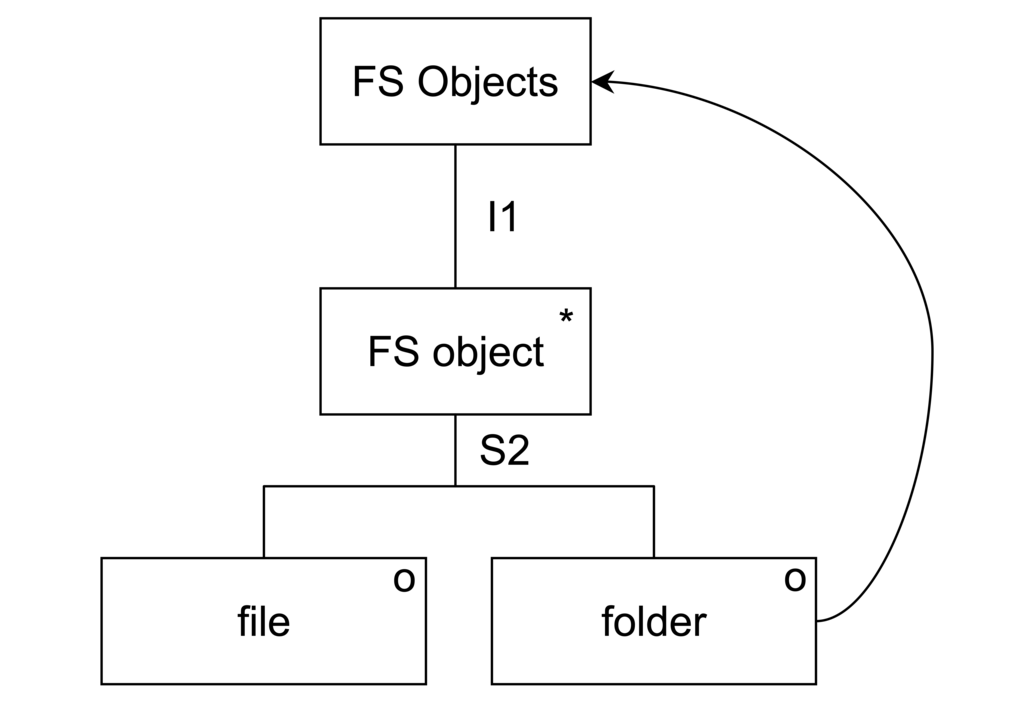
File System Management: All your data—documents, photos, applications, and the OS itself—is stored in files. The OS provides a structure for this data, much like a filing cabinet with folders and labels.
This structure is the file system. It allows us to organize data in a hierarchy of directories (folders) and give files meaningful names. The OS keeps track of where every file is physically located on the hard drive or SSD. When you want to open a file, you just click its icon; the OS handles the complex task of locating all the scattered bits of data on the storage device and assembling them for you. It also manages permissions, controlling who can read, write, and delete files.
Security: The OS is the first line of defense for your computer. It protects your system from unauthorized access and ensures that programs behave properly.
One key security feature is user authentication, which requires you to prove your identity with a password or fingerprint before you can access the system. The OS also enforces permissions, preventing one user's process from accessing or modifying the data of another user. It isolates processes from each other so that a crash in one application doesn't bring down the entire system. This creates a stable and secure environment where you and your applications can work.