Excel Data Cleaning and Extraction
Introduction to Data Cleaning
What Is Data Cleaning?
Think of raw data as a pile of ingredients for a recipe. You have your vegetables, spices, and proteins, but some veggies are dirty, the measurements are inconsistent, and a few key ingredients are missing. You wouldn't start cooking right away. You'd wash the produce, measure everything correctly, and find substitutes for what's missing. That preparation is exactly what data cleaning is.
Data cleaning, or data cleansing, is the process of finding and fixing errors and inconsistencies in a dataset. It turns messy, unreliable data into a clean, trustworthy foundation for analysis. Without this step, any conclusions you draw from your data could be flawed. Bad data leads to bad decisions.
Data cleaning is one of the most crucial steps in any data analysis project.
Common Data Messes
Most datasets aren't perfect. They often contain a few common types of errors that can trip up your analysis. Learning to spot them is the first step to fixing them.
Duplicate entries: This happens when the exact same record appears more than once. If you're counting customers, duplicates will inflate your numbers and skew your results.
Missing values: These are the empty cells in your spreadsheet. An incomplete customer record might be missing a phone number or an address, making that record less useful.
Inconsistent formatting: This is the most common issue. It includes typos, extra spaces, inconsistent capitalization, and different ways of writing the same thing. For example, a 'Country' column might list "USA," "U.S.A.," and "United States." To a computer, these are three different places.
Let's look at a simple example. Here’s a small, messy table of customer data and what it looks like after being cleaned.
| Customer ID | Name | Country | Join Date |
|---|---|---|---|
| BEFORE | |||
| 101 | John Smith | USA | 01/15/2023 |
| 102 | Jane Doe | Canada | 02/20/2023 |
| 103 | Peter Jones | U.S.A. | 03/10/2023 |
| 101 | John Smith | USA | 01/15/2023 |
| 104 | Maria Garcia | 04/05/2023 | |
| AFTER | |||
| 101 | John Smith | USA | 1/15/2023 |
| 102 | Jane Doe | Canada | 2/20/2023 |
| 103 | Peter Jones | USA | 3/10/2023 |
| 104 | Maria Garcia | Unknown | 4/5/2023 |
In the corrected table, the duplicate entry for John Smith is gone, the country formatting is consistent, and the missing value for Maria Garcia has been noted. The data is now ready for accurate analysis.
Your Excel Toolkit
Excel has a powerful set of built-in tools designed for cleaning data. You don't need to be a formula wizard to use them. Most of the tools you'll need are located in the Data tab on Excel's main ribbon.
Here are a few of the key features we'll be exploring:
- Remove Duplicates: A one-click tool that scans your data and deletes identical rows.
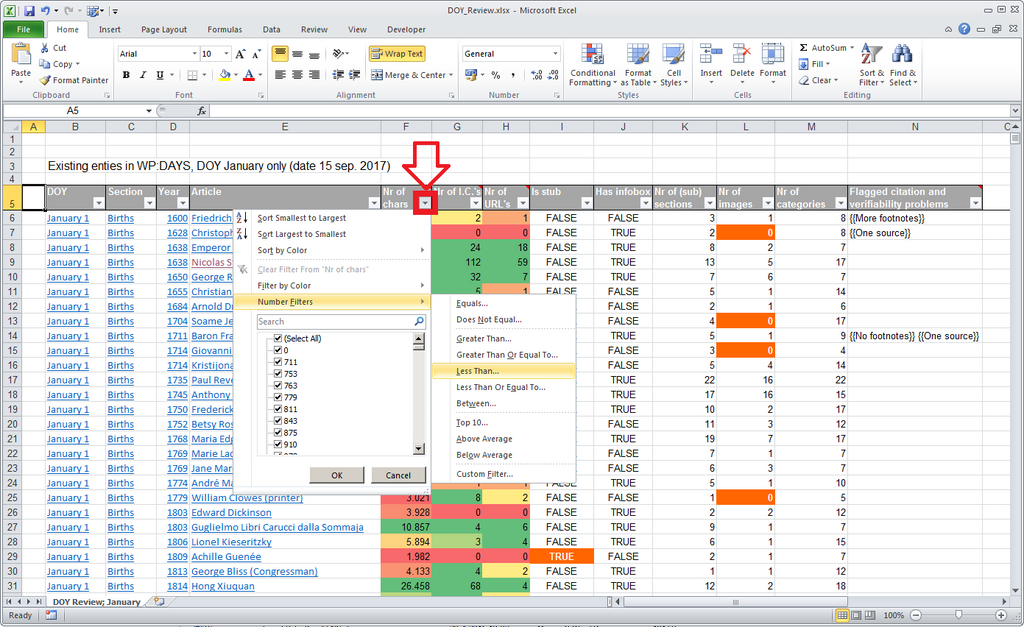
- Sort & Filter: These allow you to organize your data and quickly spot outliers or inconsistencies. Filtering a column can reveal all the different ways a single value (like a country) has been entered.
- Find and Replace: Perfect for correcting widespread formatting errors, like changing all instances of "U.S.A." to "USA."
- Text to Columns: A feature that helps split data from one cell into multiple cells, like separating a full name into "First Name" and "Last Name" columns.
Getting familiar with where these tools are is the first step. In the following sections, we'll dive into how to use each one to tackle these common data messes.