Excel Data Cleaning and Extraction
Understanding Data Cleaning
The Messy Reality of Data
Think of raw data like ingredients for a recipe. Before you can cook a great meal, you need to wash the vegetables, trim the fat, and measure everything precisely. If you just dump everything into a pot, you'll end up with a mess. Data works the same way.
Raw data collected from surveys, sales records, or website traffic is rarely perfect. It often arrives with typos, empty cells, and formatting quirks. Data cleaning is the process of tidying up this messy data, making it accurate and consistent before you start analyzing it.
Data cleaning is one of the most crucial steps in any data analysis project.
Without this crucial first step, any analysis you perform will be built on a shaky foundation. Your charts will be misleading, and your conclusions will be wrong.
Common Data Problems
Most data issues fall into a few common categories. Learning to spot them is the first step toward cleaning them up.
| Issue Type | Description | Simple Example |
|---|---|---|
| Duplicates | The same record appears more than once. | A customer named 'John Smith' is listed twice for the same purchase. |
| Missing Values | A cell that should have data is empty. | A customer's record has a name and address, but no phone number. |
| Inconsistent Formatting | Data is entered in different ways. | Dates are written as 'Jan 5, 2023', '01-05-2023', and '5-Jan-23' in the same column. |
You might also see extra spaces before or after text (like " Seattle" instead of "Seattle") or mixed capitalization (like "USA" and "usa"). These small inconsistencies can prevent tools like Excel from correctly grouping and summarizing your data.
Why Clean Data Matters
Imagine a retail company analyzing its sales data to decide which products to restock. If their data contains duplicate entries for a popular item, they might think it's selling twice as fast as it actually is. Based on this flawed analysis, they order a huge amount of extra inventory that ends up sitting in a warehouse, costing them money.
This is a classic example of
Garbage In, Garbage Out
other
A concept in computer science and data analytics stating that the quality of the output is determined by the quality of the input. Flawed input data produces flawed output.
Unclean data doesn't just lead to bad decisions. It can skew charts, break formulas, and make it impossible to get a clear picture of what's happening. Investing time in cleaning your data upfront saves you from making costly mistakes later on.
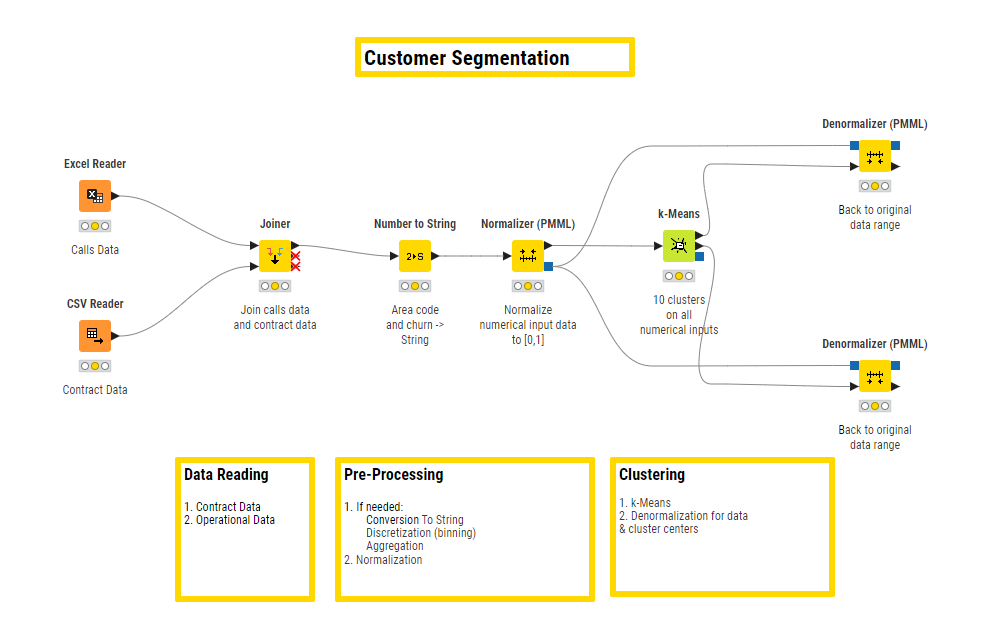
An Overview of the Process
Data cleaning isn't a single click. It's a methodical process of finding and fixing errors. While the specific tools you use might change, the general steps are always the same.
First, you'll inspect your data to understand what kinds of problems exist. Then, you'll standardize formats to make everything consistent. After that, you'll tackle the main errors like duplicates and missing values. Finally, you'll do one last check to make sure everything is correct and ready for analysis.
Now that you understand the what and the why, let's test your knowledge.
What is the primary goal of data cleaning?
A sales report contains entries for both "USA" and "usa". Why is this an issue for data analysis?
Getting comfortable with these core ideas is the first step toward mastering your data. In the next sections, we'll start exploring the specific Excel tools you can use to perform each step of this cleaning process.