Embedded Device Firmware Extraction
Introduction to Embedded Systems
What Are Embedded Systems?
You interact with dozens of embedded systems every day, probably without realizing it. The microwave that heats your lunch, the smartwatch on your wrist, and the anti-lock brakes in your car all rely on them. Unlike a general-purpose computer like your laptop, which can run countless different programs, an embedded system is designed to do one specific job.
Embedded System
noun
A combination of computer hardware and software designed for a specific function within a larger mechanical or electronic system.
These systems are built to be reliable, efficient, and often operate with limited resources. They don't have gigabytes of RAM or powerful graphics cards. Instead, they're tailored to perform their task perfectly with just enough processing power and memory. Many also have to respond to events in real-time, meaning they must process data and react within a strict, predictable timeframe. A car's airbag controller, for example, can't afford any lag.
Inside the Machine
At the heart of nearly every embedded system is a small computer on a single chip. This isn't a sprawling motherboard like you'd find in a PC. All the essential components are packed into one tiny, efficient package.
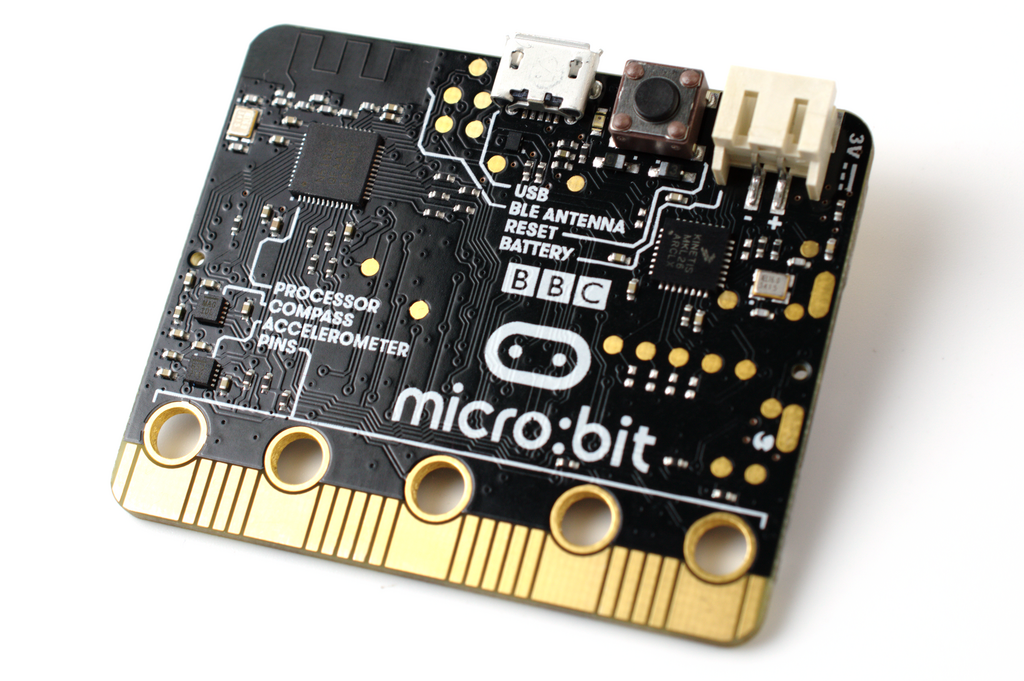
Let's break down the three main building blocks.
| Component | Role | Analogy |
|---|---|---|
| Microcontroller (MCU) | The brains of the operation. | A chef who reads the recipe and directs the kitchen. |
| Memory (RAM/ROM) | Stores instructions and working data. | The cookbook (ROM) and the chef's notepad (RAM). |
| I/O Interfaces | Connects to the outside world. | The senses and hands, for input and action. |
The microcontroller (MCU) is the central component. It contains a processor (CPU), memory, and input/output peripherals all on a single integrated circuit. It's a self-contained computer designed to control the device.
There are two key types of memory. Read-Only Memory (ROM) stores the device's permanent instructions, the software that tells it what to do. This software doesn't disappear when you turn the power off. Random-Access Memory (RAM) is temporary storage for data the MCU is actively working with, and it gets wiped clean when the device loses power.
Finally, Input/Output (I/O) interfaces allow the system to interact with its environment. Inputs come from things like buttons, sensors, or receivers. Outputs go to things like screens, LEDs, motors, or speakers.
The Ghost in the Machine
The hardware components are just inert pieces of silicon and plastic without software to guide them. In an embedded system, this special software is called firmware.
Firmware is a set of instructions programmed directly onto the device's memory (specifically, the ROM). It's the bridge between the hardware and the device's function. It tells the processor how to interpret signals from a sensor, what to display on a screen, and how to react when a button is pressed. Because it's stored permanently, it starts running the moment the device is powered on.
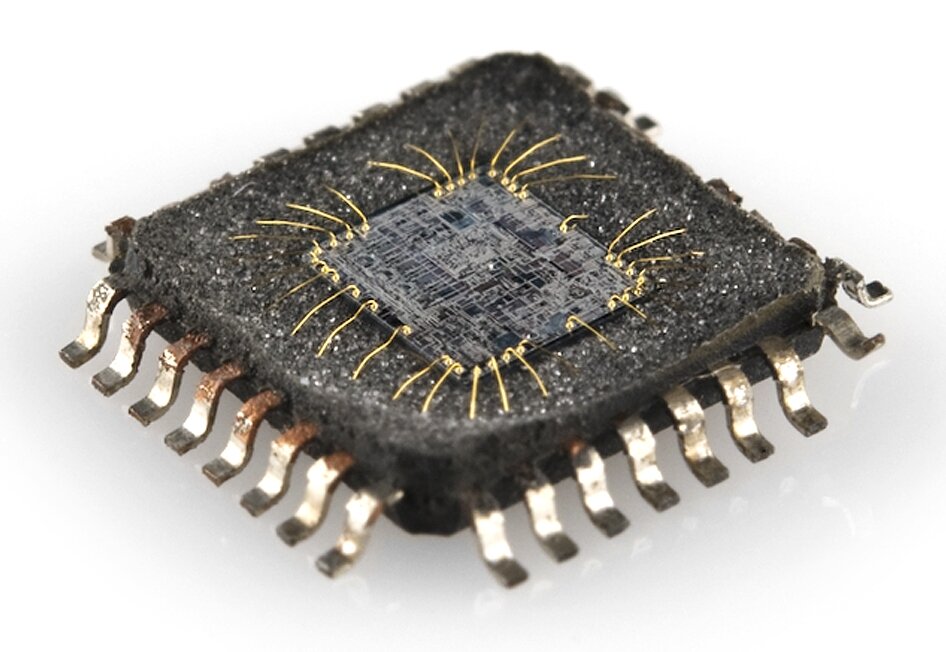
Firmware is the permanent software that turns a piece of hardware into a useful, specialized device.
The architecture of these systems is typically straightforward. The MCU is the central hub, connected directly to memory and various I/O peripherals. When you press a button on your TV remote, an I/O interface sends a signal to the MCU. The MCU processes this signal based on the instructions in its firmware, retrieves necessary data from memory, and sends a command out through another I/O interface (the infrared LED) to the TV.
Now, let's test your understanding of these core concepts.
What is the primary characteristic that distinguishes an embedded system from a general-purpose computer like a laptop?
The permanent software instructions that run on an embedded system are stored in ______, while the data the system is actively working on is kept in ______.
Understanding these fundamentals—the hardware components and the role of firmware—is the first step in exploring how these powerful little devices work.