Efficiency Mastery for eClinicalWorks
SmartForm Engineering
Beyond Static Templates
Standard templates are useful, but they're static. They present the same fields every time, regardless of the clinical situation. A SmartForm is different. It's a dynamic tool that uses logic to guide you through documentation. Think of it less like a paper form and more like a conversation. Based on one answer, it knows what to ask next, hiding irrelevant fields and presenting only what's necessary for a specific complaint.
This approach ensures documentation is both comprehensive and lean. For a common upper respiratory infection (URI), the form can branch. If the patient has a cough, it asks about sputum and duration. If there's no cough, those questions never appear. The goal is to capture structured data—discrete, codable pieces of information—that automatically populate the progress note. This eliminates redundant typing and ensures you're capturing data that satisfies quality measures (CQMs).
Building a Logic-Based Form
Let's build a simple SmartForm for a URI. The foundation is a series of questions with triggers. A trigger is a rule that says, "If the user selects this answer, then show these specific fields."
In this example, answering "Yes" to "Cough?" triggers a set of related questions. This logic is built directly into the form's editor. Every click populates a structured data field, not just a line of text. This means the information is machine-readable, ready for reporting, and satisfies CQM requirements without extra work.
Mapping Data for Maximum Efficiency
A well-built SmartForm doesn't just collect data, it places it in the right sections of the progress note automatically. You can map outputs to the History of Present Illness (HPI), Review of Systems, or Social History. This is particularly powerful for routine health maintenance and chronic disease follow-ups.
Consider a tobacco screening and cessation SmartForm. The questions you ask map directly to structured fields within the Social History section. This not only speeds up documentation but also ensures you're meeting specific quality measures tied to tobacco screening.
| SmartForm Question | Possible Answers | Mapped Social History Field | Associated CQM |
|---|---|---|---|
| Do you use tobacco? | Current user, Former user, Never | Tobacco Status | CMS138v11 |
| If current, type? | Cigarettes, Vaping, Smokeless | Tobacco Type | Internal Reporting |
| Ready to quit? | Yes, No, Unsure | Readiness to Quit | CMS138v11 |
| Counseling provided? | (check box) | Cessation Counseling | CMS138v11 |
By mapping these fields, a few clicks can satisfy an entire quality measure while accurately documenting the patient's social history. This same principle applies to forms for asthma, diabetes, depression screening, and more.
Automating Patient Portal Input
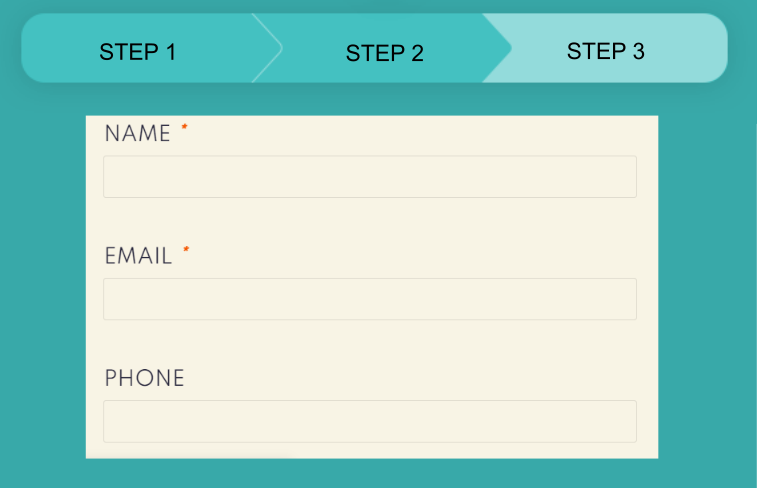
The final step in optimizing efficiency is to connect SmartForms to the Patient Portal. Many practices ask patients to fill out questionnaires before their visit. Instead of having staff manually transcribe this information, you can configure eClinicalWorks to automatically pull that data into your SmartForm.
For a diabetes follow-up, a patient might answer questions online about their last A1c, typical blood sugar readings, and any instances of hypoglycemia. When you open that patient's chart and launch the diabetes SmartForm, these fields are already populated. Your job shifts from data entry to data verification and clinical decision-making. This workflow saves several minutes per patient, which adds up significantly in a high-volume practice.
What is the primary advantage of a SmartForm over a standard, static template?
In a SmartForm, what mechanism is used to show a set of follow-up questions about sputum only after a user indicates the patient has a cough?