Docker Fundamentals for Developers
Introduction to Docker
Packaging Applications
Software development often runs into a classic problem: code that works perfectly on one developer's machine fails on another's. These issues usually stem from small differences in the underlying environment—things like operating system versions, library dependencies, or configuration files.
Docker solves this by packaging an application and all its dependencies into a single, standardized unit. This unit is called a container.
Docker is a software development platform and virtualization technology that uses containers to make it simple to design, deploy, and test the application.
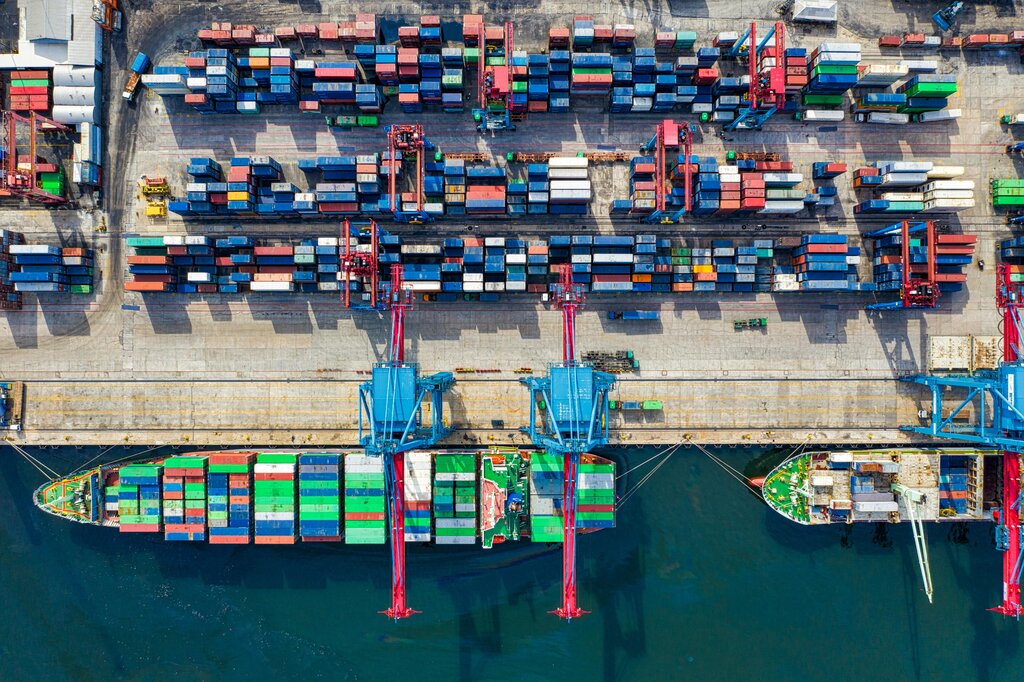
Think of a container like a shipping container on a cargo ship. It doesn't matter what's inside—electronics, clothes, or food—the container itself has a standard shape and size. This standardization allows cranes, ships, and trucks to handle any container without needing to know about its contents. Docker containers do the same for software. They wrap up code and all its dependencies, allowing any system with Docker to run it, regardless of the underlying environment.
Images and Containers
In the Docker world, there are two fundamental concepts you need to understand: images and containers.
An image is a lightweight, standalone, executable package that includes everything needed to run a piece of software: the code, a runtime, system tools, system libraries, and settings. It's a read-only template or a blueprint.
A container is a running instance of an image. When you run a Docker image, it becomes a container. You can create, start, stop, move, and delete containers. Each container is an isolated environment, running on the host machine's operating system kernel.
An image is the blueprint. A container is the house built from that blueprint. You can build many identical houses (containers) from a single blueprint (image).
Containers vs. Virtual Machines
You might be thinking this sounds a lot like a Virtual Machine (VM). VMs also provide isolated environments to run software. However, there's a key architectural difference.
A VM virtualizes the hardware. Each VM includes a full copy of an operating system, the application, necessary binaries, and libraries. This takes up a lot of space and can be slow to boot.
Containers, on the other hand, virtualize the operating system. They sit on top of a single host OS and share its kernel. Containers are just isolated processes, which makes them extremely lightweight, fast, and efficient.
This difference provides the main benefits of containerization:
- Portability: Applications run consistently across development, testing, and production environments.
- Efficiency: Containers require fewer system resources than VMs, allowing you to run more containers on a single host.
- Speed: Containerized applications can be deployed in seconds, compared to the minutes it takes to boot a full VM.
Now that you understand the basic principles, let's test your knowledge.
What is the primary problem that Docker is designed to solve in software development?
In the Docker ecosystem, a read-only template containing the application code, libraries, and tools is called a(n) __________, while a running instance of that template is called a(n) __________.
Understanding these fundamentals is the first step. Next, we'll look at how to interact with Docker using commands to build images and run containers.