Docker Fundamentals Explained
Introduction to Docker
What Is Docker?
Have you ever heard a software developer say, “Well, it works on my machine”? This classic problem happens when code runs perfectly in one environment but fails in another. Differences in operating systems, libraries, or settings can cause chaos. Docker is a tool designed to solve this problem for good.
In simple terms, Docker allows you to package an application and everything it needs - like libraries, dependencies, and configuration into a single, portable unit called a container.
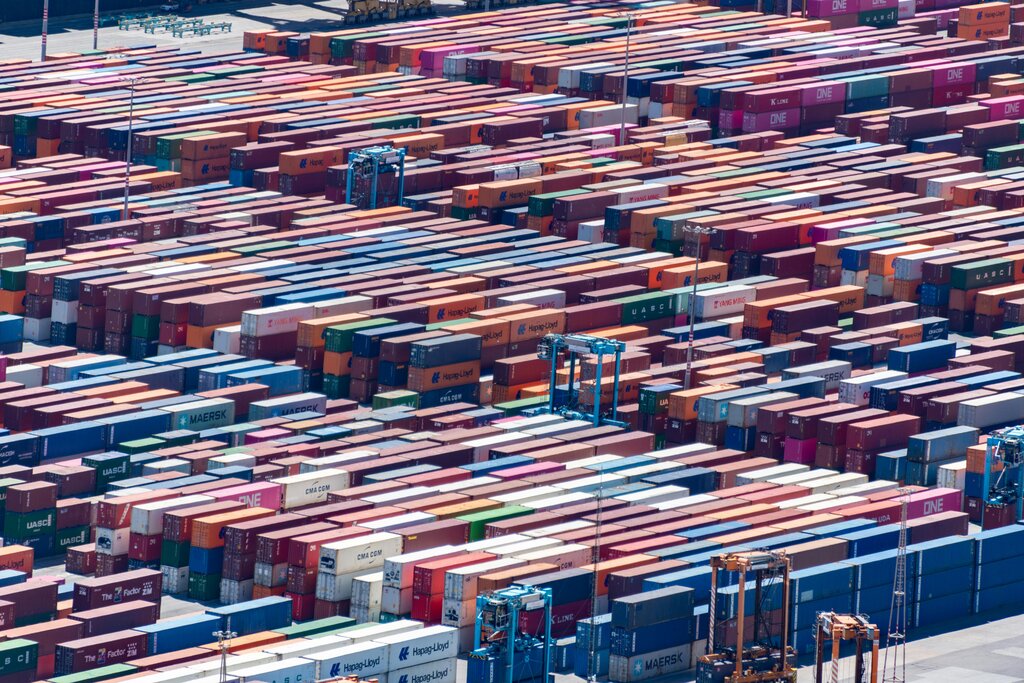
Think of a physical shipping container. It can hold anything from bananas to car parts. The container itself is standardized, so any port, ship, or truck in the world can handle it without needing to know what’s inside. Docker brings this same idea to software. It wraps up an application and its entire environment into a neat package called a container. This container can then run consistently on any computer that has Docker installed, whether it's a developer's laptop, a testing server, or a cloud platform.
The Power of Containerization
This packaging process is called containerization. A container is an isolated, lightweight environment for your application to run in. It includes the application's code along with all the specific files, libraries, and settings it depends on. Because everything is bundled together, the application behaves predictably wherever it goes.
The benefits of this approach are huge:
- Consistency: The application runs the same everywhere, from development to production. This eliminates environment-related bugs.
- Portability: You can easily move applications between different computers, servers, or cloud providers.
- Efficiency: Containers start up much faster and use fewer resources than traditional methods.
- Isolation: Applications in different containers are kept separate from each other, which improves security and stability. If one application crashes, it won't affect others on the same machine.
Containers vs. Virtual Machines
If you’re familiar with Virtual Machines (VMs), you might wonder how containers are different. Both provide isolated environments, but they do it in fundamentally different ways.
A VM simulates an entire physical computer. It needs its own full copy of an operating system (called a guest OS), which runs on top of the main computer's operating system (the host OS). This makes VMs very large, slow to start, and resource-intensive.
Containers, on the other hand, share the host operating system's kernel. They don't need a guest OS. They only package the application and its dependencies. This makes them incredibly lightweight and fast. You can run many more containers on a server than you could VMs.
Think of it this way: a VM is like an entire house, with its own plumbing, electricity, and foundation. A container is more like an apartment in a building. It's a private space, but it shares the building's core infrastructure.
| Feature | Virtual Machine (VM) | Container |
|---|---|---|
| Isolation | Full OS isolation | Process-level isolation |
| Overhead | High (full guest OS) | Low (shares host OS kernel) |
| Size | Large (Gigabytes) | Small (Megabytes) |
| Start-up Time | Minutes | Seconds or less |
| Efficiency | Lower | Higher |
Because they are so efficient and portable, containers have become the standard way to build, ship, and run modern applications.