Docker Fundamentals Explained
Introduction to Docker
The Shipping Container for Code
Imagine you're shipping goods across the ocean. In the old days, you'd have barrels, crates, and sacks of all different sizes. Loading and unloading was a chaotic, inefficient puzzle. Then, the standardized shipping container was invented. Suddenly, everything from cars to bananas could be packed into the same type of box, making logistics incredibly simple and reliable.
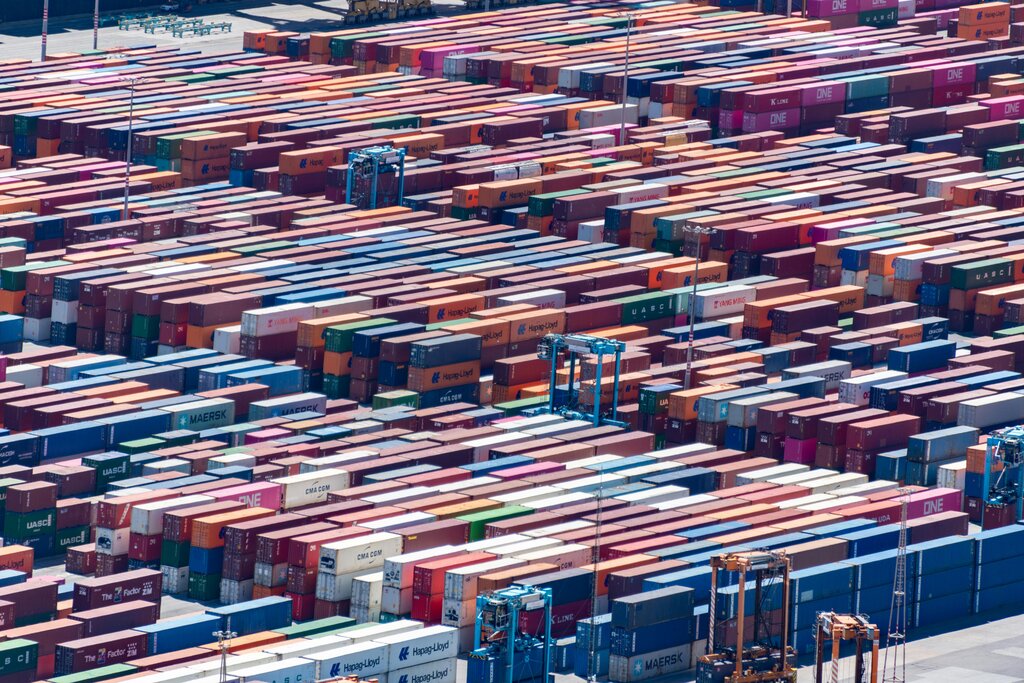
Docker does for software what the shipping container did for cargo. It’s a platform that bundles an application and all its dependencies—like libraries, system tools, and code—into a standardized unit called a container.
This container has everything the software needs to run, all packed up and ready to go. You can then run this container on any computer that has Docker installed, and it will work exactly the same way, every time. This solves one of the most common and frustrating problems in software development.
The "it works on my machine" problem disappears. A containerized app that runs on a developer's laptop will run identically on a testing server or in the cloud.
Containers vs. Virtual Machines
You might be thinking, "This sounds a lot like a virtual machine (VM)." They are similar in that they both provide isolated environments for running software, but they work very differently under the hood.
A virtual machine emulates an entire computer system. It includes a complete copy of an operating system, the application, and all its necessary libraries. This is like building a brand new, fully-functional house just to plug in a special toaster. It works, but it’s heavy, slow to start, and consumes a lot of resources.
A container, on the other hand, is much more lightweight. Instead of bundling a full operating system, containers share the operating system kernel of the host machine they run on. A container only holds the application and its specific dependencies. It’s like adding a new room to your existing house for that toaster. You're using the same foundation and utilities, which is far more efficient.
This key difference makes containers much smaller, faster, and more resource-efficient than VMs. You can run many more containers on a server than you could VMs, which saves on hardware costs and energy.
The Impact on Development
Docker has changed how modern software is built and deployed. Its benefits touch every stage of the development lifecycle.
Consistency: By packaging everything together, developers can be sure their code will run the same way everywhere. This means less time debugging issues that only appear in certain environments.
Speed & Efficiency: Containers start in seconds, not minutes like VMs. This speeds up development, testing, and deployment. Since they use fewer resources, companies can run their applications more densely on fewer servers.
Scalability: Need to handle a sudden spike in traffic? With Docker, you can launch new, identical containers almost instantly to share the load. When the traffic dies down, you can simply remove them.
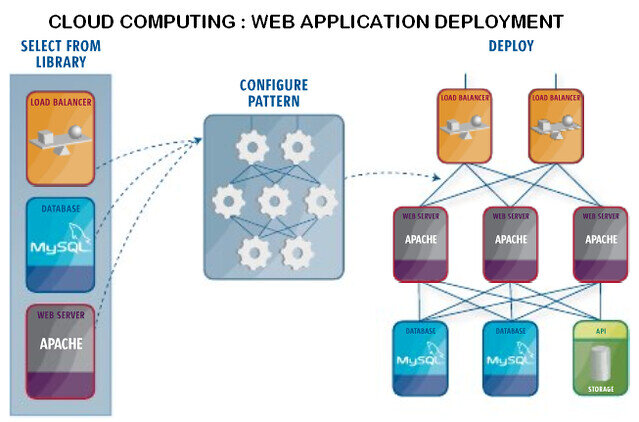
By making applications portable and self-contained, Docker has become a cornerstone of modern practices like microservices and continuous integration/continuous deployment (CI/CD). It simplifies complexity and allows teams to build and ship software faster and more reliably than ever before.
The text uses an analogy to explain Docker's purpose. Docker is to software as the standardized shipping container is to what?
What is the primary architectural difference between a Docker container and a Virtual Machine (VM)?