Docker Fundamentals and Advantages
Introduction to Docker
Shipping Code with Containers
Have you ever heard a developer say, “It works on my machine”? It’s a classic problem. An application runs perfectly on one computer but breaks on another because of small differences in their setup. Docker solves this problem by packaging an application and all its dependencies into a single, standardized unit called a container.
Docker is a containerization platform that packages applications and their dependencies, ensuring consistent behavior across all environments.
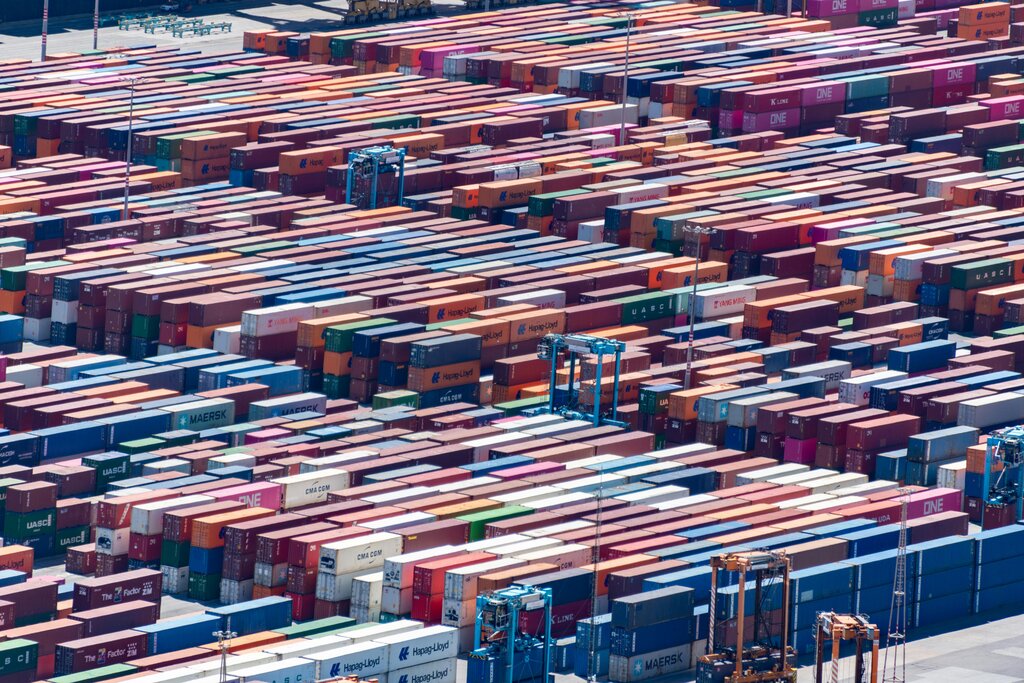
Think of a container like a shipping container. The shipping industry was revolutionized by standardizing the size and shape of containers. It no longer mattered if a container held electronics or bananas; it could be moved by the same ships, trains, and cranes. Docker does the same for software. An application inside a Docker container runs the same way whether it's on a developer's laptop, a testing server, or in the cloud.
This process is called containerization. It’s a lightweight way to bundle an application with everything it needs, like libraries, system tools, and code, into one package. This package is self-sufficient and portable, making it easy to build, ship, and run applications anywhere.
How Docker Works
The Docker ecosystem has a few key parts that work together. At its core is the Docker Engine, which runs on a host machine and does the heavy lifting of building and running containers. You interact with it using the Docker client, which is the command-line tool where you'll type commands.
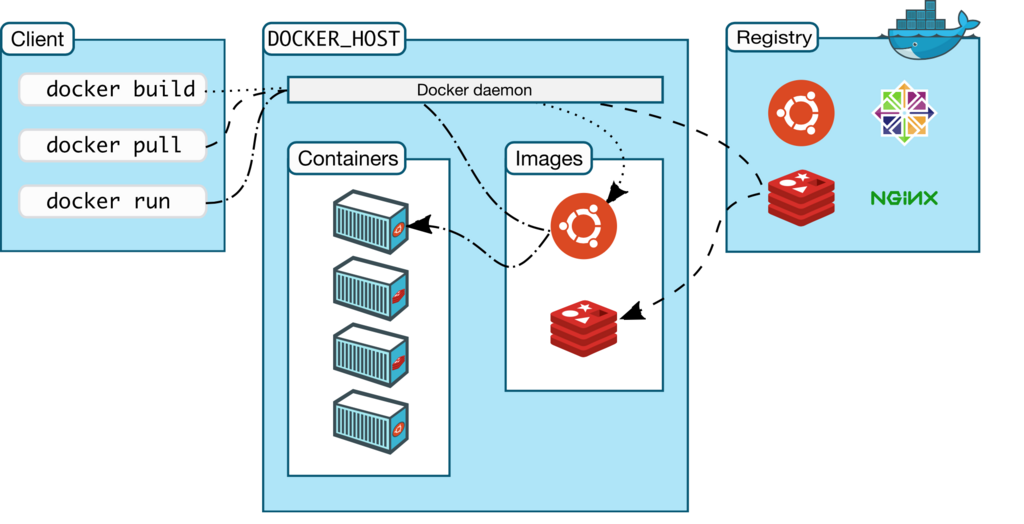
Containers are created from read-only templates called images. An image contains the application and all its dependencies. When you want to run the application, you tell Docker to start a container from that image. The image is the blueprint, and the container is the actual running instance.
An image is a blueprint. A container is a running instance of that blueprint.
You can build your own images using a file called a Dockerfile, which lists step-by-step instructions. Or, you can pull pre-made images from a registry, which is a storage system for images. The most popular public registry is Docker Hub, where you can find thousands of official images for common software like databases and web servers.
# Pull an official Nginx web server image
docker pull nginx

# Run a container from the image
docker run -d -p 8080:80 nginx
Containers vs. Virtual Machines
Before containers, the standard way to isolate applications was with virtual machines (VMs). A VM emulates an entire computer system, including the hardware. This means every VM needs its own complete guest operating system, which can be large and slow to start.
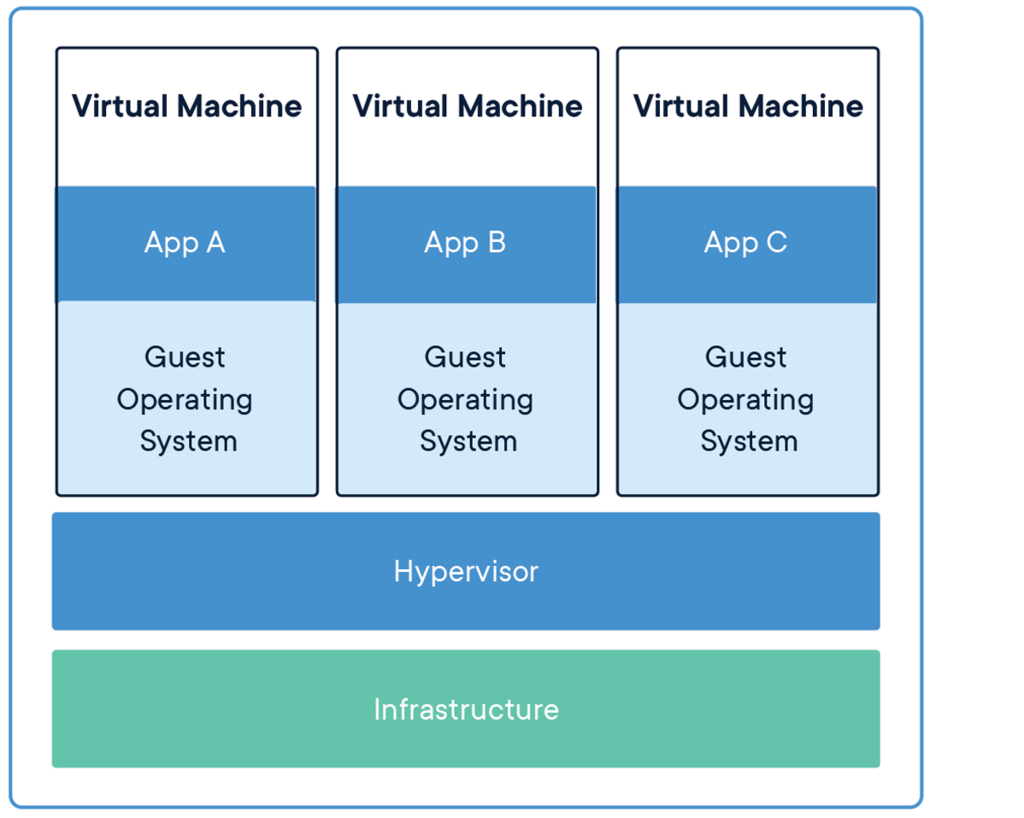
Containers take a different approach. Instead of virtualizing the hardware, they virtualize the operating system. All containers on a host machine share the host's OS kernel. This makes them incredibly lightweight and fast. A container might be tens of megabytes in size and can start in seconds, while a VM is often gigabytes and takes minutes to boot up.
This efficiency makes Docker ideal for modern application development. It enables developers to run many applications on the same hardware, create consistent environments for development and testing, and is a foundational technology for microservices architectures, where applications are broken down into smaller, independent services.
What is the primary problem Docker was created to solve?
In the Docker ecosystem, a read-only template containing an application and its dependencies is called an ______.